
Writing T-SQL with an AI Partner
You’ve got the CLI installed and you’ve run your first interaction. Now let’s use it for the thing DBAs do most: writing T-SQL.
This isn’t about replacing your SQL knowledge - it’s about offloading the boilerplate, catching mistakes before they hit production, and spending your brainpower on the parts that actually require judgment.
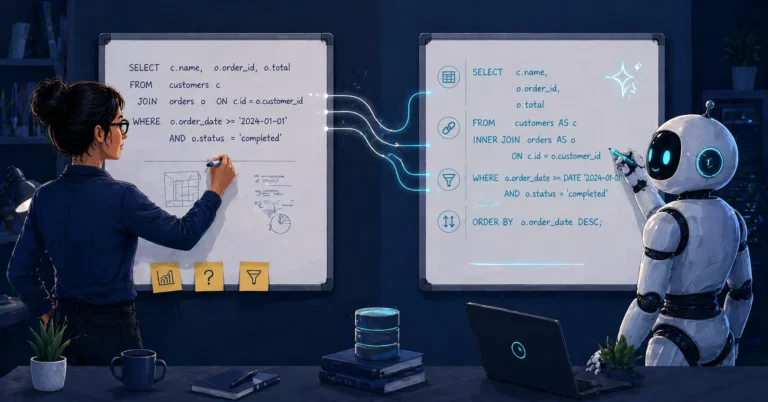
Generating T-SQL from Plain English
The simplest use case is the most common. You know what you want; you don’t want to spend ten minutes looking up the exact syntax for the fifteenth time.
|
1 2 3 4 |
Write an inline table-valued function that accepts a database name and returns the top 20 queries by average elapsed time from sys.dm_exec_query_stats, joined to sys.dm_exec_sql_text for the query text. Include total execution count, average logical reads, and average elapsed time in milliseconds. |
The agent produces a complete function - with proper parameter handling, CROSS APPLY to sys.dm_exec_sql_text, and the columns you asked for. If you’ve set up custom instructions, it’ll use CONVERT instead of CAST, bracket all identifiers, terminate with semicolons, and follow your formatting conventions.
The output isn’t always perfect. You might need to say “use COALESCE for the database filter” or “add an ORDER BY on average elapsed time descending.” That’s the normal workflow - describe, refine, verify.
Writing Complex JOINs and Window Functions
This is where it starts saving real time. Window functions, CTEs with multiple levels, self-joins, CROSS APPLY to system DMVs - the kind of T-SQL where you know the intent but the syntax takes three attempts to get right.
|
1 2 3 4 5 6 7 |
Using Query Store on SQL Server 2025, write a query that shows the top 5 most resource-intensive queries in the current database. Rank by total CPU time (weighted by execution count), and include total execution count, average logical reads, and the query text. Join through sys.query_store_query, sys.query_store_plan, sys.query_store_runtime_stats, and sys.query_store_query_text. Filter to the most recent 24 hours of intervals using sys.query_store_runtime_stats_interval. |
This kind of prompt would normally take a fair bit of fiddling - getting the ranking right, joining Query Store’s normalized tables correctly (query → plan → runtime_stats → interval), and aggregating across multiple intervals and plans. The agent gets you a working draft quickly. Your job becomes reviewing it, not writing it from zero.
Code Review: “What’s Wrong with This?”
This is one of the most underrated uses. You have a stored procedure - maybe you wrote it, maybe you inherited it - and you want a second opinion.
|
1 2 3 4 5 6 |
Review the stored procedure in deploy-proc.sql. Look for: - Implicit conversions that could prevent index seeks - Missing error handling - Deprecated syntax - Logic bugs - Performance issues (unnecessary scans, missing SARGability) |
The agent goes through the procedure line by line. In my experience, it consistently catches:
WHERE CONVERT(VARCHAR, DateColumn, 112) = '20260401'- non-SARGable predicate caused by wrapping the column in a function, suggests a direct date range comparison instead- Missing
BEGIN TRY/BEGIN CATCHblocks SELECT *in production codeISNULLwhere my coding standards call forCOALESCE(note: these are not interchangeable - they have different type precedence and nullability behavior, so treat this as a case-by-case decision, not a blanket replacement)NOLOCKhints used as a default rather than a deliberate decision
I wrote about a case where the agent found logic issues that were easy to miss in manual review - subtle errors that produced correct-looking results but were technically wrong. That’s the kind of thing a human reviewer might catch eventually, but the agent caught it on the first pass. For a deeper look at using agents in pull request workflows - schema change reviews, deployment script validation, permission audits - see AI-Assisted Pull Request Reviews for Database Code.
Refactoring Legacy T-SQL
Every environment has legacy code. Implicit joins from the SQL Server 2000 era. Missing semicolons. Inconsistent formatting. Hungarian notation variable names. The agent is tireless at this work.
|
1 2 3 4 |
Refactor the procedure in legacy-report.sql: - Convert all implicit/comma joins to explicit ANSI JOIN syntax - Add semicolons to every statement - Bracket all identifiers |
For a single procedure, this takes seconds. For a batch of fifteen procedures, you can cut a tedious cleanup task down substantially - the kind of work that normally eats entire days of careful, error-prone manual editing.
The key is to verify each refactored procedure against the original. Run both versions against the same test data and compare the results. The agent’s refactoring is usually correct, but “usually” isn’t good enough for production.
Try This Yourself: Pick a legacy procedure with implicit joins. Ask the agent to refactor it to ANSI syntax. Compare execution plans before and after - for inner joins, plans are usually unchanged, but outer joins can change semantics when predicates move between WHERE and ON. Always verify results match before deploying.
Pro tip: When prompting, ask the agent to state its assumptions:
|
1 2 |
Write the query, then list any assumptions you made about schema, SQL Server version, and row uniqueness. |
This forces the agent to surface what it’s guessing about, so you can correct it before the code reaches your test environment.
Schema-Aware Generation
The agent gets significantly more useful when it can see your actual schema. If you have DDL extracts or CREATE TABLE scripts in your working directory, the agent will reference them instead of guessing at column names.
|
1 2 3 4 |
Using the table definitions in the schema/ folder, write an INSERT trigger on dbo.Orders that logs the order_id, customer_id, and order_total to dbo.OrderAudit whenever a new order is created. Include the inserting user and timestamp. |
Without schema context, the agent might guess column names and get them wrong. With DDL files available, it uses the actual column names, data types, and constraints. This is why the context model matters - point the agent at your schema files and the output quality jumps.
If you’re also working with PostgreSQL, tools like pg-extract-schema, pg-deploy, and pg-data-comparer can extract your DDL into folder structures that the agent can reference directly - the same principle applies across database platforms.
When NOT to Trust the AI
This section matters more than the rest of the post.
The agent doesn’t have access to your actual database at runtime (unless you’ve set up an MCP connection). It works from the files you’ve given it and its training data. That means:
- It can hallucinate column names that don’t exist in your schema. Always verify against the actual DDL.
- It doesn’t know your data distribution. It might suggest an index that’s great for a table with 10,000 rows and terrible for one with 10 billion.
- It can be confidently wrong. The agent doesn’t say “I’m not sure” often enough. If a query looks right but you have a nagging feeling, trust your gut and test it.
- It doesn’t know about your constraints. Business rules that aren’t encoded in the schema - “we never delete from this table,” “this column is always populated even though it’s nullable” - need to come from you.
One more: don’t let it ship destructive code unchecked. UPDATE, DELETE, MERGE (which has well-documented pitfalls), index changes, partition switching - anything that can block users, drop data, or create a bad index does not go straight to production. It gets a human review and a rollback path.
The agent is a fast, knowledgeable first-drafter and code reviewer. It is not a substitute for testing, and it is not a substitute for understanding what the code does.
One last thing: always tell the agent your SQL Server version and compatibility level up front, especially if you’re on Azure SQL DB or Managed Instance. Syntax and feature availability vary, and the agent may generate syntax from the wrong version if you don’t specify.
Deep Dives
Want to go deeper? These companion posts walk through specific scenarios in detail:
- AI-Assisted Implicit Join Conversion - Converting legacy implicit joins to ANSI syntax
- AI-Assisted Window Function Development - Building and debugging window functions
- AI-Assisted Cursor-to-Set-Based Conversion - Replacing cursors with set-based operations
- AI-Assisted Parameter Sniffing Diagnosis - Diagnosing and fixing parameter sniffing issues
Next up: Automating Server Health Checks and Inventory Scripts - using AI to build the PowerShell and T-SQL scripts that keep your fleet healthy.
Part of the ALTER DBA ADD AGENT series - Previous: Getting Started