
Backup Failure and Gap Detection with AI
You don’t discover a backup gap during a calm Tuesday afternoon review. You discover it at 2 AM when a production database needs a point-in-time restore and your last transaction log backup was four hours ago instead of fifteen minutes. Your RPO was 15 minutes. Your actual data loss is 4 hours. That’s a career-defining conversation with the CTO.
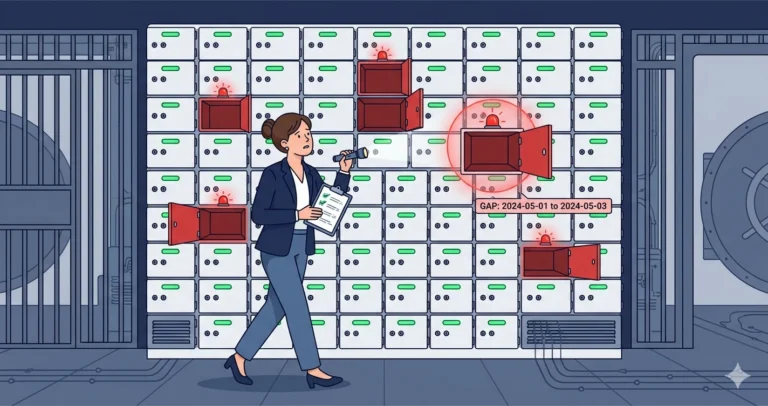
Backup jobs can fail silently in dozens of ways. The Agent job succeeds but skips a database because it was in a restoring state. The maintenance plan runs but compression fails on one database and it moves on. A new database gets created and nobody adds it to the backup schedule. An AG failover happens and the backup job on the new primary isn’t configured. These gaps are invisible until you need the backup that doesn’t exist.
I used an AI agent to build a monitoring solution that catches these gaps proactively. Here’s how the conversation went.
The Initial Prompt
|
1 2 3 4 5 6 7 8 9 10 11 12 13 14 15 16 17 |
Write a T-SQL monitoring script for SQL Server that identifies backup gaps and failures. Check for: 1. Databases with no full backup in the last 25 hours 2. Databases in FULL recovery model with no transaction log backup in the last 30 minutes 3. Databases with no full backup at all (ever) 4. Databases where the most recent backup of any type failed (completed with errors) For each issue found, include: database name, recovery model, last successful backup time and type, and the gap duration. Exclude tempdb, model, and database snapshots. Send results via Database Mail as an HTML-formatted email. Use msdb.dbo.backupset for backup history. Use ANSI joins, square brackets, /* */ comments, lowercase datatypes, and semicolons. |
What the Agent Produced
The agent built a solid structure: sys.databases as the outer base, LEFT JOIN to subqueries against msdb.dbo.backupset for the latest full (type = 'D'), differential (type = 'I'), and log (type = 'L') backups. It correctly used LEFT JOIN so databases with zero backup history still appeared in the results. It excluded tempdb, model, and snapshots (source_database_id IS NULL).
What I liked: it handled the “completed with errors” check by looking at msdb.dbo.backupset for rows where backup_finish_date exists but the associated msdb.dbo.sysjobhistory entry shows a non-success status. Actually - that approach was overengineered and fragile, because it assumed backups run through Agent jobs. I pushed back:
|
1 2 3 4 5 6 7 |
The "completed with errors" approach is too tightly coupled to Agent jobs. Instead, check for databases where the most recent backup entry in msdb.dbo.backupset has a has_incomplete_metadata = 1, or where there's a backup entry in backupset but no corresponding entry in backupmediafamily (orphaned backup record). Also flag databases where the most recent full backup is a copy_only backup and the most recent non-copy_only full backup is older than the threshold. |
The agent revised the approach - cleaner and works regardless of how backups are executed (Agent, maintenance plans, Ola Hallengren, third-party tools).
Note: The
has_incomplete_metadataandbackupmediafamilyorphan checks described above are not included in the final consolidated script below. They were useful during initial investigation but added complexity without catching issues that the RPO-based gap detection doesn’t already cover. If you need those checks - for example, to detect corrupted backup records - add them as a separate validation query againstmsdb.dbo.backupset AS bs LEFT JOIN msdb.dbo.backupmediafamily AS bmf ON bs.[media_set_id] = bmf.[media_set_id] WHERE bmf.[media_set_id] IS NULL.
The Iteration: RPO-Aware Thresholds
Hardcoded thresholds work for a single instance, but my environment has different RPO requirements across tiers. I followed up:
|
1 2 3 4 5 6 7 8 9 10 11 |
Instead of a single 30-minute threshold for log backups, let me define RPO windows per database or per group. Create a configuration table called dbo.BackupRPOConfig with columns: - database_name_pattern (nvarchar, supports LIKE patterns) - full_backup_threshold_hours (int) - log_backup_threshold_minutes (int) - priority (int, higher number = higher priority match) If a database matches multiple patterns, use the highest-priority match. If no pattern matches, use default thresholds of 25 hours for full and 30 minutes for log backups. |
The agent created the config table and rewrote the threshold logic to use a CROSS APPLY that finds the best-matching RPO config for each database. This is the kind of refinement that’s tedious to build from scratch but easy to describe in a prompt - you’re telling the agent the business requirement and letting it handle the join logic.
The Final Solution
|
1 2 3 4 5 6 7 8 9 10 11 12 13 14 15 16 17 18 19 20 21 22 23 24 25 26 27 28 29 30 31 32 33 34 35 36 37 38 39 40 41 42 43 44 45 46 47 48 49 50 51 52 53 54 55 56 57 58 59 60 61 62 63 64 65 66 67 68 69 70 71 72 73 74 75 76 77 78 79 80 81 82 83 84 85 86 87 88 89 90 91 92 93 94 95 96 97 98 99 100 101 102 103 104 105 106 107 108 109 110 111 112 113 114 115 116 117 118 119 120 121 122 123 124 125 126 127 128 129 130 131 132 133 134 135 136 137 138 139 140 141 142 143 144 145 146 147 148 149 150 151 152 153 154 155 156 157 158 159 160 161 162 163 164 165 166 167 168 169 170 171 172 173 174 175 176 177 178 179 180 181 182 183 184 185 186 187 188 189 190 191 192 193 194 195 196 197 198 199 200 201 202 203 204 205 206 207 208 209 210 211 212 213 214 215 216 217 218 219 220 221 222 223 224 225 226 227 228 229 230 231 232 233 234 235 236 237 238 239 240 241 242 243 244 245 246 247 248 249 250 251 |
/* Backup Gap and Failure Detection Monitor */ /* Prerequisites: create dbo.BackupRPOConfig in a DBA utility database */ /* Schedule via SQL Server Agent every 15 minutes */ SET NOCOUNT ON; DECLARE @DefaultFullThresholdHours int = 25; DECLARE @DefaultLogThresholdMinutes int = 30; DECLARE @ProfileName nvarchar(128) = N'DBA Alerts'; DECLARE @Recipients nvarchar(256) = N'dba-team@example.com'; /* -- Run once to create the RPO configuration table: CREATE TABLE dbo.[BackupRPOConfig] ( [id] int IDENTITY(1,1) PRIMARY KEY ,[database_name_pattern] nvarchar(128) NOT NULL ,[full_backup_threshold_hours] int NOT NULL DEFAULT 25 ,[log_backup_threshold_minutes] int NOT NULL DEFAULT 30 ,[priority] int NOT NULL DEFAULT 0 ); -- Example entries: INSERT INTO dbo.[BackupRPOConfig] ([database_name_pattern], [full_backup_threshold_hours], [log_backup_threshold_minutes], [priority]) VALUES (N'%', 25, 30, 0), -- default for all databases (N'Orders%', 25, 15, 10), -- tighter log RPO for order databases (N'Archive%', 48, 60, 10); -- relaxed thresholds for archive databases */ ;WITH [LatestBackups] AS ( SELECT bs.[database_name] ,bs.[type] ,bs.[backup_finish_date] ,bs.[is_copy_only] ,ROW_NUMBER() OVER ( PARTITION BY bs.[database_name], bs.[type] ORDER BY bs.[backup_finish_date] DESC ) AS [rn] FROM msdb.dbo.[backupset] AS bs WHERE bs.[is_copy_only] = 0 ) ,[LatestFull] AS ( SELECT [database_name], [backup_finish_date] FROM [LatestBackups] WHERE [type] = 'D' AND [rn] = 1 ) ,[LatestLog] AS ( SELECT [database_name], [backup_finish_date] FROM [LatestBackups] WHERE [type] = 'L' AND [rn] = 1 ) ,[LatestDiff] AS ( SELECT [database_name], [backup_finish_date] FROM [LatestBackups] WHERE [type] = 'I' AND [rn] = 1 ) ,[LatestAnyFull] AS ( /* Including copy_only - to detect when only copy_only exists */ SELECT bs.[database_name] ,MAX(CASE WHEN bs.[is_copy_only] = 1 THEN bs.[backup_finish_date] END) AS [last_copyonly_full] ,MAX(CASE WHEN bs.[is_copy_only] = 0 THEN bs.[backup_finish_date] END) AS [last_scheduled_full] FROM msdb.dbo.[backupset] AS bs WHERE bs.[type] = 'D' GROUP BY bs.[database_name] ) ,[RPOThresholds] AS ( SELECT d.[name] AS [database_name] ,ISNULL(cfg.[full_backup_threshold_hours], @DefaultFullThresholdHours) AS [full_threshold_hours] ,ISNULL(cfg.[log_backup_threshold_minutes], @DefaultLogThresholdMinutes) AS [log_threshold_minutes] FROM sys.[databases] AS d OUTER APPLY ( SELECT TOP (1) c.[full_backup_threshold_hours] ,c.[log_backup_threshold_minutes] FROM dbo.[BackupRPOConfig] AS c WHERE d.[name] LIKE c.[database_name_pattern] ORDER BY c.[priority] DESC ) AS cfg WHERE d.[state] = 0 /* ONLINE */ AND d.[name] NOT IN (N'tempdb', N'model') AND d.[source_database_id] IS NULL /* not a snapshot */ ) SELECT rpo.[database_name] ,d.[recovery_model_desc] AS [recovery_model] ,f.[backup_finish_date] AS [last_full_backup] ,DATEDIFF(HOUR, f.[backup_finish_date], GETDATE()) AS [full_age_hours] ,l.[backup_finish_date] AS [last_log_backup] ,DATEDIFF(MINUTE, l.[backup_finish_date], GETDATE()) AS [log_age_minutes] ,df.[backup_finish_date] AS [last_diff_backup] ,rpo.[full_threshold_hours] ,rpo.[log_threshold_minutes] ,CASE WHEN f.[backup_finish_date] IS NULL AND af.[last_scheduled_full] IS NULL AND af.[last_copyonly_full] IS NOT NULL THEN N'COPY_ONLY ONLY - no scheduled full backup exists' WHEN f.[backup_finish_date] IS NULL THEN N'NO FULL BACKUP - database has never been backed up' WHEN DATEDIFF(HOUR, f.[backup_finish_date], GETDATE()) > rpo.[full_threshold_hours] THEN N'STALE FULL - last full backup ' + CONVERT(nvarchar(20), DATEDIFF(HOUR, f.[backup_finish_date], GETDATE())) + N' hours ago (threshold: ' + CONVERT(nvarchar(10), rpo.[full_threshold_hours]) + N'h)' ELSE NULL END AS [full_backup_issue] ,CASE WHEN d.[recovery_model] = 1 /* FULL */ AND l.[backup_finish_date] IS NULL THEN N'NO LOG BACKUP - FULL recovery with no log backup history' WHEN d.[recovery_model] = 1 AND DATEDIFF(MINUTE, l.[backup_finish_date], GETDATE()) > rpo.[log_threshold_minutes] THEN N'STALE LOG - last log backup ' + CONVERT(nvarchar(20), DATEDIFF(MINUTE, l.[backup_finish_date], GETDATE())) + N' minutes ago (threshold: ' + CONVERT(nvarchar(10), rpo.[log_threshold_minutes]) + N'min)' ELSE NULL END AS [log_backup_issue] INTO #BackupGaps FROM [RPOThresholds] AS rpo INNER JOIN sys.[databases] AS d ON d.[name] = rpo.[database_name] LEFT JOIN [LatestFull] AS f ON f.[database_name] = rpo.[database_name] LEFT JOIN [LatestLog] AS l ON l.[database_name] = rpo.[database_name] LEFT JOIN [LatestDiff] AS df ON df.[database_name] = rpo.[database_name] LEFT JOIN [LatestAnyFull] AS af ON af.[database_name] = rpo.[database_name]; /* Filter to only rows with issues */ DELETE FROM #BackupGaps WHERE [full_backup_issue] IS NULL AND [log_backup_issue] IS NULL; /* Also check for AG databases where backups may be on another replica */ INSERT INTO #BackupGaps ( [database_name], [recovery_model], [last_full_backup], [full_age_hours], [last_log_backup], [log_age_minutes], [last_diff_backup], [full_threshold_hours], [log_threshold_minutes], [full_backup_issue], [log_backup_issue] ) SELECT d.[name] ,d.[recovery_model_desc] ,NULL, NULL, NULL, NULL, NULL ,@DefaultFullThresholdHours ,@DefaultLogThresholdMinutes ,N'AG SECONDARY - verify backups on preferred replica' ,NULL FROM sys.[databases] AS d INNER JOIN sys.dm_hadr_database_replica_states AS drs ON drs.[database_id] = d.[database_id] AND drs.[is_local] = 1 AND drs.[is_primary_replica] = 0 WHERE NOT EXISTS ( SELECT 1 FROM msdb.dbo.[backupset] AS bs WHERE bs.[database_name] = d.[name] AND bs.[type] = 'D' AND bs.[backup_finish_date] > DATEADD(HOUR, -@DefaultFullThresholdHours, GETDATE()) ); IF EXISTS (SELECT 1 FROM #BackupGaps) BEGIN DECLARE @Subject nvarchar(256); DECLARE @HtmlBody nvarchar(max); DECLARE @IssueCount int; SELECT @IssueCount = COUNT(*) FROM #BackupGaps; SET @Subject = N'Backup Gap Alert: ' + CONVERT(nvarchar(10), @IssueCount) + N' issue(s) on ' + @@SERVERNAME; SET @HtmlBody = N'<html><body>' + N'<h2>Backup Gap Detection - ' + @@SERVERNAME + N'</h2>' + N'<p>' + CONVERT(nvarchar(10), @IssueCount) + N' database(s) with backup issues detected at ' + CONVERT(nvarchar(30), SYSDATETIME(), 120) + N'</p>' + N'<table border="1" cellpadding="4" cellspacing="0"' + N' style="border-collapse:collapse; font-family:Consolas,monospace;' + N' font-size:12px;">' + N'<tr style="background:#333; color:#fff;">' + N'<th>Database</th><th>Recovery</th>' + N'<th>Last Full</th><th>Full Age (h)</th>' + N'<th>Last Log</th><th>Log Age (min)</th>' + N'<th>Issue</th></tr>'; SELECT @HtmlBody = @HtmlBody + N'<tr style="background:' + CASE WHEN [full_backup_issue] LIKE N'NO %' OR [log_backup_issue] LIKE N'NO %' THEN N'#fdd' ELSE N'#ffd' END + N';">' + N'<td>' + [database_name] + N'</td>' + N'<td>' + ISNULL([recovery_model], N'') + N'</td>' + N'<td>' + ISNULL(CONVERT(nvarchar(20), [last_full_backup], 120), N'NEVER') + N'</td>' + N'<td>' + ISNULL(CONVERT(nvarchar(10), [full_age_hours]), N'-') + N'</td>' + N'<td>' + ISNULL(CONVERT(nvarchar(20), [last_log_backup], 120), N'NEVER') + N'</td>' + N'<td>' + ISNULL(CONVERT(nvarchar(10), [log_age_minutes]), N'-') + N'</td>' + N'<td>' + ISNULL([full_backup_issue], N'') + CASE WHEN [full_backup_issue] IS NOT NULL AND [log_backup_issue] IS NOT NULL THEN N'<br/>' ELSE N'' END + ISNULL([log_backup_issue], N'') + N'</td>' + N'</tr>' FROM #BackupGaps ORDER BY CASE WHEN [full_backup_issue] LIKE N'NO %' THEN 0 WHEN [log_backup_issue] LIKE N'NO %' THEN 1 ELSE 2 END ,[database_name]; SET @HtmlBody = @HtmlBody + N'</table>' + N'<p><em>Copy-only backups are excluded from scheduled backup ' + N'age calculations. AG secondary databases are informational ' + N'only - verify backup configuration on the preferred ' + N'replica.</em></p></body></html>'; EXEC msdb.dbo.[sp_send_dbmail] @profile_name = @ProfileName ,@recipients = @Recipients ,@subject = @Subject ,@body = @HtmlBody ,@body_format = N'HTML'; END; DROP TABLE IF EXISTS #BackupGaps; |
What I Validated
Before deploying, I ran this on three production instances with known backup configurations:
- The “new database” test. I created a test database and confirmed it immediately appeared in the next monitoring cycle as “NO FULL BACKUP.” This is the most common real-world gap - someone creates a database and forgets to add it to the backup schedule.
- The copy-only trap. One instance had a database where the only full backup in
backupsetwas a copy-only taken for a migration test. The scheduled backup job had been failing silently for three days. TheCOPY_ONLY ONLYflag caught this. - AG failover gap. After a planned AG failover, the backup job on the new primary wasn’t configured (the old primary had the job). The log backup gap alert fired within 30 minutes.
- RPO config matching. The
LIKE-pattern matching correctly applied tighter thresholds to theOrdersdatabases and relaxed thresholds to theArchivedatabases. The priority ordering worked as expected when a database matched multiple patterns.
Try This Yourself
- Run the core query (without the Database Mail wrapper) on any instance. Compare the results against what you believe your backup situation looks like. Most DBAs find at least one surprise.
- Create the
BackupRPOConfigtable and populate it with your actual RPO requirements. This forces a conversation with the business about what “acceptable backup frequency” actually means - a conversation many teams skip. - Ask the agent to add a check for backup chain integrity: flag databases where a
RESTORE HEADERONLYof the most recent full backup would succeed but the chain of log backups since then is incomplete. - Deploy as an Agent job running every 15 minutes. The log backup check is the time-sensitive one - 15 minutes gives you one missed cycle before the alert fires.
- Extend with the fleet-wide PowerShell pattern from Post 6 to run across all instances and aggregate results.
For the complete approach to building custom monitoring and alert tuning, see Post 13: Building Custom Monitoring Queries and Alerts. For the broader health check and inventory pattern, see Post 5: Health Checks and Inventory.
Part of the ALTER DBA ADD AGENT series.