
Building a Backup Automation Framework with AI
Every DBA has backup scripts. Most of them started as a maintenance plan, got replaced with a handwritten T-SQL job, picked up a few IF branches over the years, and now live in that awkward space between “it works” and “I’m afraid to touch it.” The problem isn’t writing BACKUP DATABASE - it’s building a framework that handles multiple instances, different backup types on different schedules, verification, retention cleanup, and notification when something fails silently at 2 AM.
I decided to use AI to build this from scratch instead of patching my existing scripts one more time. Here’s the prompt I started with:
|
1 2 3 4 5 6 7 8 9 10 11 12 13 14 15 16 17 |
Write a PowerShell backup automation framework using dbatools that reads a list of SQL Server instances from a JSON config file. For each instance, the framework should: 1. Perform full, differential, or transaction log backups based on a schedule defined in the config (e.g., full on Sunday, diff nightly, log every 15 minutes) 2. Back up to \\backupshare\instancename\databasename\ with timestamped filenames 3. Run RESTORE VERIFYONLY on each backup after completion 4. Delete backup files older than a configurable retention period (days) 5. Log all operations (success, failure, duration, backup size) using Write-Verbose and a CSV log file 6. Send an email notification if any database fails 7. Use try/catch around each database so one failure doesn't stop the run 8. Use Windows authentication throughout - no stored credentials Use approved PowerShell verbs, splatting for cmdlets with many parameters, and proper error handling. |
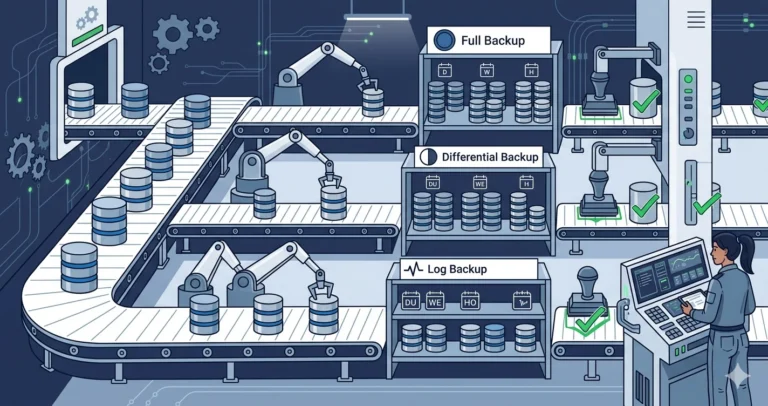
What the Agent Produced
The agent generated a solid three-part structure: a config schema, a main Invoke-DbaBackupFramework function, and a notification helper. The config file looked like this:
|
1 2 3 4 5 6 7 8 9 10 11 12 13 14 15 16 17 18 19 |
{ "instances": [ { "serverInstance": "SQL-PROD-01", "backupShare": "\\\\backupshare\\SQL-PROD-01", "retentionDays": 14, "schedule": { "full": "Sunday", "differential": "Monday,Tuesday,Wednesday,Thursday,Friday,Saturday", "log": "*/15" } } ], "notification": { "smtpServer": "mail.corp.example.com", "to": "dba-team@corp.example.com", "from": "sql-backups@corp.example.com" } } |
The backup type selection logic was clean - it checked the current day of week against the schedule, falling back to differential, then log. The RESTORE VERIFYONLY step used Test-DbaLastBackup from dbatools, which is exactly the right cmdlet.
Scheduling caveat: The
"log": "*/15"pattern in the config file is not parsed by theGet-BackupTypefunction - the function only checks the day of week for full and differential schedules, defaulting to log backup for any unmatched day. In production, log backup scheduling at a sub-day interval (e.g., every 15 minutes) should be handled by the task scheduler (Windows Task Scheduler or SQL Agent) that invokes this framework, not by the framework’s internal schedule logic. The*/15notation is shown as documentation of intent, not as executable configuration.
What needed fixing:
- No copy-only support. In my environment, I regularly take copy-only backups for migrations or developer refreshes. These shouldn’t interfere with the differential chain, and the framework had no way to request one.
- Retention cleanup was too aggressive. It deleted all
.bakfiles older than N days, but didn’t distinguish between full and log backups. I need different retention periods - 14 days for full/diff, 3 days for log backups. - No
-WhatIfparameter. For a framework that deletes files and sends emails, I need a dry-run mode before pointing it at production.
The Iteration
I followed up with two more prompts:
|
1 2 3 4 5 6 7 |
Add a -CopyOnly switch parameter that takes a copy-only full backup of all databases, skipping schedule logic. Log it separately so it doesn't interfere with normal backup tracking. Also add a -WhatIf switch that shows what backups would be taken and what files would be deleted, without actually doing anything. Use Write-Host with "[WhatIf]" prefix for dry-run output. |
And then:
|
1 2 3 |
Split retention into two settings: retentionDaysFull (for .bak and .diff files) and retentionDaysLog (for .trn files). Default retentionDaysFull to 14 and retentionDaysLog to 3 if not specified in the config. |
The agent handled both iterations well. The -WhatIf implementation used SupportsShouldProcess properly, and the retention split was straightforward.
The Final Framework
|
1 2 3 4 5 6 7 8 9 10 11 12 13 14 15 16 17 18 19 20 21 22 23 24 25 26 27 28 29 30 31 32 33 34 35 36 37 38 39 40 41 42 43 44 45 46 47 48 49 50 51 52 53 54 55 56 57 58 59 60 61 62 63 64 65 66 67 68 69 70 71 72 73 74 75 76 77 78 79 80 81 82 83 84 85 86 87 88 89 90 91 92 93 94 95 96 97 98 99 100 101 102 103 104 105 106 107 108 109 110 111 112 113 114 115 116 117 118 119 120 121 122 123 124 125 126 127 128 129 130 131 132 133 134 135 136 137 138 139 140 141 142 143 144 145 146 147 148 149 150 151 152 153 154 155 156 157 158 159 160 161 162 163 164 |
function Invoke-DbaBackupFramework { [CmdletBinding(SupportsShouldProcess)] param( [Parameter(Mandatory)] [string]$ConfigPath, [switch]$CopyOnly ) $config = Get-Content -Path $ConfigPath -Raw | ConvertFrom-Json $logPath = Join-Path -Path (Split-Path -Path $ConfigPath) -ChildPath 'backup-log.csv' $failures = [System.Collections.Generic.List[PSCustomObject]]::new() foreach ($instance in $config.instances) { $serverInstance = $instance.serverInstance $backupShare = $instance.backupShare $retentionFull = if ($instance.retentionDaysFull) { $instance.retentionDaysFull } else { 14 } $retentionLog = if ($instance.retentionDaysLog) { $instance.retentionDaysLog } else { 3 } Write-Verbose "Processing instance: $serverInstance" $databases = Get-DbaDatabase -SqlInstance $serverInstance -ExcludeSystem | Where-Object { $_.Status -eq 'Normal' } foreach ($db in $databases) { $dbName = $db.Name $backupDir = Join-Path -Path $backupShare -ChildPath $dbName $startTime = Get-Date try { /* Determine backup type */ $backupType = if ($CopyOnly) { 'Full' } else { Get-BackupType -Schedule $instance.schedule } /* Skip log backups for SIMPLE recovery databases */ if ($backupType -eq 'Log' -and $db.RecoveryModel -eq 'Simple') { Write-Verbose " $dbName - skipping log backup (SIMPLE recovery model)" continue } $splatBackup = @{ SqlInstance = $serverInstance Database = $dbName Path = $backupDir Type = $backupType CompressBackup = $true Checksum = $true Verify = $true EnableException = $true } if ($CopyOnly) { $splatBackup['CopyOnly'] = $true } if ($PSCmdlet.ShouldProcess($dbName, "Backup-DbaDatabase ($backupType)")) { $result = Backup-DbaDatabase @splatBackup $duration = (Get-Date) - $startTime $logEntry = [PSCustomObject]@{ Timestamp = $startTime.ToString('yyyy-MM-dd HH:mm:ss') Instance = $serverInstance Database = $dbName BackupType = $backupType CopyOnly = [bool]$CopyOnly Duration = $duration.ToString('hh\:mm\:ss') SizeMB = [math]::Round($result.CompressedBackupSize.Megabyte, 2) Status = 'Success' FilePath = $result.BackupPath -join '; ' } $logEntry | Export-Csv -Path $logPath -Append -NoTypeInformation Write-Verbose " $dbName - $backupType backup completed ($($duration.ToString('mm\:ss')))" } } catch { $errorMsg = $_.Exception.Message Write-Warning " $dbName - FAILED: $errorMsg" $failures.Add([PSCustomObject]@{ Instance = $serverInstance Database = $dbName Error = $errorMsg }) $logEntry = [PSCustomObject]@{ Timestamp = $startTime.ToString('yyyy-MM-dd HH:mm:ss') Instance = $serverInstance Database = $dbName BackupType = $backupType CopyOnly = [bool]$CopyOnly Duration = ((Get-Date) - $startTime).ToString('hh\:mm\:ss') SizeMB = 0 Status = 'Failed' FilePath = $errorMsg } $logEntry | Export-Csv -Path $logPath -Append -NoTypeInformation } } /* Retention cleanup */ if ($PSCmdlet.ShouldProcess($backupShare, 'Remove expired backups')) { Remove-ExpiredBackups -Path $backupShare ` -RetentionDaysFull $retentionFull ` -RetentionDaysLog $retentionLog } } /* Send failure notification */ if ($failures.Count -gt 0) { $splatMail = @{ SmtpServer = $config.notification.smtpServer To = $config.notification.to From = $config.notification.from Subject = "Backup failures on $(Get-Date -Format 'yyyy-MM-dd') - $($failures.Count) database(s)" Body = ($failures | Format-Table -AutoSize | Out-String) } Send-MailMessage @splatMail } } function Get-BackupType { param([PSCustomObject]$Schedule) $dayOfWeek = (Get-Date).DayOfWeek.ToString() if ($Schedule.full -and $Schedule.full -match $dayOfWeek) { return 'Full' } elseif ($Schedule.differential -and $Schedule.differential -match $dayOfWeek) { return 'Differential' } else { return 'Log' } } function Remove-ExpiredBackups { param( [string]$Path, [int]$RetentionDaysFull, [int]$RetentionDaysLog ) $now = Get-Date /* Full and differential backups */ Get-ChildItem -Path $Path -Recurse -Include '*.bak', '*.diff' | Where-Object { $_.LastWriteTime -lt $now.AddDays(-$RetentionDaysFull) } | ForEach-Object { Write-Verbose " Removing expired full/diff: $($_.FullName)" Remove-Item -Path $_.FullName -Force } /* Transaction log backups */ Get-ChildItem -Path $Path -Recurse -Include '*.trn' | Where-Object { $_.LastWriteTime -lt $now.AddDays(-$RetentionDaysLog) } | ForEach-Object { Write-Verbose " Removing expired log: $($_.FullName)" Remove-Item -Path $_.FullName -Force } } |
What I Validated
Before deploying this, I ran it with -WhatIf against a test instance to verify the schedule logic picked the right backup type on different days. I also confirmed a few things manually:
- The
Verifyparameter onBackup-DbaDatabaserunsRESTORE VERIFYONLYautomatically. No separate step needed - dbatools handles this internally. It’s a useful quick check, though not a substitute for actual test restores. - Copy-only backups don’t reset the differential base. I took a copy-only full, then a scheduled differential, and confirmed the diff was based on the previous scheduled full - not the copy-only.
- Retention cleanup respects subdirectories. The
-RecurseonGet-ChildItemwalks\\share\instance\database\correctly. Empty directories are left behind, which is fine - no need to over-engineer that.
The framework runs as a SQL Agent PowerShell job step or a scheduled task. For fleet-wide deployment, combine it with the Central Management Server pattern from Post 5 to generate config files per instance automatically.
Try This Yourself
Start small. Create a config file with a single test instance and run the framework with -WhatIf -Verbose to see what it would do. Then let it run against a dev instance with aggressive retention (2 days) so you can watch the cleanup work.
Once you’re comfortable, iterate with the agent. Ask it to add backup-to-URL support for Azure Blob Storage. Ask it to skip databases that are AG secondaries where sys.fn_hadr_backup_is_preferred_replica() returns 0. Ask it to generate a daily summary email showing total backup size across the fleet. Each iteration is a prompt and a few minutes of review - a lot faster than writing it from scratch.
The real value isn’t the initial framework - it’s how quickly you can customize it for your environment. The agent gives you the plumbing; you bring the knowledge of what your backup strategy actually needs.
For more on integrating PowerShell automation into your DBA workflow, see Post 6: PowerShell Automation.
Part of the ALTER DBA ADD AGENT series.