
Mapping Stored Procedure Dependencies with AI
You need to refactor a stored procedure, but before you change a single line, you need to answer the question: what breaks if I change this? In a well-documented system, the answer is in the architecture docs. In the real world - especially in legacy environments - the answer is scattered across hundreds of objects with undocumented relationships.
SQL Server provides sys.sql_expression_dependencies for exactly this purpose. It’s useful but incomplete. It can’t see through dynamic SQL, it doesn’t track cross-database references reliably, it misses dependencies inside EXEC() strings, and it has no visibility into objects on linked servers. If your legacy environment relies heavily on any of those patterns - and most do - the system catalog gives you maybe 60% of the picture.
AI agents can fill that gap by doing what sys.sql_expression_dependencies can’t: reading the code.
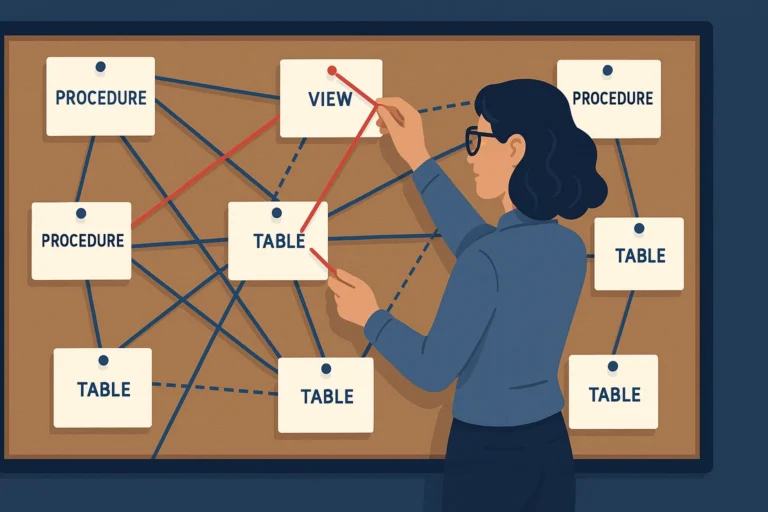
The Problem: A Procedure Ecosystem
Here’s a scenario I hit regularly. An order processing system has a core procedure, usp_ProcessDailyBatch, that calls helper procedures, which call other helpers, which reference views built on views. Nobody has mapped the full dependency tree. The SQL Agent job that runs it has been untouched for four years and nobody knows the full blast radius.
I need to know every object in the chain before I can safely migrate it.
The Prompt
|
1 2 3 4 5 6 7 8 9 10 11 12 13 14 15 16 |
I'm uploading a set of stored procedures and views from our order processing system. Analyze all of them and produce a dependency map showing: 1. Which procedures call which other procedures (EXEC / sp_executesql calls) 2. Which tables each procedure reads from (SELECT, JOIN, EXISTS) 3. Which tables each procedure writes to (INSERT, UPDATE, DELETE, MERGE) 4. Which views are referenced and what their underlying tables are 5. Any circular dependencies or chains longer than 3 levels deep 6. Any dynamic SQL that constructs object names at runtime - flag these as "unresolved references" since static analysis can't determine the target Present the results in three formats: - A text-based tree showing the call hierarchy from usp_ProcessDailyBatch - A flat table listing every object-to-object dependency with the relationship type - A list of objects that are referenced but not included in the files I provided (missing dependencies I'll need to find) |
What the Agent Produced
The agent returned a clear call hierarchy:
|
1 2 3 4 5 6 7 8 9 10 11 12 13 14 15 16 17 18 19 20 21 22 23 24 25 |
usp_ProcessDailyBatch ├── usp_ValidateOrders │ ├── reads: [dbo].[Orders], [dbo].[Customers], [dbo].[vw_ActiveProducts] │ ├── writes: [dbo].[OrderValidationLog] │ └── calls: usp_CheckCreditLimit │ ├── reads: [dbo].[Customers], [dbo].[CreditHistory] │ └── writes: [dbo].[CreditCheckLog] ├── usp_ApplyDiscounts │ ├── reads: [dbo].[Orders], [dbo].[DiscountRules], [dbo].[vw_CustomerTiers] │ ├── writes: [dbo].[Orders], [dbo].[DiscountAudit] │ └── calls: (none) ├── usp_CalculateShipping │ ├── reads: [dbo].[Orders], [dbo].[ShippingRates], [dbo].[Warehouses] │ ├── writes: [dbo].[Orders] │ └── calls: usp_GetWarehouseRate [DYNAMIC - object name built from variable] ├── usp_FinalizeOrders │ ├── reads: [dbo].[Orders], [dbo].[PaymentMethods] │ ├── writes: [dbo].[Orders], [dbo].[OrderHistory], [dbo].[Notifications] │ └── calls: usp_SendConfirmation, usp_UpdateInventory │ └── usp_UpdateInventory │ ├── reads: [dbo].[OrderItems], [dbo].[Inventory] │ ├── writes: [dbo].[Inventory], [dbo].[InventoryMovements] │ └── calls: usp_CheckReorderPoint └── calls via dynamic SQL: [UNRESOLVED] - builds procedure name from @ProcessingStep variable, likely maps to usp_Step1, usp_Step2, etc. |
It also produced the flat dependency table, which is what I actually paste into documentation:
|
1 2 3 4 5 6 7 8 9 10 11 12 13 14 15 16 17 |
Source Object | Target Object | Relationship -------------------------|--------------------------|------------------ usp_ProcessDailyBatch | usp_ValidateOrders | EXEC call usp_ProcessDailyBatch | usp_ApplyDiscounts | EXEC call usp_ProcessDailyBatch | usp_CalculateShipping | EXEC call usp_ProcessDailyBatch | usp_FinalizeOrders | EXEC call usp_ValidateOrders | dbo.Orders | SELECT usp_ValidateOrders | dbo.Customers | SELECT usp_ValidateOrders | dbo.vw_ActiveProducts | SELECT usp_ValidateOrders | dbo.OrderValidationLog | INSERT usp_ValidateOrders | usp_CheckCreditLimit | EXEC call usp_ApplyDiscounts | dbo.Orders | SELECT, UPDATE usp_ApplyDiscounts | dbo.DiscountRules | SELECT usp_ApplyDiscounts | dbo.DiscountAudit | INSERT usp_FinalizeOrders | usp_SendConfirmation | EXEC call usp_FinalizeOrders | usp_UpdateInventory | EXEC call usp_CalculateShipping | usp_GetWarehouseRate | EXEC (dynamic) |
And the missing dependencies list - objects referenced in the code but not included in the uploaded files:
|
1 2 3 4 5 |
- usp_CheckReorderPoint (called by usp_UpdateInventory) - usp_SendConfirmation (called by usp_FinalizeOrders) - vw_ActiveProducts (referenced by usp_ValidateOrders) - vw_CustomerTiers (referenced by usp_ApplyDiscounts) - usp_Step1, usp_Step2, etc. (inferred from dynamic SQL pattern) |
What I Validated and Changed
The agent’s analysis was strong on explicit references - direct EXEC calls, table references in FROM and JOIN clauses, and INSERT/UPDATE targets. Here’s what I cross-checked:
- Compared against
sys.sql_expression_dependencies. I ran the agent’s own suggested query against the real database:
|
1 2 3 4 5 6 7 8 9 10 11 12 13 |
SELECT OBJECT_NAME(d.[referencing_id]) AS [referencing_object] , d.[referenced_entity_name] AS [referenced_object] , d.[referenced_schema_name] , d.[referenced_database_name] , d.[referenced_server_name] FROM [sys].[sql_expression_dependencies] AS d WHERE OBJECT_NAME(d.[referencing_id]) IN ( 'usp_ProcessDailyBatch', 'usp_ValidateOrders' , 'usp_ApplyDiscounts', 'usp_CalculateShipping' , 'usp_FinalizeOrders', 'usp_UpdateInventory' ) ORDER BY [referencing_object], [referenced_object]; |
The system catalog caught two references the agent missed: a synonym (dbo.ActiveCustomers mapping to a table in another database) and a OPENQUERY reference to a linked server that the agent flagged as a comment but didn’t include in the dependency table. Both were buried deep in conditional branches.
- Checked for trigger chains. The agent analyzed procedure dependencies, but it couldn’t know what triggers exist on the target tables. The
INSERTinto[dbo].[OrderHistory]fires a trigger that updates a reporting table in a different database - a dependency invisible to both the agent andsys.sql_expression_dependencies. I discovered this by queryingsys.triggerson the target tables. - Validated the dynamic SQL inference. The agent guessed that
@ProcessingStepmaps tousp_Step1,usp_Step2, etc. It was close - the actual pattern wasusp_Process_Step1,usp_Process_Step2. A reasonable inference from static analysis, but wrong in the details. I confirmed by adding aPRINTstatement to the dynamic SQL path and running it on a test instance.
What the Catalog Can’t See
This is the core value of AI-assisted dependency mapping. sys.sql_expression_dependencies is a metadata catalog - it records dependencies that the SQL Server parser identified at object creation or alteration time. It’s blind to:
- Dynamic SQL - any object name constructed at runtime is invisible
- Cross-database references through synonyms (the synonym itself is tracked, not the underlying object)
EXEC()with string concatenation - the parser can’t resolveEXEC('usp_' + @Name)- CLR procedure calls - external assemblies are opaque
- Objects referenced via linked servers inside
OPENQUERYor four-part names that the catalog records unreliably - Dependencies inside encrypted modules - the parser can’t read encrypted procedure text
The agent can see all of these in the code you give it. It can’t see what’s on the other side of a linked server or inside an encrypted module, but it can identify the reference and flag it as something you need to investigate.
The ideal workflow is combining both: use the agent for code-level analysis, validate against sys.sql_expression_dependencies for anything the agent missed, and query sys.triggers to catch the trigger chains that neither approach covers on its own.
Try This Yourself
Pick a central procedure in your environment - the one that “does everything.” Export it and all the procedures it calls using the scripting wizard or your source control. Feed them to the agent:
|
1 2 3 4 |
Analyze these stored procedures and map every dependency - procedure calls, table reads, table writes, view references, and any dynamic SQL that constructs object names at runtime. Produce a call hierarchy tree and a flat dependency table. List any referenced objects not included in the files. |
Then validate the agent’s output against sys.sql_expression_dependencies. The gaps between the two lists are where your undocumented dependencies live - and those are exactly the dependencies that cause migration failures.
For the full approach to reverse-engineering legacy code, see Reverse-Engineering Legacy Stored Procedures. For using dependency maps to plan your version control and CI/CD migration, see the later post in this series.
Part of the ALTER DBA ADD AGENT series.