
Version Control and CI/CD: Unlocking What the Agent Can Actually Do
Here’s a dirty secret about everything in this series so far: the agent is working with one hand tied behind its back if your database code isn’t in a repository.
Every post has shown you pasting a stored procedure, feeding the agent a script, or dropping DDL files into a working directory. That works. But it’s the difference between asking someone to review a single page versus handing them the whole book. When the agent can see your schema history, your deployment scripts, your migration patterns, and your team’s commit log, everything it does gets better.
This post isn’t “you should use git” - you already know that, even if you haven’t gotten around to it yet. This is about what the AI agent can do for you once your database code lives in a repo, and how the agent can help you get there.
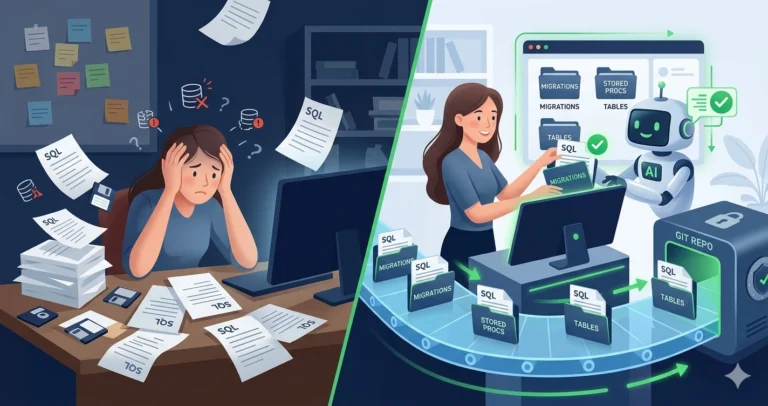
The Agent Without a Repo
When you copy-paste a single procedure into the agent, it works in isolation:
- It can’t see the tables the proc references unless you also paste the DDL
- It can’t trace cross-procedure dependencies
- It can’t diff against a previous version to understand what changed
- It can’t review a PR because there’s no PR to review
- It can’t generate a migration script because it doesn’t know what the schema looked like before
You’re the context bridge - manually providing everything the agent needs to be useful. It works, but it’s slow and incomplete.
The Agent With a Repo
Point the agent at a repository containing your schema DDL, stored procedures, and deployment scripts, and the dynamic changes:
|
1 2 3 4 5 6 7 8 9 |
I've pointed you at our database repository. It contains: - schema/ folder with CREATE TABLE scripts for all tables - procs/ folder with all stored procedures - migrations/ folder with versioned deployment scripts Review the procedure in procs/usp_ProcessDailyBatch.sql. Check for: 1. Dependencies on tables in schema/ - are all referenced tables present? 2. Differences from the last committed version (use git history) 3. Compatibility with our deployment pattern in migrations/ |
The agent now has the full picture. It cross-references the proc against actual table definitions, traces dependencies across files, and understands your deployment conventions. The output quality jumps - not because the agent got smarter, but because it has the context it needs.
Getting Your Database Code Into a Repo
If you’re not there yet, the agent can help you get started. This is one of those tasks that’s been on your “someday” list - and the agent compresses the mechanical work.
|
1 2 3 4 5 6 7 8 9 |
I have a SQL Server 2025 instance with 47 user databases. I want to start version-controlling the schema. Help me: 1. Write a PowerShell script using dbatools that exports all CREATE TABLE, CREATE VIEW, CREATE PROCEDURE, and CREATE FUNCTION statements from a given database into a folder structure: schema/tables/, schema/views/, schema/procs/, schema/functions/ 2. One file per object, named [schema].[objectname].sql 3. Include a .gitignore appropriate for a SQL Server database project 4. Include a README template for a database repository |
The agent generates the export script, the folder structure, and the scaffolding. You run it against one database, review the output, git init, and commit. Thirty minutes to go from “nothing in source control” to a baseline committed - though that baseline is a starting point, not authoritative truth. SMO/dbatools exports can have quirks with object ordering, SET options noise, and object types that don’t export cleanly. Review the output before treating it as your canonical source.
A few things the initial export won’t cover: security objects (users, roles, permissions, certificates), server-level dependencies, reference data in lookup tables, and SQL Agent jobs. Schema versioning is only part of database change management - plan to expand coverage incrementally.
For a more structured approach, SQL Server Data Tools (SSDT) / SQL Database Projects give you a build-time validation layer - the project catches many static reference problems (broken foreign keys, misspelled object names, missing tables) at build time, though it won’t catch dynamic SQL issues, runtime data assumptions, or cross-database dependencies without explicit database references. The agent can help with that setup too:
|
1 2 3 4 5 6 7 8 |
I want to create an SSDT SQL Database Project from an existing database. Walk me through the steps to: 1. Import from my existing SQL Server instance 2. Set up the folder structure 3. Configure the build to validate against the closest supported target platform (note: SSDT target platforms may lag behind the latest SQL Server version - check current DacFx support) 4. Add it to an existing git repository |
A note on what you’re choosing here: SSDT uses a state-based model - you define what the schema should look like, and DacFx generates the deployment script to get there. The alternative is a migration-based model - hand-authored sequential scripts in a migrations/ folder, run by tools like DbUp or Flyway. These are fundamentally different workflows, and the agent can help with either one, but don’t mix them in the same pipeline without understanding the tradeoffs. Pick one model for each database.
What CI/CD Looks Like for Database Code
Once your code is in a repo, CI/CD becomes possible - and the agent can help you build the pipeline. This is where many DBA teams stall: they know they should have automated builds and deployment gates, but the setup feels like a project unto itself.
|
1 2 3 4 5 6 7 8 9 10 11 |
Write a GitHub Actions workflow for a SQL Server database repository that: 1. On every pull request: - Builds the SSDT project (or validates migration scripts) to catch static reference errors - Generates a deploy report against a disposable or baseline target (not a shared mutable CI database - those drift too) - Posts the deploy report summary as a PR comment 2. On merge to main: - Generates the deployment script - Stores it as a build artifact for manual deployment Don't auto-deploy to production - we want a human gate. |
The agent generates a first draft of a pipeline definition. You’ll need to adjust runners, service connections, database credentials (use secrets, not hardcoded values), authentication modes, and environment-specific details. But the structure - trigger conditions, job steps, artifact handling - comes together faster than writing YAML from scratch.
Try This Yourself: If you already have database code in git but no CI pipeline, ask the agent to generate a GitHub Actions or Azure DevOps pipeline that builds your project on every PR. Even just a build-validation step catches static reference problems before they reach production.
What the Agent Does Better With CI/CD in Place
Once you have version control and a pipeline, capabilities from earlier posts in this series level up:
- Code review (Post 16) goes from “paste this proc and review it” to “review this PR diff with full schema context” - and the agent can spot that your ALTER TABLE would break an indexed view defined in another file
- Custom instructions (Post 15) in a
.github/copilot-instructions.mdfile travel with the repo - giving compatible tools shared guidance (though instruction support varies by tool and isn’t hard enforcement) - Legacy code analysis (Post 7) can use
git logandgit blameto understand when and why code changed, not just what it does today (though git history is source history, not deployment history - you’ll need release tags or deployment logs to know what’s actually running in production) - Health checks and monitoring scripts become versioned, reviewed, and deployed through a pipeline instead of copy-pasted between servers
- Migration planning (Post 11) can diff schema versions to generate targeted migration scripts instead of full-database comparisons
The agent also becomes useful for CI/CD maintenance itself - updating pipeline definitions, adding new validation steps, troubleshooting failed builds. Ask it “this GitHub Actions build is failing with error X, what’s wrong?” and paste the build log.
Drift Detection: The CI/CD Bonus
One of the highest-value CI/CD patterns for DBAs is automated drift detection - comparing what’s in the repo against what’s actually deployed. The reliable way to do this is with a real schema comparison engine - SqlPackage /Action:DeployReport, Redgate SQL Compare, or similar tools that understand SQL Server’s object model. The agent can help you set up the automation around these tools:
|
1 2 3 4 5 6 7 |
Write a PowerShell script that uses SqlPackage to generate a deploy report comparing our compiled dacpac against a live SQL Server instance. Parse the report and flag: - Objects that would be dropped (exist in DB but not in project) - Objects that would be altered - New objects that exist only in the project Format as a summary suitable for a team review email. |
This catches the “someone made a change directly in production” problem that every DBA team has. Running it on a schedule closes the loop between your repo and your actual environment.
You’ll also need a process for what happens when drift is detected. Emergency hotfixes applied directly to production are a reality - the question is whether they get reconciled back into the repo within hours or silently diverge for months. Define a “break glass” path: who can make direct production changes, how those changes get documented, and who’s responsible for syncing them back to source control.
The Practical Path
You don’t need to go from zero to full CI/CD in a week. A practical progression:
- Week one: Export your schema to files,
git init, commit a baseline - Week two: Start making changes in the repo first, deploying from scripts
- Month one: Add a basic CI build that validates your project on PRs
- Month two: Add drift detection and deployment preview to the pipeline
- Ongoing: Expand what’s covered - add Agent jobs, SSIS packages, security scripts
Each step makes the AI agent more useful. Each step also makes your team more resilient - version history, peer review, and automated validation aren’t AI features. They’re engineering fundamentals that happen to make AI dramatically more effective.
One more reality check: CI validation is necessary but insufficient for production safety. It won’t catch environment-specific issues - collation mismatches, filegroup differences, AG redo implications, CDC interactions, or the data-motion complexity of large-table changes. Those still need DBA design and judgment. What CI does is catch the preventable mistakes early, so your limited review time goes toward the hard problems.
Next up: Teaching AI Your Environment: Custom Instructions and Context - how to make the agent deeply effective by teaching it your specific environment, standards, and workflow.
Part of the ALTER DBA ADD AGENT series - Previous: Custom Monitoring