
Post-Migration Validation with AI-Generated Test Scripts
The migration is done. The databases are online. The application connects. Everyone exhales - and then spends the next three weeks discovering things that are subtly wrong. A permission that didn’t carry over. A linked server that points to the old instance. An Agent job that references a drive letter that doesn’t exist on the new server. Row counts that don’t match because a trigger fired during the cutover window.
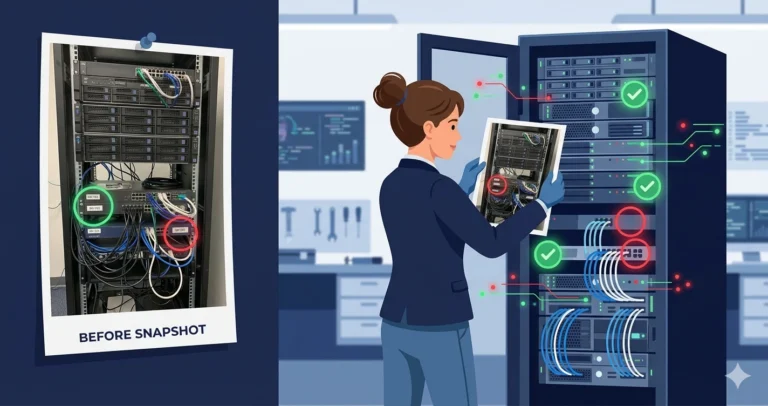
Post-migration validation is the phase everyone agrees is important and nobody allocates enough time for. An AI agent can generate a comprehensive validation runbook from a single prompt - but the real trick is capturing the “before” baseline while you still can.
The Problem
You’ve migrated 15 databases from a SQL Server 2017 instance to SQL Server 2025. You need to verify that everything made it across intact: data, permissions, objects, configurations, jobs, linked servers, and logins. Doing this manually means writing dozens of comparison queries and running them against both old and new instances. It’s exactly the kind of systematic, repetitive work where humans make mistakes and agents don’t.
The Prompt
|
1 2 3 4 5 6 7 8 9 10 11 12 13 14 15 16 17 18 19 20 21 22 23 24 25 26 |
Generate a comprehensive post-migration validation toolkit for SQL Server. I'm migrating 15 databases from one instance to another. Build scripts for BOTH phases: PHASE 1 - BASELINE CAPTURE (run on source BEFORE migration): Capture snapshots of everything we need to compare after migration. Store results in a validation database. PHASE 2 - POST-MIGRATION COMPARISON (run on target AFTER migration): Compare the target state against the captured baseline and flag any discrepancies. Cover these validation areas: 1. Row counts for every user table in every database 2. Checksum-based data validation for critical tables 3. Object counts by type (procedures, functions, views, triggers, indexes) 4. Permission snapshots - database and server level 5. Index and statistics metadata comparison 6. Linked server connectivity verification 7. SQL Agent job validation (existence, schedules, enabled status) 8. Login and user mapping verification 9. Database configuration comparison (recovery model, compat level, ANSI settings, Query Store state) 10. Server configuration comparison (sp_configure values) Output each as a separate, runnable script with clear section headers. |
What the Agent Produced
The agent generated a well-structured two-phase toolkit. Phase 1 created a [DBA_MigrationValidation] database on the source instance with snapshot tables for each validation area. Phase 2 ran comparison queries that joined baseline snapshots against the current state of the target instance.
The overall structure was solid. The row count comparison used sys.dm_db_partition_stats for speed rather than COUNT(*) on every table - a good choice for large databases where counting every row would take hours. The permission snapshot captured both database-level permissions (sys.database_permissions) and server-level permissions (sys.server_permissions). The Agent job comparison checked job name, enabled status, schedule details, and job step definitions.
What I Validated and Changed
Several areas needed refinement:
- Checksum approach was wrong. The agent used
CHECKSUM_AGG(CHECKSUM(*))across entire tables. This is fast but unreliable -CHECKSUMis not collision-resistant andCHECKSUM_AGGignores row order, meaning different data can produce the same checksum. For critical tables, I switched toHASHBYTESon concatenated key columns, sampled rather than exhaustive. For the general case, I keptCHECKSUM_AGGas a quick smoke test but added a warning that matching checksums don’t guarantee identical data. - The baseline capture missed
sys.sql_modulesdefinitions. Comparing object counts tells you if a procedure exists. Comparing definitions tells you if someone modified it between baseline and migration. I added a module definition hash comparison. - Login SID matching was incomplete. The agent compared login names but not SIDs. If you recreate logins on the target instead of transferring them, the SIDs won’t match - and database users mapped by SID become orphaned. I added SID comparison to the login validation.
- Missing server-level objects. The baseline didn’t capture server triggers, endpoints, credentials, or proxies. These are easy to forget and painful to discover missing post-migration.
The Final Scripts
Phase 1: Baseline Capture (Run on Source Before Migration)
|
1 2 3 4 5 6 7 8 9 10 11 12 13 14 15 16 17 18 19 20 21 22 23 24 25 26 27 28 29 30 31 32 33 34 35 36 37 38 39 40 41 42 43 44 45 46 47 48 49 50 51 52 53 54 55 56 57 58 59 60 61 62 63 64 65 66 67 68 69 70 71 72 73 74 75 76 77 78 79 80 81 82 83 84 85 86 87 88 89 90 91 92 93 94 95 96 97 98 99 100 101 102 103 104 105 106 107 108 109 110 111 112 113 114 115 116 117 118 119 120 121 122 123 124 125 126 127 |
/* Phase 1: Pre-Migration Baseline Capture */ /* Run on SOURCE instance before starting migration */ /* Creates a validation database with snapshot tables */ SET NOCOUNT ON; USE [master]; GO IF DB_ID(N'DBA_MigrationValidation') IS NULL BEGIN CREATE DATABASE [DBA_MigrationValidation]; END; GO USE [DBA_MigrationValidation]; GO /* --- Row Counts --- */ IF OBJECT_ID(N'dbo.Baseline_RowCounts') IS NOT NULL DROP TABLE [dbo].[Baseline_RowCounts]; CREATE TABLE [dbo].[Baseline_RowCounts] ( [DatabaseName] nvarchar(128) NOT NULL ,[SchemaName] nvarchar(128) NOT NULL ,[TableName] nvarchar(128) NOT NULL ,[RowCount] bigint NOT NULL ,[CapturedAt] datetime2 NOT NULL DEFAULT SYSDATETIME() ); GO /* --- Object Counts --- */ IF OBJECT_ID(N'dbo.Baseline_ObjectCounts') IS NOT NULL DROP TABLE [dbo].[Baseline_ObjectCounts]; CREATE TABLE [dbo].[Baseline_ObjectCounts] ( [DatabaseName] nvarchar(128) NOT NULL ,[ObjectType] nvarchar(60) NOT NULL ,[ObjectCount] int NOT NULL ,[CapturedAt] datetime2 NOT NULL DEFAULT SYSDATETIME() ); GO /* --- Module Definition Hashes --- */ IF OBJECT_ID(N'dbo.Baseline_ModuleHashes') IS NOT NULL DROP TABLE [dbo].[Baseline_ModuleHashes]; CREATE TABLE [dbo].[Baseline_ModuleHashes] ( [DatabaseName] nvarchar(128) NOT NULL ,[SchemaName] nvarchar(128) NOT NULL ,[ObjectName] nvarchar(128) NOT NULL ,[ObjectType] nvarchar(60) NOT NULL ,[DefinitionHash] varbinary(32) NOT NULL ,[CapturedAt] datetime2 NOT NULL DEFAULT SYSDATETIME() ); GO /* --- Permissions --- */ IF OBJECT_ID(N'dbo.Baseline_DatabasePermissions') IS NOT NULL DROP TABLE [dbo].[Baseline_DatabasePermissions]; CREATE TABLE [dbo].[Baseline_DatabasePermissions] ( [DatabaseName] nvarchar(128) NOT NULL ,[PrincipalName] nvarchar(128) NOT NULL ,[PrincipalType] nvarchar(60) NOT NULL ,[PermissionName] nvarchar(128) NOT NULL ,[StateDesc] nvarchar(60) NOT NULL ,[ObjectName] nvarchar(128) NULL ,[CapturedAt] datetime2 NOT NULL DEFAULT SYSDATETIME() ); GO /* --- Logins --- */ IF OBJECT_ID(N'dbo.Baseline_Logins') IS NOT NULL DROP TABLE [dbo].[Baseline_Logins]; CREATE TABLE [dbo].[Baseline_Logins] ( [LoginName] nvarchar(128) NOT NULL ,[LoginSID] varbinary(85) NOT NULL ,[LoginType] nvarchar(60) NOT NULL ,[DefaultDatabase] nvarchar(128) NULL ,[IsDisabled] bit NOT NULL ,[CapturedAt] datetime2 NOT NULL DEFAULT SYSDATETIME() ); GO /* --- Agent Jobs --- */ IF OBJECT_ID(N'dbo.Baseline_AgentJobs') IS NOT NULL DROP TABLE [dbo].[Baseline_AgentJobs]; CREATE TABLE [dbo].[Baseline_AgentJobs] ( [JobName] nvarchar(128) NOT NULL ,[IsEnabled] bit NOT NULL ,[CategoryName] nvarchar(128) NOT NULL ,[StepCount] int NOT NULL ,[ScheduleCount] int NOT NULL ,[OwnerLoginName] nvarchar(128) NULL ,[CapturedAt] datetime2 NOT NULL DEFAULT SYSDATETIME() ); GO /* --- Database Configurations --- */ IF OBJECT_ID(N'dbo.Baseline_DatabaseConfig') IS NOT NULL DROP TABLE [dbo].[Baseline_DatabaseConfig]; CREATE TABLE [dbo].[Baseline_DatabaseConfig] ( [DatabaseName] nvarchar(128) NOT NULL ,[CompatibilityLevel] int NOT NULL ,[RecoveryModel] nvarchar(60) NOT NULL ,[PageVerify] nvarchar(60) NOT NULL ,[IsQueryStoreOn] bit NOT NULL ,[Collation] nvarchar(128) NULL ,[CapturedAt] datetime2 NOT NULL DEFAULT SYSDATETIME() ); GO /* --- Linked Servers --- */ IF OBJECT_ID(N'dbo.Baseline_LinkedServers') IS NOT NULL DROP TABLE [dbo].[Baseline_LinkedServers]; CREATE TABLE [dbo].[Baseline_LinkedServers] ( [LinkedServerName] nvarchar(128) NOT NULL ,[ProductName] nvarchar(128) NULL ,[ProviderName] nvarchar(128) NULL ,[DataSource] nvarchar(4000) NULL ,[CapturedAt] datetime2 NOT NULL DEFAULT SYSDATETIME() ); GO |
Populate the baseline tables using dynamic SQL to iterate across databases:
|
1 2 3 4 5 6 7 8 9 10 11 12 13 14 15 16 17 18 19 20 21 22 23 24 25 26 27 28 29 30 31 32 33 34 35 36 37 38 39 40 41 42 43 44 45 46 47 48 49 50 51 52 53 54 55 56 57 58 59 60 61 62 63 64 65 66 67 68 69 70 71 72 73 74 75 76 77 78 79 80 81 82 83 84 85 86 87 88 89 90 91 92 93 94 95 96 97 98 99 100 101 102 103 104 105 106 107 108 109 110 111 112 113 114 115 116 117 118 119 120 121 122 123 124 125 126 127 128 129 130 131 132 133 134 135 136 137 138 139 140 141 142 143 144 145 146 147 148 149 150 151 152 153 154 155 156 157 158 159 160 161 162 |
/* Populate baseline - row counts and object counts */ /* Run per database, or use sp_MSforeachdb / cursor */ USE [DBA_MigrationValidation]; GO DECLARE @sql nvarchar(max) = N''; DECLARE @dbname nvarchar(128); DECLARE db_cursor CURSOR LOCAL FAST_FORWARD FOR SELECT [name] FROM sys.[databases] WHERE [database_id] > 4 /* Skip system databases */ AND [state] = 0 /* ONLINE only */ ORDER BY [name]; OPEN db_cursor; FETCH NEXT FROM db_cursor INTO @dbname; WHILE @@FETCH_STATUS = 0 BEGIN /* Row counts via partition stats */ SET @sql = N' INSERT INTO [DBA_MigrationValidation].[dbo].[Baseline_RowCounts] ([DatabaseName], [SchemaName], [TableName], [RowCount]) SELECT ' + QUOTENAME(@dbname, '''') + N' ,s.[name] ,t.[name] ,SUM(ps.[row_count]) FROM ' + QUOTENAME(@dbname) + N'.sys.[tables] AS t INNER JOIN ' + QUOTENAME(@dbname) + N'.sys.[schemas] AS s ON t.[schema_id] = s.[schema_id] INNER JOIN ' + QUOTENAME(@dbname) + N'.sys.[dm_db_partition_stats] AS ps ON t.[object_id] = ps.[object_id] AND ps.[index_id] IN (0, 1) GROUP BY s.[name], t.[name];'; EXEC sp_executesql @sql; /* Object counts by type */ SET @sql = N' INSERT INTO [DBA_MigrationValidation].[dbo].[Baseline_ObjectCounts] ([DatabaseName], [ObjectType], [ObjectCount]) SELECT ' + QUOTENAME(@dbname, '''') + N' ,o.[type_desc] ,COUNT(*) FROM ' + QUOTENAME(@dbname) + N'.sys.[objects] AS o WHERE o.[is_ms_shipped] = 0 GROUP BY o.[type_desc];'; EXEC sp_executesql @sql; /* Module definition hashes */ SET @sql = N' INSERT INTO [DBA_MigrationValidation].[dbo].[Baseline_ModuleHashes] ([DatabaseName], [SchemaName], [ObjectName], [ObjectType] ,[DefinitionHash]) SELECT ' + QUOTENAME(@dbname, '''') + N' ,OBJECT_SCHEMA_NAME(sm.[object_id], DB_ID(' + QUOTENAME(@dbname, '''') + N')) ,OBJECT_NAME(sm.[object_id], DB_ID(' + QUOTENAME(@dbname, '''') + N')) ,o.[type_desc] ,HASHBYTES(''SHA2_256'', sm.[definition]) FROM ' + QUOTENAME(@dbname) + N'.sys.[sql_modules] AS sm INNER JOIN ' + QUOTENAME(@dbname) + N'.sys.[objects] AS o ON sm.[object_id] = o.[object_id] WHERE o.[is_ms_shipped] = 0;'; EXEC sp_executesql @sql; /* Database-level permissions */ SET @sql = N' INSERT INTO [DBA_MigrationValidation].[dbo].[Baseline_DatabasePermissions] ([DatabaseName], [PrincipalName], [PrincipalType] ,[PermissionName], [StateDesc], [ObjectName]) SELECT ' + QUOTENAME(@dbname, '''') + N' ,dp.[name] ,dp.[type_desc] ,p.[permission_name] ,p.[state_desc] ,OBJECT_NAME(p.[major_id], DB_ID(' + QUOTENAME(@dbname, '''') + N')) FROM ' + QUOTENAME(@dbname) + N'.sys.[database_permissions] AS p INNER JOIN ' + QUOTENAME(@dbname) + N'.sys.[database_principals] AS dp ON p.[grantee_principal_id] = dp.[principal_id] WHERE dp.[name] NOT IN (N''public'', N''guest'');'; EXEC sp_executesql @sql; /* Database configuration */ SET @sql = N' INSERT INTO [DBA_MigrationValidation].[dbo].[Baseline_DatabaseConfig] ([DatabaseName], [CompatibilityLevel], [RecoveryModel] ,[PageVerify], [IsQueryStoreOn], [Collation]) SELECT d.[name] ,d.[compatibility_level] ,d.[recovery_model_desc] ,d.[page_verify_option_desc] ,d.[is_query_store_on] ,d.[collation_name] FROM sys.[databases] AS d WHERE d.[name] = ' + QUOTENAME(@dbname, '''') + N';'; EXEC sp_executesql @sql; FETCH NEXT FROM db_cursor INTO @dbname; END; CLOSE db_cursor; DEALLOCATE db_cursor; /* Server-level objects - logins */ INSERT INTO [dbo].[Baseline_Logins] ([LoginName], [LoginSID], [LoginType] ,[DefaultDatabase], [IsDisabled]) SELECT sp.[name] ,sp.[sid] ,sp.[type_desc] ,sp.[default_database_name] ,sp.[is_disabled] FROM sys.[server_principals] AS sp WHERE sp.[type] IN ('S', 'U', 'G') /* SQL, Windows user, Windows group */ AND sp.[name] NOT LIKE N'##%##' AND sp.[name] NOT LIKE N'NT %'; /* Agent jobs */ INSERT INTO [dbo].[Baseline_AgentJobs] ([JobName], [IsEnabled], [CategoryName] ,[StepCount], [ScheduleCount], [OwnerLoginName]) SELECT j.[name] ,j.[enabled] ,c.[name] ,CONVERT(int, (SELECT COUNT(*) FROM [msdb].[dbo].[sysjobsteps] AS js WHERE js.[job_id] = j.[job_id])) ,CONVERT(int, (SELECT COUNT(*) FROM [msdb].[dbo].[sysjobschedules] AS jsc WHERE jsc.[job_id] = j.[job_id])) ,SUSER_SNAME(j.[owner_sid]) FROM [msdb].[dbo].[sysjobs] AS j INNER JOIN [msdb].[dbo].[syscategories] AS c ON j.[category_id] = c.[category_id]; /* Linked servers */ INSERT INTO [dbo].[Baseline_LinkedServers] ([LinkedServerName], [ProductName], [ProviderName], [DataSource]) SELECT s.[name] ,s.[product] ,s.[provider] ,s.[data_source] FROM sys.[servers] AS s WHERE s.[server_id] > 0; |
Phase 2: Post-Migration Comparison (Run on Target)
After restoring the DBA_MigrationValidation database on the target (or connecting back to the source via linked server), run these comparisons:
|
1 2 3 4 5 6 7 8 9 10 11 12 13 14 15 16 17 18 19 20 21 22 23 24 25 26 27 28 29 30 31 32 33 34 35 36 37 38 39 40 41 42 43 44 45 46 47 48 49 50 51 52 53 54 55 56 57 58 59 60 61 62 63 64 65 66 67 68 69 70 71 72 73 74 75 76 77 78 79 80 81 82 83 84 85 86 87 88 89 90 91 92 93 94 95 96 97 98 99 100 101 102 103 104 105 106 107 108 109 110 111 112 113 114 115 116 117 118 119 120 121 122 123 124 125 126 127 128 129 130 131 132 133 134 135 136 137 138 139 140 141 142 143 144 145 146 147 148 149 150 151 152 153 154 155 156 157 158 159 160 161 162 163 164 165 166 167 168 169 170 171 172 173 174 175 176 177 178 179 180 181 182 183 184 185 186 187 188 189 190 191 192 193 194 195 196 197 198 199 200 201 202 203 204 205 206 207 208 209 210 211 212 213 214 215 216 217 218 219 220 221 222 223 224 225 226 227 228 229 230 231 232 233 234 235 236 237 238 239 240 241 242 243 244 245 246 247 248 249 250 251 252 |
/* Phase 2: Post-Migration Validation */ /* Run on TARGET instance after migration */ USE [DBA_MigrationValidation]; GO SET NOCOUNT ON; /* --- 1. Row Count Comparison --- */ PRINT '=== ROW COUNT DISCREPANCIES ==='; DECLARE @sql nvarchar(max) = N''; DECLARE @dbname nvarchar(128); DECLARE db_cursor CURSOR LOCAL FAST_FORWARD FOR SELECT DISTINCT [DatabaseName] FROM [dbo].[Baseline_RowCounts] ORDER BY [DatabaseName]; OPEN db_cursor; FETCH NEXT FROM db_cursor INTO @dbname; WHILE @@FETCH_STATUS = 0 BEGIN IF DB_ID(@dbname) IS NOT NULL BEGIN SET @sql = N' SELECT b.[DatabaseName] ,b.[SchemaName] ,b.[TableName] ,b.[RowCount] AS [BaselineCount] ,SUM(ps.[row_count]) AS [CurrentCount] ,SUM(ps.[row_count]) - b.[RowCount] AS [Difference] FROM [dbo].[Baseline_RowCounts] AS b INNER JOIN ' + QUOTENAME(@dbname) + N'.sys.[tables] AS t ON b.[TableName] = t.[name] INNER JOIN ' + QUOTENAME(@dbname) + N'.sys.[schemas] AS s ON t.[schema_id] = s.[schema_id] AND b.[SchemaName] = s.[name] INNER JOIN ' + QUOTENAME(@dbname) + N'.sys.[dm_db_partition_stats] AS ps ON t.[object_id] = ps.[object_id] AND ps.[index_id] IN (0, 1) WHERE b.[DatabaseName] = ' + QUOTENAME(@dbname, '''') + N' GROUP BY b.[DatabaseName], b.[SchemaName] ,b.[TableName], b.[RowCount] HAVING SUM(ps.[row_count]) <> b.[RowCount];'; EXEC sp_executesql @sql; END ELSE BEGIN PRINT N'WARNING: Database [' + @dbname + N'] not found on target instance!'; END; FETCH NEXT FROM db_cursor INTO @dbname; END; CLOSE db_cursor; DEALLOCATE db_cursor; GO /* --- 2. Object Count Comparison --- */ PRINT '=== OBJECT COUNT DISCREPANCIES ==='; DECLARE @sql2 nvarchar(max) = N''; DECLARE @dbname2 nvarchar(128); DECLARE db_cursor2 CURSOR LOCAL FAST_FORWARD FOR SELECT DISTINCT [DatabaseName] FROM [dbo].[Baseline_ObjectCounts] ORDER BY [DatabaseName]; OPEN db_cursor2; FETCH NEXT FROM db_cursor2 INTO @dbname2; WHILE @@FETCH_STATUS = 0 BEGIN IF DB_ID(@dbname2) IS NOT NULL BEGIN SET @sql2 = N' SELECT b.[DatabaseName] ,b.[ObjectType] ,b.[ObjectCount] AS [BaselineCount] ,ISNULL(c.[CurrentCount], 0) AS [CurrentCount] ,ISNULL(c.[CurrentCount], 0) - b.[ObjectCount] AS [Difference] FROM [dbo].[Baseline_ObjectCounts] AS b LEFT JOIN ( SELECT o.[type_desc], COUNT(*) AS [CurrentCount] FROM ' + QUOTENAME(@dbname2) + N'.sys.[objects] AS o WHERE o.[is_ms_shipped] = 0 GROUP BY o.[type_desc] ) AS c ON b.[ObjectType] = c.[type_desc] WHERE b.[DatabaseName] = ' + QUOTENAME(@dbname2, '''') + N' AND ISNULL(c.[CurrentCount], 0) <> b.[ObjectCount];'; EXEC sp_executesql @sql2; END; FETCH NEXT FROM db_cursor2 INTO @dbname2; END; CLOSE db_cursor2; DEALLOCATE db_cursor2; GO /* --- 3. Modified Module Detection --- */ PRINT '=== MODULES WITH CHANGED DEFINITIONS ==='; DECLARE @sql3 nvarchar(max) = N''; DECLARE @dbname3 nvarchar(128); DECLARE db_cursor3 CURSOR LOCAL FAST_FORWARD FOR SELECT DISTINCT [DatabaseName] FROM [dbo].[Baseline_ModuleHashes] ORDER BY [DatabaseName]; OPEN db_cursor3; FETCH NEXT FROM db_cursor3 INTO @dbname3; WHILE @@FETCH_STATUS = 0 BEGIN IF DB_ID(@dbname3) IS NOT NULL BEGIN SET @sql3 = N' SELECT b.[DatabaseName] ,b.[SchemaName] ,b.[ObjectName] ,b.[ObjectType] ,N''Definition changed'' AS [Issue] FROM [dbo].[Baseline_ModuleHashes] AS b LEFT JOIN ' + QUOTENAME(@dbname3) + N'.sys.[sql_modules] AS sm ON b.[ObjectName] = OBJECT_NAME(sm.[object_id], DB_ID(' + QUOTENAME(@dbname3, '''') + N')) AND b.[SchemaName] = OBJECT_SCHEMA_NAME(sm.[object_id], DB_ID(' + QUOTENAME(@dbname3, '''') + N')) WHERE b.[DatabaseName] = ' + QUOTENAME(@dbname3, '''') + N' AND (sm.[object_id] IS NULL OR HASHBYTES(''SHA2_256'', sm.[definition]) <> b.[DefinitionHash]);'; EXEC sp_executesql @sql3; END; FETCH NEXT FROM db_cursor3 INTO @dbname3; END; CLOSE db_cursor3; DEALLOCATE db_cursor3; GO /* --- 4. Login Comparison (with SID check) --- */ PRINT '=== LOGIN DISCREPANCIES ==='; SELECT b.[LoginName] ,CASE WHEN sp.[name] IS NULL THEN N'MISSING on target' WHEN b.[LoginSID] <> sp.[sid] THEN N'SID MISMATCH - will cause orphaned users' WHEN b.[IsDisabled] <> sp.[is_disabled] THEN N'Enabled/Disabled state differs' ELSE N'OK' END AS [Issue] ,b.[LoginType] ,b.[DefaultDatabase] FROM [dbo].[Baseline_Logins] AS b LEFT JOIN sys.[server_principals] AS sp ON b.[LoginName] = sp.[name] WHERE sp.[name] IS NULL OR b.[LoginSID] <> sp.[sid] OR b.[IsDisabled] <> sp.[is_disabled]; GO /* --- 5. Agent Job Comparison --- */ PRINT '=== AGENT JOB DISCREPANCIES ==='; SELECT b.[JobName] ,CASE WHEN j.[name] IS NULL THEN N'MISSING on target' WHEN b.[IsEnabled] <> j.[enabled] THEN N'Enabled state differs' WHEN b.[StepCount] <> CONVERT(int, (SELECT COUNT(*) FROM [msdb].[dbo].[sysjobsteps] AS js WHERE js.[job_id] = j.[job_id])) THEN N'Step count differs' ELSE N'OK' END AS [Issue] ,b.[CategoryName] ,b.[StepCount] AS [BaselineSteps] ,b.[OwnerLoginName] FROM [dbo].[Baseline_AgentJobs] AS b LEFT JOIN [msdb].[dbo].[sysjobs] AS j ON b.[JobName] = j.[name] WHERE j.[name] IS NULL OR b.[IsEnabled] <> j.[enabled] OR b.[StepCount] <> CONVERT(int, (SELECT COUNT(*) FROM [msdb].[dbo].[sysjobsteps] AS js WHERE js.[job_id] = j.[job_id])); GO /* --- 6. Linked Server Connectivity --- */ PRINT '=== LINKED SERVER VALIDATION ==='; SELECT b.[LinkedServerName] ,CASE WHEN s.[name] IS NULL THEN N'MISSING on target' ELSE N'EXISTS - test connectivity manually' END AS [Status] ,b.[ProviderName] ,b.[DataSource] FROM [dbo].[Baseline_LinkedServers] AS b LEFT JOIN sys.[servers] AS s ON b.[LinkedServerName] = s.[name] WHERE s.[name] IS NULL OR b.[DataSource] <> s.[data_source]; GO /* --- 7. Database Configuration Comparison --- */ PRINT '=== DATABASE CONFIGURATION DISCREPANCIES ==='; SELECT b.[DatabaseName] ,CASE WHEN d.[name] IS NULL THEN N'DATABASE MISSING' ELSE N'' END AS [Existence] ,CASE WHEN b.[CompatibilityLevel] <> d.[compatibility_level] THEN CONVERT(nvarchar(20), b.[CompatibilityLevel]) + N' -> ' + CONVERT(nvarchar(20), d.[compatibility_level]) END AS [CompatLevelChange] ,CASE WHEN b.[RecoveryModel] <> d.[recovery_model_desc] THEN b.[RecoveryModel] + N' -> ' + d.[recovery_model_desc] END AS [RecoveryModelChange] ,CASE WHEN b.[Collation] <> d.[collation_name] THEN b.[Collation] + N' -> ' + d.[collation_name] END AS [CollationChange] ,CASE WHEN b.[IsQueryStoreOn] <> d.[is_query_store_on] THEN N'Changed' END AS [QueryStoreChange] FROM [dbo].[Baseline_DatabaseConfig] AS b LEFT JOIN sys.[databases] AS d ON b.[DatabaseName] = d.[name] WHERE d.[name] IS NULL OR b.[CompatibilityLevel] <> d.[compatibility_level] OR b.[RecoveryModel] <> d.[recovery_model_desc] OR b.[Collation] <> d.[collation_name] OR b.[IsQueryStoreOn] <> d.[is_query_store_on]; |
The Validation Runbook
When you run these scripts, work through the results in priority order:
- Missing databases - something failed during migration. Stop and investigate.
- Row count mismatches - could indicate incomplete data transfer or transactions that committed during cutover. Small differences (under 0.01%) on active tables are expected if the cutover window had any activity.
- Missing logins or SID mismatches - these cause immediate application failures. For SID mismatches, remap database users with
ALTER USER ... WITH LOGIN = ...or recreate the login with the original SID usingCREATE LOGIN ... WITH SID = 0x.... The classicsp_help_revloginapproach handles both login transfer and SID preservation. Note thatALTER LOGINcannot change a login’s SID - the SID is immutable once the login is created. - Object count or definition mismatches - a module was modified between baseline capture and migration, or the migration tool missed an object.
- Agent job discrepancies - jobs missing or with different step counts. Review each flagged job individually.
- Linked server changes - test connectivity with
EXEC sp_testlinkedserver @servername;for each one. - Configuration differences - compatibility level changes are expected if you’re intentionally upgrading. Recovery model and collation changes are not.
Capturing the Baseline: Timing Matters
The entire validation framework depends on capturing Phase 1 at the right time. Too early and changes between baseline and migration create false positives. Too late and you’re scrambling to capture a baseline while the migration is already in progress.
My approach: capture the baseline 24 hours before the maintenance window, then capture it again immediately before cutover starts. The first capture is your safety net in case something goes wrong with the second. The second capture is your actual comparison point.
For the pre-migration health check scripts that feed into this validation workflow, see Post 5: Health Checks and Inventory.
Try This Yourself
Don’t wait for a real migration. Pick one database and run Phase 1 to capture a baseline. Wait a day, then run Phase 2 against the same instance. You’ll likely see zero discrepancies - which confirms the scripts work correctly. Then intentionally create a discrepancy: add a column, modify a procedure, or change a permission. Run Phase 2 again and verify the scripts catch the change. That dry run gives you confidence the validation toolkit works before you need it under pressure at 2 AM during a migration window.
For the full migration planning workflow - from deprecated feature scanning to compatibility assessment to runbook generation - see Post 11: Migration Planning.
Part of the ALTER DBA ADD AGENT series.