
Teaching AI Your Environment: Custom Instructions and Context
Every post in this series has shown prompts where you describe your environment to the agent: “I have a 3-node AG,” “this is SQL Server 2022,” “we use Database Mail.” That works, but it’s tedious. You’re repeating yourself every session.
Custom instructions solve this. They’re persistent context files that the agent loads at the start of every session - your SQL coding standards, your server topology, your naming conventions, your team’s preferences. Instead of explaining your environment every time, you encode it once and the agent starts each session with that context loaded.
They’re biasing context, not enforced policy - the agent won’t obey every rule every time, especially when instructions get long or conflict. But they dramatically reduce the “fix the formatting” follow-up prompts.
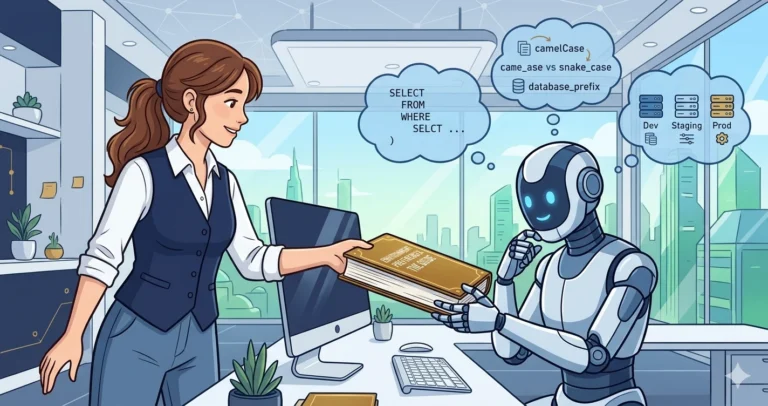
How Custom Instructions Work
GitHub Copilot CLI can read several instruction sources, most commonly .github/copilot-instructions.md in your repository root, plus global instructions at ~/.copilot/copilot-instructions.md. Claude Code reads CLAUDE.md (or .claude/CLAUDE.md) at the project level and ~/.claude/CLAUDE.md globally. Both support additional instruction files for larger setups - check their current documentation for the full list of supported paths.
The agent loads these files as context at the start of every session. Everything in them influences the agent’s responses - as if you’d typed it at the beginning of every conversation.
For DBAs, this means you can encode:
- T-SQL coding standards
- Environment topology (server names, AG configuration, DR sites)
- Naming conventions (stored procedure prefixes, schema usage)
- Deployment rules (what requires change management, what doesn’t)
- Team-specific preferences (error handling patterns, logging standards)
I wrote about this in detail in Teaching GitHub Copilot Your T-SQL Coding Standards - that post covers the mechanics. This post covers the strategy for DBAs specifically.
What to Put in Your Instructions
Start with the rules that waste the most time when violated. For most DBA teams, that’s T-SQL formatting and safety conventions.
SQL Coding Standards
|
1 2 3 4 5 6 7 8 9 10 11 12 |
## T-SQL Standards - Always schema-qualify all object references (dbo.TableName, not just TableName) - Always specify column lists in INSERT statements (never INSERT INTO ... SELECT *) - Use explicit ANSI JOINs, never implicit/comma joins - Terminate all statements with semicolons - Use square brackets on all identifiers - Always specify size for varchar/nvarchar (never varchar without a length) - Always use BEGIN...END on IF statements, even for single statements - Always include a WHERE clause on UPDATE and DELETE statements - Use XACT_ABORT ON with TRY/CATCH for transaction error handling - Use THROW instead of RAISERROR for new code - Include pre-change validation SELECTs alongside data modification scripts |
With these in your instructions file, most T-SQL the agent generates follows your standards without prompting. You’ll still need to verify - instructions are guidance, not enforcement - but the correction rate drops significantly.
Environment Context
This is where custom instructions become powerful for DBAs:
|
1 2 3 4 5 6 7 8 9 10 11 12 13 14 15 16 |
## Environment - Primary production instance: 3-node synchronous AG - DR site: async replica, 1 hour RPO target - SQL Server 2025, Enterprise Edition - All databases at compatibility level 170 - Query Store enabled on all user databases (default retention: 30 days) - Backup strategy: full daily, diff every 4 hours, log every 15 minutes - Monitoring: PerformanceMonitor Full Edition with MCP enabled ## Deployment Rules - Any DDL change to production requires a change request - Index changes on tables > 10M rows require off-hours deployment - If your environment bans WITH (NOLOCK), encode that policy and specify the preferred alternative (e.g., READ_COMMITTED_SNAPSHOT where enabled). Note any exceptions your shop allows for specific reporting scenarios. - All stored procedures must include structured error handling with TRY/CATCH |
Now when you ask the agent to write a deployment script, it knows your backup schedule. When it generates a monitoring query, it knows Query Store is available. When it suggests WITH (NOLOCK), your instructions tell it to use snapshot isolation instead.
Safety Rails
This is the category most DBAs don’t think about until something goes wrong:
|
1 2 3 4 5 6 7 8 9 10 |
## Safety Rules - Never generate DROP TABLE or DROP DATABASE without confirmation - Never generate TRUNCATE TABLE against production schemas - Always include IF EXISTS checks before DROP operations - Always generate rollback scripts alongside forward scripts - Never suggest disabling safety features (page verification, recovery model changes) without explicit warnings about the consequences - When generating scripts that modify data, always include a SELECT preview first - Always include blast radius assessment, assumptions, and validation queries with any proposed production change |
These act as guardrails. The agent won’t refuse to generate a DROP statement if you ask, but it will include the safety checks your team requires - most of the time. Verify, especially for destructive operations.
Communication and Tone
If the agent drafts messages for colleagues, PR comments, or documentation that other people will read, you can set the tone:
|
1 2 3 4 5 |
## Communication Tone When drafting messages for colleagues or commenting on errors and bugs, use diplomatic language. State facts without implying the other party's tools or approach are inferior. Avoid coming across as rude or dismissive. |
This is easy to overlook, but it matters. An agent’s default tone is often blunt and technically precise in a way that reads as condescending to humans. One instruction line fixes it.
Dependency Hygiene
If your team manages production systems, you probably care about supply chain security. You can encode that policy:
|
1 2 3 4 5 6 |
## Dependency Security Before adding any new dependency (NuGet, npm, pip, etc.), perform a supply-chain risk assessment: ownership/governance, known vulnerabilities, license compatibility, transitive dependency count, and maintenance activity. Summarize findings before installing. Flag anything concerning. |
The agent won’t do a perfect risk assessment, but it will at least pause and check instead of blindly running npm install sketchy-package.
Change Tracking Outside Version Control
DBAs frequently make changes that Git never sees - server configuration, IIS settings, scheduled tasks, cloud portal toggles. You can instruct the agent to log these:
|
1 2 3 4 5 |
## Out-of-Repo Change Logging When modifying files outside version control - server config, IIS settings, scheduled tasks, cloud portal settings - record the exact change immediately: where, what (before/after), why, and how to reverse it. |
These changes are invisible to git diff and will be forgotten between sessions unless explicitly captured.
Security: What NOT to Put in Shared Instructions
This is critical. Instruction files committed to Git are visible to anyone with repository access, and their contents are sent to the AI service as part of your conversation context.
Safe for shared/repo instructions:
- Coding standards and formatting rules
- Generic workflow patterns
- Naming conventions
- Architecture patterns (without specific server names)
Keep in local/private instructions only:
- Server names, IPs, listener names
- AG topology details
- Backup schedules and DR design
- Internal tool names and URLs
Never put in any instruction file:
- Connection strings or credentials
- Service account names
- Certificate names or paths
- Customer data or PII
Use generic placeholders in shared instructions (“the production AG” instead of actual server names) and keep environment-specific details in local files that aren’t committed to version control.
Global vs. Repository Instructions
GitHub Copilot CLI supports both:
- Repository-level (
.github/copilot-instructions.md): standards specific to a codebase - schema conventions, project-specific rules - Global (
~/.copilot/copilot-instructions.md): standards that apply everywhere - your T-SQL formatting preferences, your environment topology
For DBAs, the split usually looks like:
| Global Instructions | Repository Instructions |
|---|---|
| T-SQL coding standards | Schema-specific naming conventions |
| Environment topology | Project deployment procedures |
| Safety rails | Database-specific business rules |
| Team preferences | Application-specific constraints |
If you manage multiple repositories - one for stored procedures, one for SSIS packages, one for monitoring scripts - the global file handles the constants while each repository file handles the specifics.
Providing Schema Context
The agent can only help with schema-aware tasks if it knows your schema. There are several approaches:
DDL files in the repository: If your database schema is version-controlled (and it should be - SSDT/SQL Database Projects, sqlpackage, dbatools’ Export-DbaScript, or a tool like Redgate SQL Source Control can get you there), the agent can read the CREATE TABLE statements directly. This is the best option because the schema stays current with your repository.
Schema summary in instructions: For databases that aren’t version-controlled yet, add a summary:
|
1 2 3 4 5 6 |
## Key Tables - dbo.Orders: OrderID (PK), CustomerID (FK), OrderDate, Status, TotalAmount - ~42M rows, partitioned by OrderDate (monthly) - Clustered index on OrderDate, nonclustered on CustomerID - dbo.OrderItems: ItemID (PK), OrderID (FK), ProductID (FK), Quantity, UnitPrice - ~180M rows, partitioned aligned with Orders |
Even a basic schema summary dramatically improves the agent’s T-SQL output. Without it, the agent guesses column names and types. With it, the agent generates correct JOINs and knows which columns are indexed.
Teaching the Agent Your Workflow
Beyond code standards and schema, you can teach the agent how your team works:
|
1 2 3 4 5 6 7 8 9 |
## DBA Workflow - When asked to analyze a stored procedure, always check: 1. sys.sql_expression_dependencies for references 2. sys.dm_exec_procedure_stats for execution history 3. Query Store for plan stability - When asked to optimize a query, always request the actual execution plan (not estimated) before suggesting changes - When writing PowerShell scripts, use dbatools cmdlets where available - When generating documentation, use this template: [link to template] |
This turns the agent from a generic T-SQL helper into something that follows your team’s diagnostic process. It won’t replace your judgment, but it will follow your playbook.
Defending Against the Agent’s Blind Spots
Everything above makes the agent faster and more accurate. This section is about something different: making the agent honest about what it doesn’t know.
AI agents are structurally incapable of noticing their own blind spots. They work with whatever context you’ve provided and fill gaps with assumptions - confidently, silently, and sometimes wrong.
Custom instructions are your primary defense against this. Here are three patterns that help.
Force the Agent to Surface Assumptions
You can instruct the agent to explicitly list what it’s assuming before it acts:
|
1 2 3 4 5 6 7 8 9 10 |
## Surfacing Unknowns Before suggesting, planning, or executing any approach, explicitly list every assumption you are making - about infrastructure, environment, configuration, schema, business rules, or context from previous sessions. Do not proceed on assumptions without surfacing them first. Ask me to confirm or correct them. When analyzing code, logs, or diagnostic output, include a clearly labeled "### Unknowns / Assumptions" section listing anything that could affect your analysis. |
Without this, the agent will confidently diagnose your problem based on whatever is most common in its training data - even if your environment is nothing like the common case. With it, the agent has to say “I’m assuming X - is that correct?” before going down the wrong path.
Encode Lessons Learned from Past Mistakes
This is the one most people miss. When you discover a bug, a gotcha, or a subtle interaction that cost you hours to debug - encode it directly in your instructions so the agent never makes that mistake again.
For example, if you learned the hard way that PowerShell here-strings produce LF line endings instead of CRLF on Windows:
|
1 2 3 4 5 6 |
## PowerShell File Writing - Line Endings Always produce CRLF line endings when writing files from PowerShell. Here-strings use LF-only, which causes "Inconsistent Line Endings" warnings in editors. Use [System.IO.File]::WriteAllText() with explicit CRLF normalization. |
Or if you discovered that a particular UI framework crashes when you dispose resources in the wrong order - encode the correct pattern and the anti-patterns to avoid. These entries read like post-incident reports, and that’s exactly what they are. Every one represents a mistake you’ll never have to debug twice.
Teach the Agent Your Vocabulary
In a DBA environment, the same word can mean different things depending on context. “The portal” might mean Azure Portal to the agent, but it means your internal customer portal to you. “BMS” isn’t a building management system - it’s your Billing Management Service.
A terminology table eliminates this ambiguity:
|
1 2 3 4 5 6 7 8 9 10 11 |
## Product Nomenclature | Term | Description | |---------|---------------------------------------------------------| | LRS | Loan Registration System - the legacy application | | NewLRS | The replacement system (also called "Atlas") | | BMS | Billing Management Service - back-end billing API | Key distinctions: - LRS is not the same as NewLRS. LRS is legacy, NewLRS is the replacement. - BMS is not the same as Atlas. BMS is billing; Atlas is the registry. |
Without this, the agent guesses from context - and guessing is where bugs start.
Try This Yourself
Start small. Create a global instructions file with just your T-SQL coding standards:
- Create
~/.copilot/copilot-instructions.md(or~/.claude/CLAUDE.mdfor Claude Code) - Add your top 10 T-SQL formatting rules
- Start a new session and ask the agent to write a stored procedure
- Check whether the output mostly follows your standards without being asked
If it does - and it usually will - add your environment context next. Then safety rails. Then workflow rules. Build it incrementally based on what you find yourself correcting most often.
Maintaining Instructions Over Time
Custom instructions aren’t write-once-forget-forever. As your environment changes - new servers, new standards, new team members - the instructions need to evolve.
A few practical tips:
- Version-control your instructions. Put them in Git so you can track changes and collaborate.
- Review quarterly. When you update SQL Server versions, change AG topology, or adopt new tools, update the instructions.
- Share with your team. If multiple DBAs use AI agents, shared repository-level instructions ensure consistency. Global instructions remain personal.
- Treat incidents as instruction candidates. Every time the agent makes a mistake that costs you time - a wrong assumption, a missed gotcha, a formatting error you’ve corrected three times - ask yourself whether an instruction would prevent it. The best instructions are written in the aftermath of real problems.
- Link to your own documentation. If you’ve written about a topic - session checkpoints, SQL coding standards, agent pitfalls - link to it from your instructions. It reinforces your own thinking and gives the agent richer context to draw from.- Keep them concise. Instructions consume context window space. Every line should earn its place. If a rule hasn’t affected agent output in months, consider removing it.
Next up: AI-Assisted Pull Request Reviews for Database Code - using AI agents to accelerate and strengthen your PR review workflow for database code.
Part of the ALTER DBA ADD AGENT series - Previous: Version Control