
What Changed, When, and by Whom: Temporal Tables and CDC
The outbox post was about announcing change as it happens. This one is about the opposite direction in time: being able to answer, later, what a row used to look like, when it changed, and ideally who changed it. That capability shows up in requirements under a dozen names - audit trail, history, point-in-time recovery, “show me what this customer’s record said on the day they complained” - and it is a promise as real as any column type. If your system has told an auditor, a regulator, or a customer that it can reconstruct the past, that is part of the contract.
SQL Server gives you three built-in mechanisms for it, and the most common mistake is to reach for whichever one you heard of first. They answer genuinely different questions. Pick by the question.
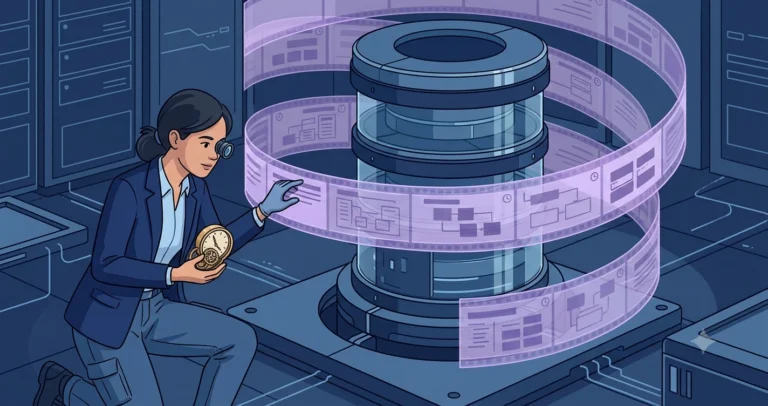
Temporal Tables: “What Did This Row Look Like at Time T?”
A system-versioned temporal table keeps a full history of every version of every row, automatically. You mark a table as system-versioned and give it a pair of datetime2 period columns and a history table; from then on, every UPDATE and DELETE writes the previous version of the row into history with the time range it was valid for, and the engine does it for you with no triggers to maintain.[1]
|
1 2 3 4 5 6 7 8 9 10 11 12 13 14 15 16 17 18 |
CREATE TABLE [dbo].[customer] ( [customer_id] int NOT NULL CONSTRAINT [pk_customer] PRIMARY KEY , [legal_name] nvarchar(200) NOT NULL , [credit_limit] decimal(19, 4) NOT NULL , [valid_from] datetime2(3) NOT NULL GENERATED ALWAYS AS ROW START , [valid_to] datetime2(3) NOT NULL GENERATED ALWAYS AS ROW END , PERIOD FOR SYSTEM_TIME ([valid_from], [valid_to]) ) WITH ( SYSTEM_VERSIONING = ON (HISTORY_TABLE = [dbo].[customer_history]) ); GO |
The payoff is the FOR SYSTEM_TIME query. Asking what a row looked like at a past instant becomes a clause, not a forensic exercise:
|
1 2 3 4 5 6 7 8 9 10 |
/* What did this customer's record say on the day of the complaint? */ SELECT [customer_id] , [legal_name] , [credit_limit] FROM [dbo].[customer] FOR SYSTEM_TIME AS OF '2026-03-14T00:00:00' WHERE [customer_id] = 42; |
Temporal tables are the right tool when the question is about state over time: reconstructing a record as of a date, showing how a value evolved, recovering from an accidental update. They are queryable history, in the same database, with the current data. What they are not is a change feed for other systems, and they do not, on their own, record who made each change. Hold that second point; it applies to all three.
Change Data Capture: “Stream Every Change to Another System”
Change Data Capture answers a different question: not “what was the state,” but “what were the changes,” delivered as a stream something downstream can consume. CDC reads the transaction log and records the inserts, updates, and deletes against a tracked table into change tables, including the before and after images for updates.[2] An ETL job, a data warehouse loader, or a replication process then pulls from those change tables and applies the changes elsewhere.
This is the mechanism behind a lot of analytics pipelines and the log-tailing flavor of the outbox from the last post. Reach for CDC when the consumer of the history lives outside the database and wants every individual change, in order, to apply somewhere else. It is heavier than temporal tables - it runs capture jobs, it retains change data you must clean up, and it is a feature with real operational weight - so it earns its place when you genuinely need a change stream, not when you just want to look at yesterday’s value.
Change Tracking: “Which Rows Changed Since I Last Looked?”
Change Tracking is the lightweight member of the family. It records that a row changed and what the operation was, but not the old values - just enough for a client to know which rows to go re-read.[3] It was built for synchronization: an occasionally connected application or a cache that needs to ask “what changed since version N” and pull just those rows.
Because it stores so little, it costs little. But that thrift is also its boundary: it cannot tell you what a value used to be, only that the row is now different. If your requirement is “sync the changed rows to a device,” Change Tracking is the efficient answer. If your requirement is “tell me the old credit limit,” it is the wrong tool and temporal tables or CDC are what you want.
The Decision, on One Line Each
The three collapse into a short decision once you state the question precisely:
- Reconstruct a row’s state at a past time, queryable alongside current data - system-versioned temporal tables.
- Stream every individual change, with before and after images, to a system outside the database - Change Data Capture.
- Know which rows changed since last sync, as cheaply as possible - Change Tracking.
Notice that “audit who did what for compliance” is not cleanly any of them, which brings us to the gap nobody mentions until it matters.
None of Them Records Who
Here is the part that surprises people the first time an auditor asks. Temporal tables record what and when. CDC records what and when. Change Tracking records which and when. Not one of them records who, because the database modifies the row without an opinion about which human or service was behind the application’s connection. By the time the write reaches SQL Server, the acting user is usually a single shared application login, and that is all the engine could capture even if it tried.
If “by whom” is part of your contract - and for anything described as an audit trail it almost always is - you have to supply it deliberately. The application has to tell the database who is acting, and the database has to record it on the row. SESSION_CONTEXT is the clean way to carry that identity: the application sets a key for the current user at the start of its work, and your code reads it back when it writes.[4]
|
1 2 3 4 5 6 7 8 9 10 11 12 |
/* Application sets the acting user once, after opening the connection. */ EXEC [sys].[sp_set_session_context] @key = N'app_user', @value = N'hvernon@example.com'; /* A modified_by column, populated from session context, captures the "who" that temporal history and CDC do not. The period columns capture the "when". */ UPDATE [dbo].[customer] SET [credit_limit] = 50000 , [modified_by] = CONVERT(nvarchar(128), SESSION_CONTEXT(N'app_user')) WHERE [customer_id] = 42; |
Now the temporal history carries the old value, the period column carries the time, and modified_by carries the person, and only together do they answer the full question. The lesson is the recurring one of this series: the built-in feature gives you a powerful default, and the part of the contract it does not cover is yours to fill in on purpose. A history that cannot name the actor is not the audit trail you promised, no matter how complete it looks.
History Is a Promise Too
Whether you owe point-in-time state, a downstream change stream, a cheap sync signal, or a who-did-what audit trail, you are making a promise about the past, and SQL Server has a purpose-built mechanism for three of those four. The fourth, identity, it leaves to you. Choose by the question you are actually being asked, and remember that “and by whom” is a separate sentence the engine will not write for you.
One promise remains in this series, and it is about keeping tenants from seeing each other’s data when they all live in the same tables: Isolation Is a Contract.
How does your team capture history and attribution today? I would like to hear about it on Bluesky or LinkedIn.
References and Footnotes
- Temporal Tables - Microsoft Learn. System-versioned temporal tables, the period columns and history table they require, and the
FOR SYSTEM_TIME AS OFsyntax for querying past state. ↩ - What is change data capture (CDC)? - Microsoft Learn. How CDC reads the transaction log to record inserts, updates, and deletes (with before and after images) into change tables for downstream consumers. ↩
- About Change Tracking - Microsoft Learn. The lightweight mechanism that records which rows changed (but not their prior values), designed for synchronization scenarios. ↩
- SESSION_CONTEXT (Transact-SQL) - Microsoft Learn. Reading session-scoped key-value state set by
sp_set_session_context, used here to carry the acting user’s identity into a write. ↩