
Backup & Recovery from First Principles, Part 11: The Keys Nobody Backs Up - SMK, DMK, and a War Story
Part 10 ended the series with a rule: key material is a third artifact class beside data backups and log backups, and it needs its own backup. That post demonstrated the certificate side. This bonus part climbs to the top of the key hierarchy - the Service Master Key and the Database Master Keys - because one of my own instances just demonstrated, on cue, exactly how they fail.
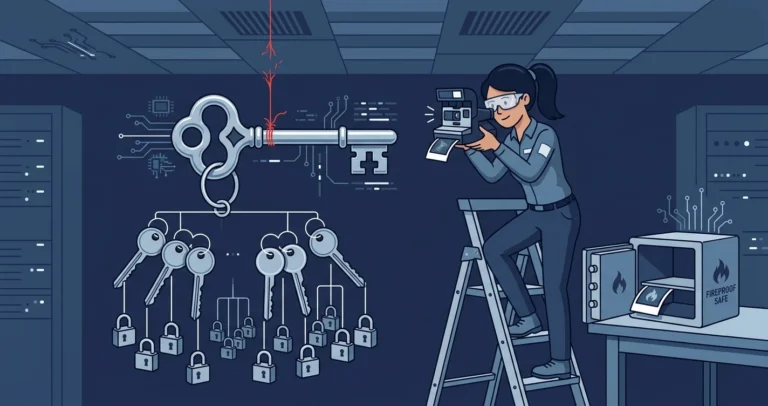
This is a war story. Everything below happened on a real instance this week.
The Symptom: Msg 33094
While building the part 10 encryption demo on a SQL Server 2019 dev instance, step one failed:
|
1 2 3 |
USE [master]; CREATE MASTER KEY ENCRYPTION BY PASSWORD = N'Demo-0nly-Passw0rd!'; |
|
1 2 |
Msg 33094, Level 16, State 1 An error occurred during Service Master Key decryption |
Creating a Database Master Key should not involve decrypting anything, until you remember the hierarchy from part 10: the new DMK gets encrypted by the Service Master Key, which means SQL Server must first open the SMK. It could not.
Why the SMK Breaks: DPAPI and the Machine Boundary
The SMK is the root of the instance’s key hierarchy, created automatically at install time. SQL Server protects it with the Windows Data Protection API (DPAPI), using two encryptions: one keyed to the service account and one to the machine credentials.[1] When you change the service account through SQL Server Configuration Manager, SQL Server decrypts and re-encrypts the SMK under the new account - seamless, when it happens under SQL Server’s control.
What DPAPI cannot survive is the instance moving out from under those credentials: the databases and binaries copied to a new machine, an OS reinstall, a domain migration, a machine rename, or a service account changed by force while SQL Server was not watching. The data files all work fine - which is why the problem hides for years - but the SMK is now encrypted under credentials that no longer exist anywhere.
That was exactly my case. The SMK dated from 2021 on an instance that had since been migrated to new hardware. The smoking gun turned up in the dependency check below: a credential whose identity referenced the old machine’s name.
The Dependency Check: What Would You Lose?
Before fixing anything, inventory what the SMK is protecting. Three places to look:
|
1 2 3 4 5 6 7 8 9 10 11 12 13 14 15 16 17 |
/* credentials: stored secrets encrypted by the SMK */ SELECT [name], [credential_identity] FROM [sys].[credentials]; /* linked server logins with stored passwords */ SELECT [s].[name] , [ll].[remote_name] FROM [sys].[linked_logins] AS [ll] INNER JOIN [sys].[servers] AS [s] ON [s].[server_id] = [ll].[server_id] WHERE [ll].[uses_self_credential] = 0; /* database master keys encrypted by the SMK (rather than password-only) */ SELECT [name] FROM [sys].[databases] WHERE [is_master_key_encrypted_by_server] = 1; |
|
1 2 3 4 5 |
name credential_identity ----------- ---------------------- SSRSManager OLDHOST01\SSRSManager (0 linked logins, 0 server-encrypted DMKs) |
One credential, and its identity named a machine that no longer exists - the migration fingerprint, and the complete list of what the fix would destroy. On a production instance this list can be much scarier: every linked-server password, every credential used by agent proxies, and the automatic-open path for every TDE database whose DMK is server-encrypted. Run the check before you need it and you will know which bucket you are in.
The Fix Ladder
Rung 1: restore the SMK from backup.
|
1 2 3 |
RESTORE SERVICE MASTER KEY FROM FILE = N'C:\secure\smk.key' DECRYPTION BY PASSWORD = N'<the-backup-password>'; |
This is the clean fix: everything encrypted under the old SMK simply works again. It requires a backup taken while the key was still healthy - which is the entire point of this post, and which I did not have.
Rung 2: regenerate, destructively.
|
1 |
ALTER SERVICE MASTER KEY FORCE REGENERATE; |
|
1 2 |
The current master key cannot be decrypted. The error was ignored because the FORCE option was specified. |
Without FORCE, regeneration decrypts everything under the old key and re-encrypts under the new one - which fails here for the same reason everything else does. FORCE skips what it cannot decrypt, and whatever it skips is permanently lost.[2] In my case that meant one credential’s stored password, used by one disabled agent job: an acceptable loss, decided in advance thanks to the dependency check. After the regenerate, CREATE MASTER KEY worked immediately and the part 10 demo proceeded.
If your dependency check showed TDE databases or credentials you cannot lose, stop at rung 2 and exhaust every other option first: the original machine (or an image of it), the original service account, or vendor support. FORCE REGENERATE is the fix of last resort precisely because it converts “broken” into “gone.”
The Two-Minute Prevention
Both keys have had one-line backup commands since SQL Server 2005:[3][4]
|
1 2 3 4 5 6 7 8 |
BACKUP SERVICE MASTER KEY TO FILE = N'C:\secure\smk.key' ENCRYPTION BY PASSWORD = N'<strong-password-stored-in-your-vault>'; USE [master]; /* repeat per database that has a DMK */ BACKUP MASTER KEY TO FILE = N'C:\secure\master_dmk.key' ENCRYPTION BY PASSWORD = N'<another-strong-password>'; |
Each file is a couple of hundred bytes. The passwords go in your secrets vault; the files go wherever your certificate backups from part 10 live - offline, access-controlled, and off the machine, since a key backup stored on the server it protects fails at the same time the server does (local backups equal no backups, key edition). Filesystem security for key backups applies here too.
When to (re-)take them:
- At instance install / first configuration, as part of the build checklist.
- After any planned service account change (the SMK re-encrypts; the old backup still restores but take a fresh one).
- After creating or regenerating any DMK, and after enabling TDE.
- Before any migration, and again after it - the migration itself is the event most likely to strand the old key.
The bitter footnote to my war story: the instance had been running with an undecryptable SMK for years, failing silently at nothing, because nothing had asked the SMK to open until a blog demo did. An untested key hierarchy fails exactly like an untested restore - at the worst possible time, which is the only time it gets tested. Part 8’s verification ladder applies above the database level too: the dependency check plus a periodic CREATE MASTER KEY/DROP MASTER KEY smoke test on a scratch database would have surfaced this years earlier.
Has a migrated instance ever surprised you with a dead key hierarchy? Comments below, or find me on Bluesky or LinkedIn.
References
- Service Master Key - Microsoft Learn. DPAPI protection under the service account and machine credentials, and regeneration behavior. ↩
- ALTER SERVICE MASTER KEY (Transact-SQL) - Microsoft Learn. REGENERATE vs FORCE REGENERATE and the data-loss warning. ↩
- BACKUP SERVICE MASTER KEY (Transact-SQL) - Microsoft Learn. ↩
- BACKUP MASTER KEY (Transact-SQL) - Microsoft Learn. ↩