
“Now I Have the Full Picture” The Most Dangerous Lie Your AI Agent Tells You
“Now I have the full picture.”
“I have everything I need to proceed.”
If you’ve worked with an AI coding agent for more than ten minutes, you’ve heard some version of these. Maybe it said “I understand the requirements” or “I see what needs to happen here.” It sounds reassuring. It feels like progress.
These are also - and I say this as someone who uses these tools daily - candidates for the most flagrant lies in the history of computing.
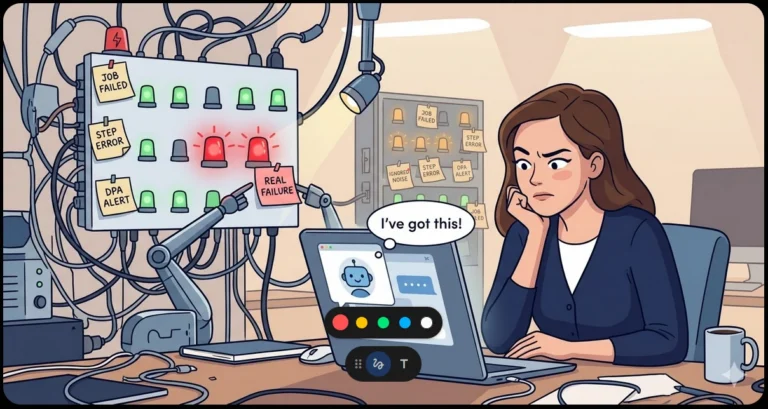
The Dunning-Kruger Machine
Here’s the thing about human Dunning-Kruger: at least people can eventually realize they were overconfident. They get feedback. They feel embarrassment. They learn.
An AI agent doesn’t have that feedback loop. It works with whatever context you’ve given it, and it has no mechanism to feel uneasy about what’s missing. It can’t get that nagging feeling at 2 AM that it forgot to check something. When it says “I have the full picture,” what it actually means is: “I have the full picture of what you showed me.”
The gap between those two statements is where production incidents live.
What Your Agent Can’t See
Let me give you some concrete examples of what falls into that gap.
Schema context it wasn’t given. You ask an agent to write a query against your orders table. It writes a perfectly valid query - against the columns it can see. It doesn’t know that customer_id is a soft-deleted foreign key, or that there’s a filtered index that only covers active rows, or that the table is partitioned by year and your query is about to scan 400 million rows.
Deployment context it can’t infer. An agent happily modifies a config file without knowing that file is generated by a deployment pipeline and will be overwritten in six hours. Or it changes a connection string without knowing that server is behind a load balancer and the change needs to happen in three places.
Business rules that aren’t in the code. The code says status = 'CLOSED'. The business rule says “closed” means three different things depending on the department, the day of the week, and whether Mercury is in retrograde. The agent picks whichever interpretation makes its current task easiest.
History it doesn’t remember. You spent 45 minutes last Tuesday explaining why approach X doesn’t work because of a subtle race condition. New session, new agent instance - that context is gone. (There are ways to mitigate this, but they require deliberate effort.) It’s going to suggest approach X again, with full confidence.
“I Have Everything I Need”
This one deserves its own special mention because it’s an agent favorite. You describe a task, maybe paste in a file or two, and the agent immediately responds with “I have everything I need to proceed.”
No, you don’t. You can’t know that.
This phrase is especially insidious because it short-circuits the most valuable part of the interaction: the clarification phase. A good human colleague, given an ambiguous task, asks questions. “When you say ‘clean up the old data,’ do you mean soft-delete or hard-delete? What’s the retention policy? Is anything downstream reading those rows?” An agent that announces it has everything it needs has just decided those questions don’t exist.
What it really means is: “I haven’t encountered anything I can’t plausibly interpret on my own.” Which is not the same as interpreting it correctly. The agent fills ambiguity with its best guess, then moves forward with the confidence of someone who thinks guessing and knowing are the same activity.
The worst part? The more capable the agent, the more convincing the guess. A less capable model might produce obviously wrong output that you’d catch immediately. A highly capable one produces output that looks right, passes the smell test, and might not reveal its wrongness until it hits production or an edge case three weeks later.
When an agent says “I have everything I need,” the correct response is: “What did you decide not to ask me about?”
The Autonomy Trap
The real danger isn’t that agents are wrong sometimes. Humans are wrong sometimes too. The danger is the combination of high confidence and high autonomy.
When a junior developer says “I think this is right,” you review their pull request. When a senior developer says “I think this is right,” you probably still review it if it touches billing or auth. But when an agent says “I’ve analyzed the codebase and made the changes,” there’s a temptation to just… let it go. It sounds so sure. It showed its work. It even wrote tests.
But those tests validate the agent’s understanding of the requirements - which may not match the actual requirements. You’ve just automated confirmation bias.
Guardrails That Actually Help
I’m not saying don’t use agents. I use them constantly and they make me significantly more productive. But I treat them like a very fast, very confident, very amnesiac colleague who joined the team this morning. Here’s what that looks like in practice:
1. Make the agent surface its unknowns. Don’t let it just present a solution. Make it tell you what it assumed. What schema details did it infer rather than verify? What business rules is it guessing at from naming conventions? If your agent can’t list its assumptions, it definitely has the wrong ones.
2. Never let the agent run things it can’t undo. File edits? Fine, you have version control. Database migrations? That needs a human reviewing the script before it touches anything. Production deployments? Absolutely not. The blast radius of an agent’s blind spots scales with the irreversibility of what you let it do.
3. Treat “I have the full picture” as a red flag, not a green light. When an agent expresses high confidence, that’s your cue to ask “what are you not seeing?” - because the answer is always something.
4. Keep critical context in persistent, findable places. If your business rules live in someone’s head, an agent will never know them. Document the gotchas. Write ADRs. Maintain a project instructions file that the agent reads at session start. The more context that’s written down, the smaller the blind-spot gap.
5. Use the agent’s own tools against it. Some agent frameworks support a “rubber duck” or critique step - a second pass that challenges the first pass’s assumptions. Use it. The five minutes it costs is cheaper than the three hours debugging a confident mistake.
The Honest Version
If agents were truly self-aware, “Now I have the full picture” would sound more like this:
“I have analyzed 100% of the context you provided, which represents an unknowable fraction of the context that actually matters. I’ve made between 3 and 15 assumptions that I cannot distinguish from facts. There were at least 4 clarifying questions I could have asked but didn’t, because I was confident I could infer the answers. I’m fairly confident in my solution, which should concern both of us. Would you like to proceed?”
I’d trust that agent a lot more.
The Bottom Line
AI agents are remarkable tools. They’re fast, they’re tireless, and they’re getting better every month. But they have a structural blind spot that no amount of model improvement will fully fix: they cannot know what they haven’t been told, and they cannot feel uncertain about it.
Your job - the human’s job - is to be the uncertainty that the agent can’t feel. Ask what it assumed. Check what it changed. Verify before you trust.
Because “now I have the full picture” really just means “now I’m done looking.” And those are very different things.
What guardrails have you put in place for your agent workflows? I’d love to hear what’s working (and what’s blown up). Find me on Bluesky or LinkedIn.