
We Fixed The Progress Bar: A Jetpack Boost Debugging Story
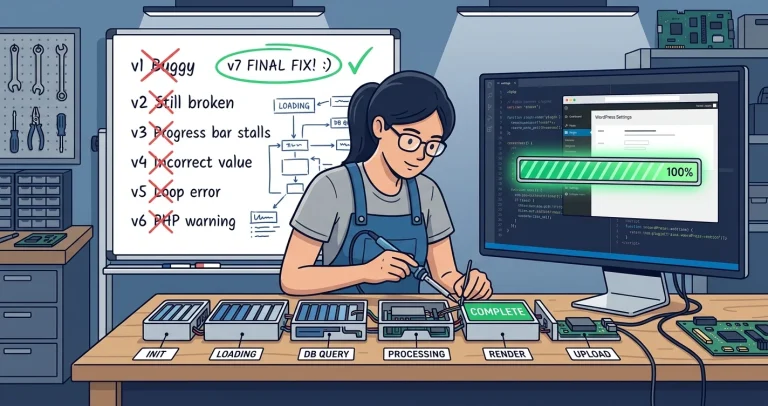
Last week I published a post about Jetpack Boost’s progress bar going backwards. That post was an analysis: what the code does, why the bar behaves oddly, and a commentary on misleading code comments.
This post is the sequel. We actually fixed it.
The Setup
Fixing a WordPress plugin’s JavaScript in production is a bad idea. You need a disposable environment where you can break things, patch files, and reload without consequences. Here is what we built:
|
1 2 3 |
docker compose up -d # WordPress 7.0 + MySQL 8.0 # WordPress at localhost:8080, admin/admin # Jetpack Boost 4.5.9 installed from WordPress.org |
We added 20 posts, 7 pages, 5 categories, and 7 active plugins to make the environment realistic enough that CSS generation would take a few seconds. The stock WordPress install with one “Hello World” post finishes so fast you can barely see the bar move.
The development loop was simple: edit the built JavaScript file locally, docker cp it into the container, Ctrl+F5 in the browser, click Regenerate, watch what happens.
Problem 1: The Backward Jumps
The previous post explained this in detail. The progress bar combines two values: how many providers have finished (server side) and how far through the current provider we are (client side). At each provider boundary, the code resets the client-side fraction to zero:
|
1 2 3 |
// Reset local progress whenever a provider is finished // to prevent progress bar jank. callbacks.setProviderProgress(0); |
This creates a window where the bar drops backward because the server count has incremented but the client fraction is zero. With 6 providers, you see up to 5 backward jumps.
The Fix
Track a monotonic provider index across the loop. Instead of reporting per-provider progress (step / total), report absolute progress across all providers:
|
1 2 3 4 5 |
progressCallback: (step, total) => { setProviderProgress( (providerIndex + step / total) / totalProviders ); } |
When a provider completes, increment the index and set the boundary:
|
1 2 |
providerIndex++; setProviderProgress(providerIndex / totalProviders); |
No resets. No backward jumps. The bar only moves forward.
We tested this across 10+ regeneration cycles. Zero backward movement.
Problem 2: The Bar Never Reaches 100%
This one was harder to find. After fixing the backward jumps, the bar would climb smoothly to about 80% and then the “5 files generated a few moments ago” message would appear. The bar never visually hit 100%.
The first instinct was that the progress values were wrong. They were not. We injected console logging into the patched JavaScript and watched the output:
|
1 2 3 4 5 6 |
progress: 88% pi: 5 tp: 6 progress: 92% pi: 5 tp: 6 progress: 96% pi: 5 tp: 6 progress: 100% pi: 5 tp: 6 provider done: 6/6 = 100% onFinished fired, setting progress to 1.0 |
The state values reached 100%. The progress bar did not. That means the bar was being removed from the page before the browser could paint the 100% frame.
The Root Cause
The progress bar component renders conditionally:
|
1 2 3 4 5 |
if (cssState.status === 'pending' || cssState.status === 'not_generated') { return <ProgressBar progress={progress} />; } // else: show "X files generated" message |
The cssState.status comes from the server. When the last provider’s CSS is saved, the server changes the status from pending to generated. The React mutation response comes back, triggers a re-render, and the progress bar is unmounted.
The timeline looks like this:
|
1 2 3 4 5 6 7 8 9 10 11 12 |
1. Last provider finishes CSS generation 2. setProviderCss() sends CSS to server 3. Server saves CSS, status becomes 'generated' 4. Mutation response returns new state to React 5. React re-renders: status is 'generated' 6. Progress bar component is unmounted 7. "5 files generated" message appears Meanwhile, in client state: - providerProgress was set to 1.0 - calculateCriticalCssProgress returned 100 - But the component was already gone |
The progress bar is controlled by server status, not client state. Our client-side isGenerating flag was irrelevant because the rendering decision happened one level up.
The Fix
Three changes, all on the client:
First, the component that decides whether to show the progress bar now also considers the client-side isGenerating flag:
|
1 2 3 4 |
const showProgressBar = cssState.status === 'pending' || cssState.status === 'not_generated' || isGenerating; // keep bar visible during hold |
Second, when isGenerating is true but the server status has already flipped to generated, force the progress to 100:
|
1 2 3 4 |
const displayProgress = isGenerating && cssState.status === 'generated' ? 100 : progress; |
Third, the onFinished callback holds the progress at 100% for 750 milliseconds before hiding:
|
1 2 3 4 5 6 7 |
onFinished: () => { setProviderProgress(1); setTimeout(() => { setProviderProgress(0); setGenerating(false); }, 750); } |
The 750ms hold gives the browser time to paint the full bar and gives the user a moment to register that it completed. Not so long that you think “yeah, right” about the 100%.
The Iteration Count
We did not get here in one shot. Here is the version history:
|
1 2 3 4 5 6 7 8 |
v1 Absolute progress, remove reset Fixed most backward jumps v2 Added progress-display fix Fully fixed backward jumps v3 setTimeout(150ms) for 100% hold Regression: bar stuck at 100% v4 Removed setTimeout, boundary progress Stable, still capped at ~80% v5 setTimeout inside onFinished No regression, still ~80% v5.1 Console logging + version stamp Confirmed values reach 100% v5.2 Keep bar via isGenerating flag Bar reaches 100% visually v5.3 Reduced hold to 750ms Final version |
Seven iterations to fix a progress bar. The first five addressed the backward jumps. The last two addressed the 100% cap. The hardest part was not writing the fix; it was understanding that the progress bar’s visibility was controlled by server state, not client state.
What Made This Debuggable
A few things made this tractable:
The source code is open. Jetpack is GPL-2.0 and lives in the Automattic/jetpack monorepo on GitHub. The TypeScript source is readable and well-structured. Without access to the source, we would have been guessing.
Docker made iteration fast. Each test cycle was: edit file, docker cp, Ctrl+F5, click Regenerate. No build step, no deploy pipeline. We patched the built JavaScript directly (the minified production bundle) which let us test changes in seconds.
Console logging answered the right question. When the bar stopped at 80%, the natural question was “is the progress value wrong?” Console logging proved the value was correct and redirected attention to the rendering path. Without that data, we could have spent hours tweaking the calculation formula.
A version stamp prevented cache confusion. We injected a version identifier (“patch v5.2”) into the progress bar’s label text. When the version didn’t appear after a reload, we knew the browser was serving cached JavaScript. This seems trivial, but it saved at least one round of “why isn’t my change working?”
The Source Changes
The fix touches four TypeScript files in the Jetpack monorepo:
|
1 2 3 4 |
generate-critical-css.ts Monotonic progress tracking critical-css-context-provider.tsx 750ms hold in onFinished critical-css-meta.tsx Show bar while isGenerating critical-css-state.ts Cap progress at 100% |
Total diff is about 30 lines changed. PR #49244 has been merged into the Automattic/jetpack repository.
Update: The Fix Has Shipped (June 17, 2026)
The fix is no longer just merged, it has shipped to everyone. PR #49244 was released in Jetpack Boost 4.6.0, and the current version on the WordPress.org plugin directory is 4.6.1 (released June 10, 2026), which includes it.
To be sure, I downloaded the published jetpack-boost.4.6.1.zip from WordPress.org and inspected the compiled JavaScript bundle directly, not just the changelog. All three behaviors from the fix are present in the shipped code: the 750ms hold at 100%, the visibility guard that keeps the bar on screen while the client is still generating, and the cap that stops the value exceeding 100%. The minified progress calculation now reads:
|
1 2 3 4 5 6 |
function g(e, t = 0) { if (0 === e.length) return 0; const r = e.length, n = e.filter(e => "pending" !== e.status).length / r; return Math.min(100, 100 * Math.max(n, t)); } |
That Math.min(100, ...) is the cap, and Math.max(n, t), the larger of the server’s done-count fraction and the client’s own progress, is what keeps the bar from jumping backward between providers. If you are running Jetpack Boost 4.6.0 or later, you already have the fix. There is nothing to do but enjoy a progress bar that fills cleanly to 100%.
Lessons
Progress bars have two problems: calculation and visibility. Getting the value right is the obvious problem. Keeping the bar on screen long enough to display the correct value is the subtle one. If the component that renders your progress bar is conditional on server state, and the server state changes before the client can paint, your user will never see 100% no matter how correct your math is.
Patch the built output first, then port to source. Working with the production bundle (one 700KB JavaScript file) was faster than setting up the full monorepo build. Once the fix was verified, porting to TypeScript source was straightforward because we already knew exactly what needed to change.
Iteration beats perfection. Version 1 mostly worked. Version 3 caused a regression. Version 5 was correct but incomplete. Each version taught us something. If we had tried to design the perfect fix upfront, we would still be staring at the code.
Have you fixed a progress bar bug? Or is yours currently going backwards somewhere? Let me know on Bluesky or LinkedIn.