
Stash Is Just a Temp Table for Your Changes
You’re halfway through modifying a stored procedure when your phone rings. Production is down. You need to switch to main and fix something immediately.
But you can’t switch branches with uncommitted changes - or if you can, you’ll carry those half-finished modifications into the wrong context. You’re not ready to commit because the code is broken. You need somewhere to park your work temporarily.
Every DBA knows the solution. You need a temp table.
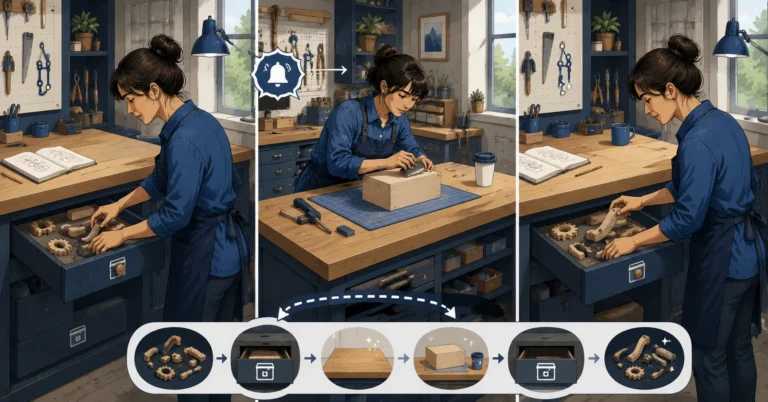
Git Stash Is SELECT INTO #my_changes
|
1 |
git stash |
That’s it. git stash takes all your uncommitted changes - both staged and unstaged - and parks them in a temporary storage area. Your working directory goes back to a clean state, matching the last commit.
The DBA equivalent:
|
1 2 3 4 5 |
SELECT * INTO #my_changes FROM [current_work]; TRUNCATE TABLE [current_work]; |
Your in-progress work is safe. Your workspace is clean. You can now switch branches, fix the production issue, and come back later.
Stash Pop Is INSERT Back + DROP
After you’ve dealt with the emergency:
|
1 2 |
git switch feature/my-half-done-work git stash pop |
That applies your stashed changes back to the working directory and removes them from the stash. It’s:
|
1 2 3 4 5 |
INSERT INTO [current_work] SELECT * FROM #my_changes; DROP TABLE #my_changes; |
You’re back to exactly where you were before the interruption.
Multiple Stashes: Numbered Temp Tables
You can stash more than once. Each stash gets an index number:
|
1 |
git stash list |
|
1 2 |
stash@{0}: WIP on feature/audit-triggers: a1b2c3d Add trigger skeleton stash@{1}: WIP on main: f4e5d6c Fix formatting in backup script |
Think of these as #stash_0 and #stash_1. The most recent stash is always stash@{0}.
To apply a specific stash without removing it:
|
1 2 |
# Apply stash@{1} but keep it in the stash list git stash apply stash@{1} |
To drop a specific stash you no longer need:
|
1 |
git stash drop stash@{1} |
Stash With a Message
Unnamed stashes are like unnamed temp tables - they work, but good luck remembering what’s in them next week. Add a description:
|
1 |
git stash push -m "Half-done audit trigger - waiting on schema decision" |
|
1 |
stash@{0}: On feature/audit-triggers: Half-done audit trigger - waiting on schema decision |
Now git stash list actually tells you something useful instead of just “WIP.”
The Boss Interrupt Pattern
This is the scenario where stash earns its keep. Here’s the complete workflow:
|
1 2 3 4 5 6 7 8 9 10 11 12 13 14 15 16 17 18 19 20 21 22 23 |
# You're working on a feature branch git switch -c feature/new-report-proc # You've made changes but aren't ready to commit # ... editing sp_MonthlyRevenue.sql ... # INTERRUPTION: "Drop everything, production backup job is failing" # 1. Stash your work git stash push -m "WIP: monthly revenue report proc" # 2. Switch to main and fix the emergency git switch main git switch -c fix/backup-job-schedule # ... fix the issue ... git add . && git commit -m "Fix backup job schedule overlap" git push origin fix/backup-job-schedule # 3. Go back to your feature work git switch feature/new-report-proc git stash pop # You're right back where you left off |
No lost work. No half-committed garbage. No “I’ll just copy this file to my desktop” workarounds.
When to Stash vs. When to Commit
A common question: why not just commit the half-done work?
You can. Some people prefer that. But there’s a reason to prefer stash for truly incomplete work:
Commits are permanent records. They show up in git log. If your half-done code breaks the build, that broken commit is in the history. You’ll either need to clean it up later (interactive rebase - Rebase Is ALTER TABLE on Your Commit History) or live with “WIP: broken, don’t look at this” in your log.
Stashes are temporary by design. They’re meant to be applied and discarded - exactly like temp tables. They don’t pollute your commit history.
Rule of thumb: if the work is at a logical stopping point and the code is functional, commit. If it’s genuinely half-done and broken, stash.
Seeing What’s in a Stash
Before you pop a stash, you might want to peek at what’s inside:
|
1 2 3 4 5 |
# Show the files changed in the most recent stash git stash show # Show the actual diff git stash show -p |
This is like running SELECT * FROM #stash_0 before you insert it back - verify it’s what you expect.
Try This Yourself
|
1 2 3 4 5 6 7 8 9 10 11 12 13 14 |
# Make some changes but don't commit echo "SELECT * FROM Customers;" > wip-query.sql # Stash them git stash push -m "Work in progress query" # Check - your file changes are gone git status # Pop them back git stash pop # They're back git status |
The One Sentence to Remember
Git stash is a temp table for your uncommitted changes - park them when interrupted, pop them back when you return.
Previously: Pull, Push, Fetch - It’s Just Backup and Restore Over a Network
Next up: Rebase Is ALTER TABLE on Your Commit History