
Where MongoDB Schema Validation Actually Lives
In my last post, A Guardrail Only Humans Enforce Isn’t One, I complained that MongoDB accepts whatever you give it unless someone adds a validator. That left two questions the documentation alone couldn’t answer for me: what the validation options do in practice, and how many projects use them. So I ran MongoDB 8.0 and 9.0 in disposable Docker containers, tried each option, and searched GitHub.
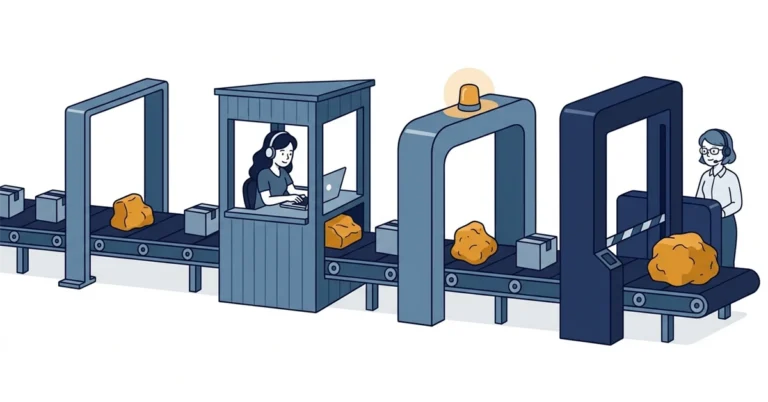
The test setup
Both servers ran from the official mongo Docker images, versions 8.0.32 and 9.0.2, listening on localhost only. I ran every MongoDB example below in mongosh. The SQL Server comparisons ran on SQL Server 2025 (17.0.5005.3) in a scratch database.
Style 1: nothing at all
With no validator, documents in the same collection don’t need the same fields or types.[1] These two orders went into the same collection, and both inserts were acknowledged:
|
1 2 |
db.orders_free.insertOne({ customer: 'A', total: NumberDecimal('19.99'), shippingAddress: { city: 'Winnipeg' } }) db.orders_free.insertOne({ customer: 'B', totalAmount: '19.99', shippingAddress: 'Winnipeg' }) |
A misspelled collection name and a misspelled field name both returned an empty array, with no error:
|
1 2 |
db.ordrs.find().toArray() // [] db.orders_free.find({ custmer: 'A' }).toArray() // [] |
SQL Server answers the same two typos with Msg 208, Invalid object name, and Msg 207, Invalid column name.
Style 2: a schema in the application
The common alternative is to define the document shape in the application: a Mongoose schema in Node, MongoEngine or Beanie in Python, or a typed class in C#, Java or Go. That can stop a bad document before the write reaches MongoDB. It only applies to code that goes through that layer, though. A write from mongosh, another service, an import script, or an older build of the same app doesn’t pass through the Mongoose schema, and the database accepts it.
Mongoose has one more catch. Its validation runs as pre('save') middleware, and its update validators are off by default. You have to pass runValidators to updateOne(), updateMany() and findOneAndUpdate() to get them.[2]
Style 3: a validator on the collection
MongoDB has supported a validator on each collection since version 3.2, and $jsonSchema since 3.6. The dates and sources are in the previous post. This is the validator I used:
|
1 2 3 4 5 6 7 8 9 10 |
const schema = { bsonType: 'object', required: ['customer', 'total', 'shippingAddress'], properties: { customer: { bsonType: 'string' }, total: { bsonType: 'decimal' }, shippingAddress: { bsonType: 'object', required: ['city'], properties: { city: { bsonType: 'string' } } } } }; db.createCollection('orders', { validator: { $jsonSchema: schema } }); |
An invalid insert failed with error 121, and errInfo named the rule that failed. This is how my test script printed it, shortened:
|
1 2 3 |
ERR insert invalid order: code=121 msg="Document failed validation" errInfo={"details":{"operatorName":"$jsonSchema","schemaRulesNotSatisfied":[{"operatorName":"properties", "propertiesNotSatisfied":[{"propertyName":"shippingAddress","details":[{"operatorName":"bsonType", ... |
An update that would have broken a valid document failed the same way. A validator can also use ordinary query operators instead of $jsonSchema.[3] The validator { amount: { $type: 'decimal', $gt: NumberDecimal('0') } } rejected an amount of zero.
Two settings decide what “validated” means
validationLevel decides which writes the validator checks. validationAction decides what happens when a write fails.
| Setting | Value | What it does |
|---|---|---|
validationLevel |
strict (default) |
Checks every insert and update.[4] |
validationLevel |
moderate |
Checks inserts and updates to valid documents. Updates to documents that were already invalid go through. |
validationLevel |
off |
Checks nothing. |
validationLevel |
constraint (new in 9.0) |
Every document in the collection must pass. See style 4. |
validationAction |
error (default) |
Rejects the write.[5] |
validationAction |
warn |
Accepts the write and logs a warning. |
validationAction |
errorAndLog (new in 8.1) |
Rejects the write and logs it. MongoDB 8.0.32 refused this value. |
The documents that were already there
Adding a validator to a collection that already holds invalid documents succeeded. The invalid documents stayed. A validator only checks writes, so you have to look for the old documents yourself. Negating the schema in a query finds them:
|
1 |
db.orders_free.find({ $nor: [{ $jsonSchema: schema }] }) |
Under strict, an update to one of those documents failed unless the update made it valid. Under moderate, the same update went through.
Skipping the validator
A client can set bypassDocumentValidation: true on a write. On a deployment with access control, the user needs the bypassDocumentValidation action, which the built-in dbAdmin and restore roles include.[6] My test server had no access control. An invalid document went into the validated orders collection without an error, and the $nor query then counted one document that fails the collection’s own schema.
Style 4: constraint, new in 9.0
MongoDB 9.0 adds a constraint validation level. The documentation says it guarantees that every document in the collection satisfies the rules.[4] On 9.0.2:
- An invalid insert failed with error 121.
- An insert with
bypassDocumentValidation: truefailed with “bypassDocumentValidation is not permitted with ‘constraint’ validationLevel”. - Changing the validator failed while the level was
constraint. The documented route is to go back tostrict, change the rules, and upgrade again. - Setting
validationActiontowarnwas refused.
An existing collection takes two steps. The first collMod prepares the collection, and from then on bypass writes fail.[7] The second one upgrades the level:
|
1 2 |
db.runCommand({ collMod: 'c', prepareConstraintValidationLevel: true }); db.runCommand({ collMod: 'c', validationLevel: 'constraint' }); |
The upgrade failed while one invalid document remained, and the error message named that document’s _id. After I fixed the document, the upgrade succeeded. Once a collection is on constraint, MongoDB rejects the bad write, the bypass, and a change to warn, which is the behaviour I wanted after the last post. You still have to turn it on for each collection.
SQL Server has the same switches
SQL Server isn’t spotless here. It has close equivalents to most of these settings, with the same gaps.
| MongoDB | SQL Server | What I saw on SQL Server 2025 |
|---|---|---|
| Validator added over invalid documents | ALTER TABLE ... WITH NOCHECK ADD CONSTRAINT |
The constraint was added, the bad row stayed, and the constraint was marked is_not_trusted = 1.[8] |
validationLevel: 'off' |
ALTER TABLE ... NOCHECK CONSTRAINT |
A bad row went in. Re-enabling with CHECK CONSTRAINT left the constraint untrusted, because WITH NOCHECK is the default when you re-enable one.[8] |
bypassDocumentValidation |
BULK INSERT without CHECK_CONSTRAINTS |
Not tested. The documentation says CHECK and foreign key constraints are ignored and marked not trusted afterwards.[9] |
validationLevel: 'constraint' |
ALTER TABLE ... WITH CHECK CHECK CONSTRAINT |
Failed with Msg 547 while a bad row existed. After the fix it succeeded and is_not_trusted went to 0. |
I didn’t expect one result. After WITH NOCHECK, an update to the bad row that didn’t change the total column succeeded, and SQL Server didn’t re-check the constraint for that row. That’s what MongoDB calls moderate. I saw it on SQL Server 2025 but haven’t found it in the documentation, so treat it as an observation.
The difference is the starting point. A SQL Server table can’t exist without declared columns and types, and a new CHECK constraint checks the existing rows unless you write WITH NOCHECK.[8] MongoDB starts with no checks, and you add each one.
How often projects use validators
I wanted a number, so I measured one, crudely. On 2026-10-05 I used GitHub’s code search API to find files that call MongoClient in JavaScript, TypeScript, Python, Java, C# and Go. From the first two pages of 100 results in each language, I removed duplicate repositories and MongoDB’s own, then picked 25 at random from what was left, 150 in all. Node projects that use Mongoose usually connect through mongoose.connect and never mention MongoClient, so I added 50 repositories from files that call mongoose.connect. For each repository I searched for $jsonSchema and for the driver’s validator option (validator with createCollection, ValidationOptions, SetValidator and so on), then read every hit.
| Result | Repositories |
|---|---|
| Sampled | 200 |
| With a keyword hit | 4 |
| Confirmed database validators | 1 |
Three of the four weren’t validators. Two were copies of driver source code committed into the repository, and one was a request-validation class in a web API. The one real validator belonged to a project whose books collection had grown to about 477 fields before the team added a $jsonSchema validator, in warn mode first.[10]
One in 200 is 0.5%. With a sample this small, the 95% confidence interval runs from about 0.01% to 2.8%. The method has limits:
- Code search ranks its results, so this isn’t a random sample of GitHub. It covers default branches only, and files under 384 KB.[11]
- Public repositories lean toward tutorials, coursework and side projects. Most production systems are private.
- A validator applied from
mongosh, the Atlas UI or a deployment pipeline outside the repository doesn’t show up.
Treat 0.5% as a figure for public code, not an estimate for production systems. The same sample shows where the schema usually lives instead: 9 of the 75 JavaScript, TypeScript and Python repositories in the first group used Mongoose or Beanie, and none of the 50 Mongoose projects had a database validator.
What I’d do
If I ran MongoDB in production, I’d put a validator on every collection that matters, starting with strict and error. I’d use the $nor query to find the documents that were already invalid, fix them, and move each collection to constraint once it’s on 9.0. I’d keep the application schema as well, because it can give the user a clearer error than code 121.
Do you run validators on your MongoDB collections, or does the application carry all of it? I’d like to hear how it works for you on Bluesky or LinkedIn, or in the comments below.
References
- Schema Validation - MongoDB documentation. States that by default documents in a collection don’t need the same fields or data types, and that MongoDB rejects invalid inserts and updates by default once validation rules exist. ↩
- Validation - Mongoose documentation. States that validation is middleware registered as a pre(‘save’) hook, and that update validators are off by default and need the runValidators option. ↩
- Specify Validation With Query Operators - MongoDB documentation. Describes validators written with query operators such as $eq and $gt, and the operators that aren’t allowed. ↩
- Specify Validation Level for Existing Documents - MongoDB documentation. Describes the strict, moderate and constraint levels, states that constraint is new in version 9.0 and guarantees every document satisfies the rules, and gives the downgrade-modify-upgrade route for changing rules. ↩
- Choose How to Handle Invalid Documents - MongoDB documentation. Describes the error, warn and errorAndLog validation actions, and states that errorAndLog is new in version 8.1. ↩
- Bypass Schema Validation - MongoDB documentation. States that with access control enabled the user needs the bypassDocumentValidation action, which the built-in dbAdmin and restore roles provide. ↩
- collMod - MongoDB documentation. Describes prepareConstraintValidationLevel, new in version 9.0, which prepares a collection for the constraint level and blocks bypassDocumentValidation. ↩
- ALTER TABLE (Transact-SQL) - Microsoft Learn. Describes WITH CHECK and WITH NOCHECK for new or re-enabled CHECK and foreign key constraints: WITH CHECK is assumed for new constraints and WITH NOCHECK for re-enabled ones. Also covers NOCHECK CONSTRAINT for disabling one. ↩
- BULK INSERT (Transact-SQL) - Microsoft Learn. States that without CHECK_CONSTRAINTS, CHECK and foreign key constraints are ignored during the import and marked not trusted afterwards. ↩
- sourcelibrary-v2: scripts/lib/book-docs.mjs - GitHub. A code comment records that the books collection accreted about 477 fields. The project’s handoff note .claude/handoffs/2026-08-18-field-sprawl-consolidation.md records the $jsonSchema validator being installed in warn mode. ↩
- REST API endpoints for search - GitHub Docs. States that code search considers only the default branch and only files smaller than 384 KB. ↩