
Backup & Recovery from First Principles, Part 3: The Log Chain and How People Break It
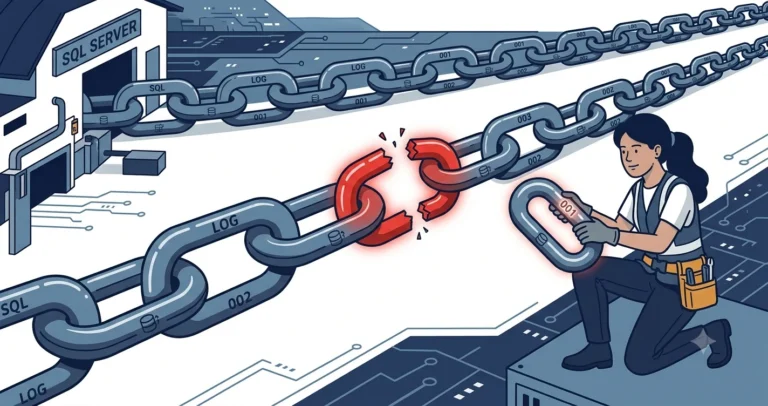
Part 2 showed that log backups form a linked list: each backup’s first_lsn equals the previous backup’s last_lsn. Point-in-time restore works by walking that list. Break one link and every log backup after the break is useless until a new base re-anchors the chain. Today we break the chain on purpose, in the ways production systems break it by accident.
This post is part of the Backup & Recovery from First Principles series. The contents page lists every part in order.
This is part 3 of the backup and recovery series (part 1: recovery models). Demos ran on SQL Server 2019 (CU32) and behave identically on SQL Server 2025 (RTM).
Break #1: Switching to SIMPLE (Even Briefly)
The classic. Someone flips a database to SIMPLE recovery to “fix” a full log file, then flips it back, and believes everything is fine because both commands succeeded:
|
1 2 3 4 5 6 7 8 9 10 11 12 |
/* an intact chain */ BACKUP DATABASE [bkrec_demo] TO DISK = N'C:\temp\bkrec\chain_full.bak' WITH INIT, COMPRESSION; BACKUP LOG [bkrec_demo] TO DISK = N'C:\temp\bkrec\chain_log1.trn' WITH INIT, COMPRESSION; /* the "fix" */ ALTER DATABASE [bkrec_demo] SET RECOVERY SIMPLE; ALTER DATABASE [bkrec_demo] SET RECOVERY FULL; /* the next scheduled log backup */ BACKUP LOG [bkrec_demo] TO DISK = N'C:\temp\bkrec\chain_log2.trn' WITH INIT, COMPRESSION; |
|
1 2 3 4 |
Msg 4214, Level 16, State 1 BACKUP LOG cannot be performed because there is no current database backup. Msg 3013, Level 16, State 1 BACKUP LOG is terminating abnormally. |
The switch to SIMPLE truncated the log and severed the chain; the switch back to FULL put the database into the pseudo-simple state from part 1. At least error 4214 is loud. Your monitoring should treat a failing log backup job as a page-someone event, because from this moment until the next full or differential backup, point-in-time restore is impossible: log backup failures are exactly as dangerous as they sound.
The repair is a new base. A full backup works; so does a differential if the old full is still valid, because a differential can re-anchor a log chain, which is a genuinely useful trick on very large databases where a full takes hours.
Break #2: The Rogue Backup Tool
Anything that takes a non-copy-only log backup consumes log records. If a third-party agent, a well-meaning colleague, or a second backup product takes a log backup to its own destination, your primary log backup sequence has a hole in it: the records went into a file you may not even know exists. The chain itself is intact, but part of it lives somewhere else. Restore-time symptom:
|
1 2 3 4 |
Msg 4305, Level 16, State 1 The log in this backup set begins at LSN 723000020034400001, which is too recent to apply to the database. An earlier log backup that includes LSN 723000020012000001 can be restored. |
Error 4305 is SQL Server telling you the exact LSN gap. Find the missing range in msdb.dbo.backupset (or the other tool’s catalog) by hunting for a log backup whose range covers the LSN it names. Prevention: exactly one product owns log backups; everything else uses COPY_ONLY, which is part 4’s subject.
A special case of this break: BACKUP LOG ... TO DISK = 'NUL'. It consumes the log records and writes them to nowhere. The chain is not merely relocated, that range of it is gone. There is no legitimate reason to do this outside of a throwaway test system.
Break #3: Restoring a Snapshot, Reverting a VM
Reverting a database from a database snapshot, or reverting the whole VM from a hypervisor snapshot, rewinds the database to an earlier LSN. The backup history in msdb (or your backup tool) now describes a future that no longer exists. The next log backup may even appear to succeed, but the chain across the revert boundary is not restorable. After any revert: take a full or differential backup immediately and treat everything before it as history.
Detecting a Broken Chain Before You Need It
The moment the chain breaks, this query starts telling the truth:
|
1 2 3 4 5 6 7 8 9 10 11 12 |
SELECT [d].[name] , [d].[recovery_model_desc] , [d].[log_reuse_wait_desc] , [drs].[last_log_backup_lsn] FROM [sys].[databases] AS [d] INNER JOIN [sys].[database_recovery_status] AS [drs] ON [drs].[database_id] = [d].[database_id] WHERE [d].[recovery_model_desc] <> N'SIMPLE'; |
A database in FULL recovery with last_log_backup_lsn IS NULL has no log chain: it is either brand new, pseudo-simple, or freshly broken. In our demo, immediately after the SIMPLE flip:
|
1 2 3 |
last_log_backup_lsn ------------------- NULL |
I published an alerting approach for FULL-recovery databases with no log backups that catches this class of problem; pair it with a check on log backup job failures and you have both ends covered.
The Tail of the Log
The chain has one more link that does not exist as a file yet: the log records generated since the most recent log backup. That is the tail. In a disaster where the data files are lost but the log file survives, backing up the tail first is the difference between restoring to “right now” and restoring to “whenever the last log backup ran”:
|
1 2 3 |
BACKUP LOG [bkrec_demo] TO DISK = N'C:\temp\bkrec\tail.trn' WITH NO_TRUNCATE, NORECOVERY; |
NO_TRUNCATE lets the backup proceed even when the database is damaged or offline; NORECOVERY puts the database into the restoring state, drawing a clean line under the timeline.[1] Make taking the tail backup the literal first step of your disaster runbook, before anyone touches restore commands, because several restore paths (like WITH REPLACE) will happily destroy the tail if you skip it. For broader disaster planning context, see the HA/DR options field guide.
Chain Rules, Condensed
- Only log backups walk the chain forward; full and differential backups do not consume log or break the chain.[2]
- SIMPLE recovery, even for a moment, severs the chain. Re-anchor with a full or differential immediately.
- One tool owns log backups. Everything else takes
COPY_ONLY. - Monitor for
last_log_backup_lsn IS NULLand for failing log backup jobs. Both are restore-blocking conditions, not warnings. - In a disaster: tail-log backup first, questions later.
Part 4 covers the chain-safe way to take an extra backup whenever you want one: COPY_ONLY, and a deployment-rollback pattern built on it.
Broken a log chain in a way I did not list? I collect these. Comments below, or find me on Bluesky or LinkedIn.
References
- Tail-Log Backups (SQL Server) - Microsoft Learn. When a tail-log backup is required and the NO_TRUNCATE / NORECOVERY options. ↩
- Debunking a couple of myths around full database backups - Paul Randal, SQLskills. Proof that full backups do not truncate the log or affect the log backup chain. ↩