
Upgrading Database Compatibility Levels Across a Whole Instance
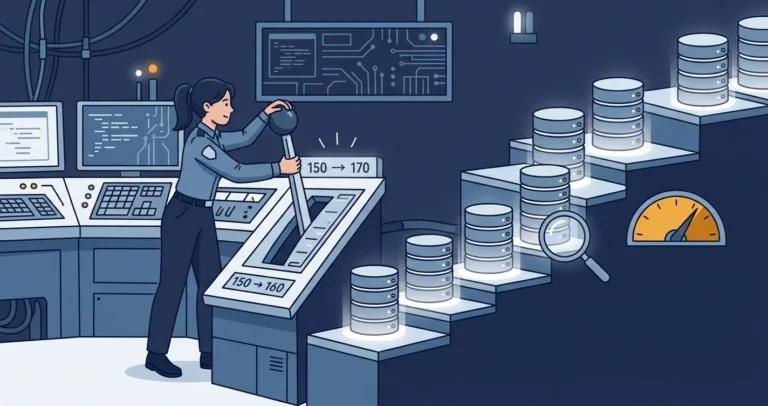
The instance upgrade went perfectly. You moved from SQL Server 2019 to 2022, the installer turned green, the services came back up, and the application connected on the first try. A week later someone asks why the shiny new cardinality estimator does not seem to be doing anything, and you run one quick query against sys.databases only to find the answer: every database is still sitting at compatibility level 150. The engine is new. The behavior is not.
That is by design, and it is a good design, but it does mean the last step of an upgrade is one you have to take on purpose. This post is about taking that step deliberately: what the compatibility level actually controls, why you would raise it, the pitfalls to test for before you do (performance regressions chief among them), and a single script that walks every database on an instance and sets the level for you while leaving your Availability Group secondaries alone.
What the Compatibility Level Actually Controls
The compatibility level is a per-database setting, not a server-wide one. Two databases on the same instance can sit at different levels, and each one governs the Transact-SQL behaviors and, more importantly, the query optimization and cardinality estimation behaviors that apply to queries running in that database. It is the dial Microsoft gives you to decouple “I upgraded the engine” from “I changed how my queries get optimized.”
That decoupling is the whole point. You can move a database engine forward several versions and keep every database pinned at its old level, so connecting applications see the same query plans they always did. Microsoft has held to a rule since level 130: new plan-affecting fixes and cardinality estimator changes are added only to the newest level, so a database stays on its old plan shapes until you opt in by raising the level.[1]
One thing the compatibility level does not gate, for the most part, is new T-SQL syntax. Microsoft’s documentation is explicit that new syntax is not gated by compatibility level except where it would break existing code.[1] So GREATEST, LEAST, DATETRUNC, and IS DISTINCT FROM light up the moment you are on a SQL Server 2022 engine, regardless of level. There are a handful of exceptions where a new function is tied to a level, and GENERATE_SERIES is the one most people trip over: it requires the database to be at level 160 or higher. But as a rule, the level is about plan quality, not about which keywords parse.
Why Raise the Level at All
If raising the level is optional, why bother? Because almost everything you upgraded the engine to get lives behind it:
- The current cardinality estimator. Each version’s CE refinements are enabled only at that version’s default level. Stay at 150 on a 2022 box and you are still estimating row counts with the 2019 model.
- Accumulated query optimizer fixes. Optimizer fixes that previously hid behind trace flag 4199 are folded into each new default level automatically. Raising the level turns on years of fixes in one move.
- Intelligent Query Processing. Most of the IQP family, including Parameter Sensitive Plan optimization and cardinality estimation feedback, switches on at the matching level.[3] These are the features the marketing slides were about.
- A few new T-SQL features. The level-gated ones, like
GENERATE_SERIES, simply will not run until you raise it.
Put plainly: leaving a database at the old level after an engine upgrade means you bought the new engine and left most of the improvements switched off. If you want to find every database in that state across your estate first, I wrote about auditing exactly that in Compatibility Level Audit: Finding Databases Stuck in the Past.
The Pitfalls: Test Before You Flip the Switch
Here is the part that turns a one-line ALTER DATABASE into a project. Raising the compatibility level is, by definition, an engine-level optimizer change. The same mechanism that gives most of your queries better plans can give a few of them worse ones. A cardinality estimate that was conservatively wrong in your favor at the old level might swing the other way, flip a join algorithm, change a memory grant, and turn a fast query slow. This is not a hypothetical; it is the single most common reason an upgrade gets blamed for a slowdown.
So treat it like the optimizer change it is, not like a config tweak:
- Capture a baseline first. Turn on Query Store before you change anything, and let it record plans and runtime stats at the old level for a representative workload. Microsoft’s recommended upgrade workflow is built entirely around using Query Store to spot and fix regressions after the bump.[2]
- Raise the level, then watch for regressions. After the change, compare plans and durations against the baseline. When a query regresses, Query Store lets you force the old plan while you investigate, so a single bad plan does not have to hold the whole upgrade hostage.
- Keep the safety valves in reach. You do not have to choose between “all of the new behavior” and “none of it.”
ALTER DATABASE SCOPED CONFIGURATION SET LEGACY_CARDINALITY_ESTIMATION = ONkeeps the new level but reverts just the CE model.USE HINTand Query Store hints let you do the same surgically, one query at a time, without touching code. - Roll forward deliberately. Test in a lower environment against production-like data and volume first. For critical databases, raise the level one at a time and watch each one, rather than flipping the whole instance and hoping.
- Mind which features are on by default. Not every new behavior is automatic. At level 160, Parameter Sensitive Plan optimization and CE feedback turn on by default, but DOP feedback stays off until you enable it through a database scoped configuration. Know which is which before you attribute a change to the level.
None of this is a reason to stay behind. It is a reason to move forward with Query Store running and a rollback plan in your pocket.
An Instance-Wide Upgrade Script
Once you have decided to move, doing it by hand is tedious and easy to get wrong, especially on an instance with dozens of databases or an Availability Group where some replicas are read-only secondaries you cannot alter. The script below handles both. Run it with sqlcmd and it sets every eligible database to the level you ask for, capped at what the engine actually supports, and skips any database where this node is not the primary replica.
|
1 2 3 4 5 6 7 8 9 10 11 12 13 14 15 16 17 18 19 20 21 22 23 24 25 26 27 28 29 30 31 32 33 34 35 36 37 38 39 40 41 42 43 44 45 46 47 48 49 50 51 52 53 54 55 56 57 58 59 60 61 62 63 64 65 66 67 68 69 70 71 72 73 74 75 76 77 78 79 80 81 82 83 84 85 86 87 88 89 90 91 92 93 94 95 96 97 98 99 100 101 102 103 104 |
/* Run this via sqlcmd.exe to set all databases to the specified compatibility level. Set every database to 160, quietly: sqlcmd.exe -S <servername> -i .\upgrade_compat_level_instance_wide.sql -v manual_compat_level=160 verbose=0 Set every database to the instance default level, quietly: sqlcmd.exe -S <servername> -i .\upgrade_compat_level_instance_wide.sql -v manual_compat_level=NULL verbose=0 Use verbose=1 to print each statement as it runs. */ DECLARE @msg nvarchar(2048); DECLARE @cur CURSOR; DECLARE @rows int; DECLARE @dbname sysname; DECLARE @cmd nvarchar(max); DECLARE @manual_compat_level smallint = $(manual_compat_level); DECLARE @verbose bit = COALESCE($(verbose), 0); DECLARE @compat_level smallint = ( SELECT [d].[compatibility_level] FROM [sys].[databases] AS [d] WHERE [d].[name] = N'model' ); /* Derive the instance "default" compatibility level. This assumes Microsoft keeps the historical convention of engine major version times 10; for example SQL Server 2012 was version 11, with a default level of 110. */ DECLARE @pv nvarchar(60); DECLARE @instance_default_compat_level smallint; SET @pv = CONVERT(nvarchar(128), SERVERPROPERTY('ProductVersion'), 0); SET @instance_default_compat_level = CONVERT(smallint, SUBSTRING(@pv, 1, CHARINDEX(N'.', @pv) - 1), 0) * 10; /* A NULL request means "use the instance default level," so force that here. This guarantees the target level is never NULL. */ SET @manual_compat_level = COALESCE(@manual_compat_level, @instance_default_compat_level); IF @verbose = 1 BEGIN SET @msg = N'Connected to ' + CONVERT(nvarchar(2048), @@SERVERNAME, 0); PRINT @msg; SET @msg = N'Compat level of model: ' + CONVERT(nvarchar(5), @compat_level, 0); PRINT @msg; SET @msg = N'Instance maximum compat level: ' + CONVERT(nvarchar(5), @instance_default_compat_level, 0); PRINT @msg; END; IF @manual_compat_level > @instance_default_compat_level BEGIN SET @manual_compat_level = @instance_default_compat_level; END; IF @manual_compat_level IS DISTINCT FROM @compat_level BEGIN SET @compat_level = @manual_compat_level; END; IF @verbose = 1 BEGIN PRINT N'$manual_compat_level = $(manual_compat_level)'; SET @msg = N'@compat_level = ' + CONVERT(nvarchar(5), @compat_level, 0); PRINT @msg; END; SET @cur = CURSOR LOCAL FORWARD_ONLY STATIC READ_ONLY FOR SELECT [d].[name] FROM [sys].[databases] AS [d] CROSS APPLY [server_maintenance].[dbo].[is_primary]([d].[name], 0) AS [ip] WHERE [d].[compatibility_level] IS DISTINCT FROM @compat_level AND EXISTS ( SELECT [ip].[database_name] ) ORDER BY [d].[name]; OPEN @cur; SET @rows = @@CURSOR_ROWS; WHILE @rows > 0 BEGIN FETCH NEXT FROM @cur INTO @dbname; SET @cmd = N'ALTER DATABASE ' + QUOTENAME(@dbname) + N' SET COMPATIBILITY_LEVEL = ' + CONVERT(nvarchar(5), @compat_level, 0) + N';'; SET @msg = N'Setting compatibility level of ' + QUOTENAME(@dbname) + N' to ' + CONVERT(nvarchar(5), @compat_level, 0); RAISERROR (@msg, 0, 1) WITH NOWAIT; IF @verbose = 1 BEGIN RAISERROR (@cmd, 0, 1) WITH NOWAIT; END; EXEC (@cmd); SET @rows -= 1; END; CLOSE @cur; |
How the Script Works
A few of the choices in here are worth calling out, because they are the difference between a script that works on your laptop and one that is safe to point at a production cluster.
It starts from model, then caps at the engine maximum. The level you pass in is a request, not a command. The script reads model as the current baseline, derives the highest level the engine supports, and if you ask for more than the engine can do, it quietly clamps your request down to the maximum. Pass manual_compat_level=NULL and it falls through to the instance default, which is the easy “just bring everything up to current” mode.
It derives the engine maximum from the product version. There is no SERVERPROPERTY that returns “the default compatibility level for new databases,” so the script takes the documented shortcut: the major version from SERVERPROPERTY('ProductVersion') times ten. Version 16 becomes 160, version 17 becomes 170. This has held for the entire history of the product, but it is a convention rather than a contract, so it is worth a mental note that a future release could in theory break the arithmetic.
It defaults a NULL request, then compares with IS DISTINCT FROM. Passing manual_compat_level=NULL is the “just bring everything up to the instance default” mode, so the script wraps the request in COALESCE(@manual_compat_level, @instance_default_compat_level) to be sure the target level is never NULL. With that guard in place it uses IS DISTINCT FROM to compare each database’s current level against the target, which reads cleanly and stays correct even if a comparison ever touches a NULL. That operator needs a SQL Server 2022 or newer engine, which is fine here since you are running this after an upgrade. If you are still on SQL Server 2019 or earlier, the “Running This on SQL Server 2019 or Earlier” section below gives you the same script with the classic <> form instead, and I dug into the NULL-comparison technique itself in IS DISTINCT FROM: Comparing NULLs Without the Headache.
It respects Availability Groups. The CROSS APPLY to [server_maintenance].[dbo].[is_primary] is the guard that keeps this safe on an AG. You cannot run ALTER DATABASE against a read-only secondary, so the function returns a row only when this node is the primary for that database, or when the database is standalone and not in an AG at all. That inline table-valued function is the same gating helper I dissected in Can GitHub Copilot Optimize Your T-SQL? I Put It to the Test, where it joins a stack of HADR DMVs to answer “should I run here, for this database?” That function is not built into SQL Server, so the next section gives you the full definition along with a no-helper alternative. If you are not running Availability Groups at all, you can drop the CROSS APPLY and the EXISTS and just iterate sys.databases directly.
It uses a lightweight cursor. A LOCAL FORWARD_ONLY STATIC READ_ONLY cursor with the @@CURSOR_ROWS countdown avoids the priming fetch and @@FETCH_STATUS dance of a default cursor. STATIC materializes the list at OPEN time so the count is accurate, and because the work is a handful of ALTER DATABASE statements, the overhead is irrelevant. This is a maintenance script, not a hot path, so clarity wins.
Creating the is_primary Helper
The one piece of this script that is not built into SQL Server is [server_maintenance].[dbo].[is_primary]. That is a helper function I keep in a dedicated server_maintenance database, and it will not exist on your instance until you create it. Here is the version I use, which is the optimized one I arrived at in Can GitHub Copilot Optimize Your T-SQL? I Put It to the Test, where I walk through rewriting the original seven-way join so it reads a single database’s worth of rows instead of windowing the entire instance:
|
1 2 3 4 5 6 7 8 9 10 11 12 13 14 15 16 17 18 19 20 21 22 23 24 25 26 27 28 29 30 31 32 33 34 35 36 37 38 39 40 41 42 43 44 45 46 47 48 49 50 51 52 53 54 55 56 57 58 59 60 61 62 63 64 65 66 67 68 69 70 71 72 73 74 75 76 77 78 79 80 81 82 83 84 85 86 87 88 89 90 91 92 93 94 95 96 97 98 99 100 |
CREATE FUNCTION [dbo].[is_primary] ( @database_name sysname , @for_backup bit ) RETURNS TABLE AS RETURN ( WITH [src] AS ( SELECT [database_name] = [d].[name] COLLATE SQL_Latin1_General_CP1_CI_AS , [recovery_model] = [d].[recovery_model_desc] COLLATE SQL_Latin1_General_CP1_CI_AS , [backup_folder_name] = COALESCE(COALESCE([dist_ag].[name], [local_ag].[name]), @@SERVERNAME) COLLATE SQL_Latin1_General_CP1_CI_AS , [local_ag_name] = [local_ag].[name] COLLATE SQL_Latin1_General_CP1_CI_AS , [local_ag_role] = [local_ar_states].[role_desc] COLLATE SQL_Latin1_General_CP1_CI_AS , [local_automated_backup_preference] = [local_ag].[automated_backup_preference_desc] COLLATE SQL_Latin1_General_CP1_CI_AS , [distributed_ag_name] = [dist_ag].[name] COLLATE SQL_Latin1_General_CP1_CI_AS , [backup_preferred_replica] = COALESCE([sys].[fn_hadr_backup_is_preferred_replica]([d].[name]), 1) , [distributed_ag_role] = [dist_ar_states].[role_desc] COLLATE SQL_Latin1_General_CP1_CI_AS , [distributed_ag_state] = [dist_ar_states].[operational_state_desc] COLLATE SQL_Latin1_General_CP1_CI_AS , [dist_automated_backup_preference] = [dist_ag].[automated_backup_preference_desc] COLLATE SQL_Latin1_General_CP1_CI_AS FROM [sys].[databases] [d] LEFT JOIN [sys].[availability_databases_cluster] [adc] ON [d].[group_database_id] = [adc].[group_database_id] LEFT JOIN [sys].[availability_groups] [local_ag] ON [adc].[group_id] = [local_ag].[group_id] LEFT JOIN [sys].[availability_replicas] [local_ar] ON [local_ag].[group_id] = [local_ar].[group_id] AND [local_ar].[replica_server_name] = @@SERVERNAME LEFT JOIN [sys].[dm_hadr_availability_replica_states] [local_ar_states] ON [local_ag].[group_id] = [local_ar_states].[group_id] AND [local_ar].[replica_id] = [local_ar_states].[replica_id] LEFT JOIN [sys].[availability_replicas] [dist_ar] ON [local_ag].[name] = [dist_ar].[replica_server_name] LEFT JOIN [sys].[availability_groups] [dist_ag] ON [dist_ar].[group_id] = [dist_ag].[group_id] LEFT JOIN [sys].[dm_hadr_availability_replica_states] [dist_ar_states] ON [dist_ag].[group_id] = [dist_ar_states].[group_id] AND [dist_ar].[replica_id] = [dist_ar_states].[replica_id] WHERE [d].[name] = @database_name AND [d].[state_desc] = N'ONLINE' ) SELECT TOP 1 [src].[database_name] , [src].[backup_folder_name] , [src].[recovery_model] , [src].[local_ag_name] , [src].[local_ag_role] , [src].[local_automated_backup_preference] , [src].[distributed_ag_name] , [src].[backup_preferred_replica] , [src].[distributed_ag_role] , [src].[distributed_ag_state] , [src].[dist_automated_backup_preference] FROM [src] WHERE NOT EXISTS ( SELECT 1 FROM [src] [s2] WHERE ( [s2].[local_ag_role] = N'SECONDARY' OR [s2].[distributed_ag_role] = N'SECONDARY' ) ) AND ( ( [src].[local_ag_name] IS NOT NULL AND [src].[distributed_ag_name] IS NULL AND [src].[distributed_ag_role] IS NULL ) OR ( [src].[local_ag_name] IS NOT NULL AND [src].[distributed_ag_name] IS NOT NULL AND [src].[distributed_ag_role] IS NOT NULL ) OR ( [src].[local_ag_name] IS NULL AND [src].[distributed_ag_name] IS NULL AND [src].[distributed_ag_role] IS NULL AND [src].[local_ag_role] IS NULL ) ) AND COALESCE([src].[distributed_ag_role], N'PRIMARY') = N'PRIMARY' AND ( ( /* return a row only if we're running on the primary instance, and the caller is asking for access to the database */ @for_backup = 0 AND COALESCE([src].[local_ag_role], N'PRIMARY') = N'PRIMARY' ) OR ( /* return a row only if we're running on the instance matching the backup preference */ @for_backup = 1 AND [src].[backup_preferred_replica] = 1 AND COALESCE([src].[local_ag_role], N'PRIMARY') = COALESCE(UPPER(REPLACE([src].[local_automated_backup_preference], N'_only', N'')), N'PRIMARY') ) ) ORDER BY [src].[backup_folder_name] ); |
Create it in whatever database you keep your DBA helpers in, then adjust the two-part name in the cursor query to match. Called with @for_backup = 0, it returns a row only when the current node can safely run ALTER DATABASE against that database: the database is standalone, or this node is the primary replica (local or distributed Availability Group). On a secondary it returns nothing, which is exactly the gate you want before issuing DDL.
Prefer not to deploy a helper function? If you are standalone or running a single, non-distributed Availability Group, you can skip the function entirely and lean on the built-in sys.fn_hadr_is_primary_replica. It returns 1 on the primary, 0 on a secondary, and NULL for a database that is not part of an Availability Group, so wrapping it in COALESCE(..., 1) keeps standalone databases in the list:
|
1 2 3 4 5 6 7 8 9 10 11 |
SET @cur = CURSOR LOCAL FORWARD_ONLY STATIC READ_ONLY FOR SELECT [d].[name] FROM [sys].[databases] AS [d] WHERE [d].[compatibility_level] IS DISTINCT FROM @compat_level AND COALESCE([sys].[fn_hadr_is_primary_replica]([d].[name]), 1) = 1 ORDER BY [d].[name]; |
That covers standalone instances and the common single Availability Group case in one line, with no objects to deploy.
There is one trap worth being explicit about: the built-in does not gate a Distributed Availability Group forwarder. sys.fn_hadr_is_primary_replica only evaluates the database’s local Availability Group, so on the forwarder, which is the primary replica of the second AG, it returns 1 even though the database is a global secondary and is not writable. The COALESCE(..., 1) = 1 filter would then select that database and the ALTER DATABASE ... SET COMPATIBILITY_LEVEL would fail against it. This is exactly the hole the is_primary helper closes: it carries the distributed role through and skips any database where local_ag_role or distributed_ag_role is SECONDARY, so the forwarder is excluded. The helper also routes by backup preference when you pass @for_backup = 1, filters out databases that are not ONLINE, and returns the recovery model and backup folder alongside the gate. So reach for the built-in when you are standalone or single-AG, and keep the helper the moment a Distributed Availability Group is in the picture.
Running This on SQL Server 2019 or Earlier
Everything above assumes a SQL Server 2022 or newer engine, because IS DISTINCT FROM arrived in 2022. That is a fair assumption when you are raising levels right after an upgrade, but the sweep is just as useful on an older box, for example to pull a pile of databases up from 110 to 150 long before the engine itself moves. The only 2022-only piece is the comparison operator, so here is the same script with IS DISTINCT FROM replaced by a plain <>.
The swap is safe because of the COALESCE a few lines up: once a NULL request has been turned into the instance default, neither side of the comparison can be NULL, and <> behaves exactly like IS DISTINCT FROM would. The is_primary helper uses no 2022-only syntax either, so the definition above works unchanged on older engines.
|
1 2 3 4 5 6 7 8 9 10 11 12 13 14 15 16 17 18 19 20 21 22 23 24 25 26 27 28 29 30 31 32 33 34 35 36 37 38 39 40 41 42 43 44 45 46 47 48 49 50 51 52 53 54 55 56 57 58 59 60 61 62 63 64 65 66 67 68 69 70 71 72 73 74 75 76 77 78 79 80 81 82 83 84 85 86 87 88 89 90 91 92 93 94 95 96 97 98 99 100 101 102 103 104 105 106 107 |
/* Run this via sqlcmd.exe to set all databases to the specified compatibility level. SQL Server 2019 and earlier: this version uses the classic <> comparison in place of IS DISTINCT FROM, which requires SQL Server 2022 or newer. Set every database to 150, quietly: sqlcmd.exe -S <servername> -i .\upgrade_compat_level_instance_wide_2019.sql -v manual_compat_level=150 verbose=0 Set every database to the instance default level, quietly: sqlcmd.exe -S <servername> -i .\upgrade_compat_level_instance_wide_2019.sql -v manual_compat_level=NULL verbose=0 Use verbose=1 to print each statement as it runs. */ DECLARE @msg nvarchar(2048); DECLARE @cur CURSOR; DECLARE @rows int; DECLARE @dbname sysname; DECLARE @cmd nvarchar(max); DECLARE @manual_compat_level smallint = $(manual_compat_level); DECLARE @verbose bit = COALESCE($(verbose), 0); DECLARE @compat_level smallint = ( SELECT [d].[compatibility_level] FROM [sys].[databases] AS [d] WHERE [d].[name] = N'model' ); /* Derive the instance "default" compatibility level. This assumes Microsoft keeps the historical convention of engine major version times 10; for example SQL Server 2012 was version 11, with a default level of 110. */ DECLARE @pv nvarchar(60); DECLARE @instance_default_compat_level smallint; SET @pv = CONVERT(nvarchar(128), SERVERPROPERTY('ProductVersion'), 0); SET @instance_default_compat_level = CONVERT(smallint, SUBSTRING(@pv, 1, CHARINDEX(N'.', @pv) - 1), 0) * 10; /* A NULL request means "use the instance default level," so force that here. This guarantees the target level is never NULL, which is what lets the plain <> comparisons below stand in for IS DISTINCT FROM. */ SET @manual_compat_level = COALESCE(@manual_compat_level, @instance_default_compat_level); IF @verbose = 1 BEGIN SET @msg = N'Connected to ' + CONVERT(nvarchar(2048), @@SERVERNAME, 0); PRINT @msg; SET @msg = N'Compat level of model: ' + CONVERT(nvarchar(5), @compat_level, 0); PRINT @msg; SET @msg = N'Instance maximum compat level: ' + CONVERT(nvarchar(5), @instance_default_compat_level, 0); PRINT @msg; END; IF @manual_compat_level > @instance_default_compat_level BEGIN SET @manual_compat_level = @instance_default_compat_level; END; IF @manual_compat_level <> @compat_level BEGIN SET @compat_level = @manual_compat_level; END; IF @verbose = 1 BEGIN PRINT N'$manual_compat_level = $(manual_compat_level)'; SET @msg = N'@compat_level = ' + CONVERT(nvarchar(5), @compat_level, 0); PRINT @msg; END; SET @cur = CURSOR LOCAL FORWARD_ONLY STATIC READ_ONLY FOR SELECT [d].[name] FROM [sys].[databases] AS [d] CROSS APPLY [server_maintenance].[dbo].[is_primary]([d].[name], 0) AS [ip] WHERE [d].[compatibility_level] <> @compat_level AND EXISTS ( SELECT [ip].[database_name] ) ORDER BY [d].[name]; OPEN @cur; SET @rows = @@CURSOR_ROWS; WHILE @rows > 0 BEGIN FETCH NEXT FROM @cur INTO @dbname; SET @cmd = N'ALTER DATABASE ' + QUOTENAME(@dbname) + N' SET COMPATIBILITY_LEVEL = ' + CONVERT(nvarchar(5), @compat_level, 0) + N';'; SET @msg = N'Setting compatibility level of ' + QUOTENAME(@dbname) + N' to ' + CONVERT(nvarchar(5), @compat_level, 0); RAISERROR (@msg, 0, 1) WITH NOWAIT; IF @verbose = 1 BEGIN RAISERROR (@cmd, 0, 1) WITH NOWAIT; END; EXEC (@cmd); SET @rows -= 1; END; CLOSE @cur; |
If you are using the built-in sys.fn_hadr_is_primary_replica no-helper variant from earlier rather than the is_primary helper, make the same one-character change there too: [d].[compatibility_level] <> @compat_level in place of the IS DISTINCT FROM line.
The Features You Unlock
The reason to go through all of this is what the higher levels turn on. Here is what each jump actually gives you, drawn from Microsoft’s compatibility level differences tables.[1]
Level 150 to 160 (SQL Server 2022):
| Feature | What it does | On by default at 160? |
|---|---|---|
| Parameter Sensitive Plan optimization | Caches multiple plans for a parameterized query so a single skewed parameter value no longer poisons the plan for everyone else. | Yes |
| Cardinality Estimation feedback | The engine learns which model assumptions produce better estimates for a repeating query and adjusts them over successive executions. | Yes |
| Degree of Parallelism feedback | Detects parallelism that is hurting more than helping and lowers DOP for the next run, verifying that it helped. | No (enable via the DOP_FEEDBACK database scoped configuration) |
Level 160 also unlocks the level-gated T-SQL, most notably GENERATE_SERIES, and turns on the full set of accumulated query optimizer fixes for the 2022 engine.
Level 160 to 170 (SQL Server 2025):
| Feature | What it does |
|---|---|
| Optional parameter plan optimization | Generates more appropriate plans for queries with optional parameters, instead of suffering one plan sniffed from NULL or non-NULL on first execution. |
| PSP optimization for DML and tempdb | Parameter Sensitive Plan optimization extends beyond SELECT to cover DML statements and work in tempdb. |
| Regular expression functions | Functions like REGEXP_LIKE, REGEXP_MATCHES, and REGEXP_SPLIT_TO_TABLE bring pattern matching, extraction, and splitting into T-SQL. |
| AI chunking | AI_GENERATE_CHUNKS splits text input into chunks for AI model consumption, part of the engine’s growing AI and vector tooling. |
| Stronger key encryption | Symmetric keys, the database master key, and the service master key move from PKCS#1 v1.5 to OAEP-256 padding; the encryptor type shows as CERTIFICATE_OAEP_256. |
A note on those last two tables: the plan-related items are exactly the ones to test for regressions, because they change how the optimizer behaves. The syntax additions like the regex functions are the safe kind of change, since they only do something when you write code that calls them.
The Takeaway
Raising the compatibility level is how you actually collect what you paid for when you upgraded the engine: the current cardinality estimator, years of folded-in optimizer fixes, and the Intelligent Query Processing features that were the headline of the release. Leaving databases pinned at the old level is leaving that value on the table.
But it is an optimizer change, so respect it as one. Turn Query Store on, capture a baseline, raise the level, and watch for the handful of queries that regress so you can force a plan or reach for LEGACY_CARDINALITY_ESTIMATION while you sort them out. The script here takes the tedium and the Availability Group footguns off your plate; the judgment about when and how fast to roll forward is still yours to make.
How do you handle compatibility level upgrades across a large estate? Big-bang the whole instance, or creep forward one critical database at a time? I would like to hear how you approach it. Find me on Bluesky or LinkedIn.
References
- ALTER DATABASE Compatibility Level (Transact-SQL) - Microsoft Learn. Supported level values per version, the rule that new plan-affecting changes land only in the newest level, how engine upgrades treat system and user databases, and the differences tables for levels 150, 160, and 170. ↩
- Query Store usage scenarios: keep performance stability during an upgrade - Microsoft Learn. The recommended workflow for raising the compatibility level with Query Store capturing a baseline and forcing plans for any regressions. ↩
- Intelligent query processing in SQL databases - Microsoft Learn. The full catalog of IQP features and which compatibility level each requires. ↩