
Branches Are Just Database Copies You Can Merge Back
You’ve just finished your first commit and you’re feeling good. Then someone says “create a branch” and the confusion starts. Developer tutorials talk about branches like they’re some abstract computer science concept.
They’re not. A branch is a database copy you can merge back.
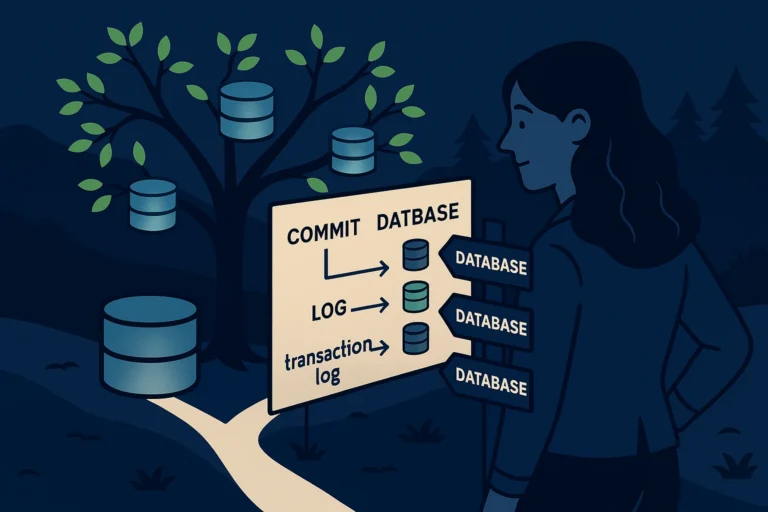
A Branch Is a Database Restore to a Different Name
Every DBA knows this move:
|
1 2 3 4 |
RESTORE DATABASE [AdventureWorks_Experiment] FROM DISK = N'C:\Backups\AdventureWorks.bak' WITH MOVE N'AdventureWorks_Data' TO N'C:\Data\AW_Experiment.mdf', MOVE N'AdventureWorks_Log' TO N'C:\Data\AW_Experiment.ldf'; |
You restore a copy so you can experiment without risking the original. That’s exactly what a branch is. When you run git switch:
|
1 |
git switch -c experiment |
You’ve just created a copy of your current branch and switched to it. You can make changes, break things, try ideas - and your original branch (main) is untouched.
The twist: git branches are lightweight. Unlike a database restore that copies gigabytes of data, git just records “this branch started here.” It doesn’t duplicate files. It’s more like creating a database snapshot than a full restore - instant, cheap, and reversible.
HEAD Is USE [database]
In SQL Server, USE [AdventureWorks] tells the engine which database you’re working in. Every query you run after that goes to that database.
Git has the same concept: HEAD. HEAD is your current connection context - it points to whatever branch you’re on right now. When you run:
|
1 |
git switch main |
That’s USE [main]. Your working directory now shows the files from main. Run:
|
1 |
git switch experiment |
That’s USE [experiment]. Your files change to reflect whatever state experiment is in. Same folder, different content - just like switching database context in SSMS.
Creating and Listing Branches
|
1 2 3 4 5 6 7 8 9 10 11 |
# See all your branches (* marks the current one) git branch # Create a new branch and switch to it git switch -c feature/add-audit-triggers # Switch back to main git switch main # Delete a branch you're done with git branch -d feature/add-audit-triggers |
A few things to notice:
Branch names use forward slashes as separators. This is a convention, not a requirement. feature/add-audit-triggers and fix/backup-script-bug are common patterns - they create a virtual folder structure that keeps things organized.
You can’t delete the branch you’re on. Just like you can’t drop the database you’re connected to. Switch to a different branch first.
The -d flag is a safe delete. Git won’t let you delete a branch that has unmerged changes - it protects you from losing work. If you really mean it, use -D (capital D) to force-delete.
What Happens to Your Files?
This is the part that trips up every DBA the first time. When you switch branches, the files in your folder actually change. It’s not like having two databases side by side - it’s more like your development environment shapeshifts.
Watch this:
|
1 2 3 4 5 6 7 8 9 10 11 |
# On main branch cat sp_GetOrders.sql # Shows version 1 of the procedure git switch experiment cat sp_GetOrders.sql # Shows version 2 - the experimental changes git switch main cat sp_GetOrders.sql # Back to version 1 |
Same folder. Same filename. Different content depending on which branch you’re on. It feels weird the first time. It’s fine. Git tracks every version - nothing is lost.
Why Branches Matter
In the DBA world, branches solve a problem you’ve probably worked around with naming conventions. Instead of:
|
1 2 3 4 |
sp_GetOrders.sql sp_GetOrders_v2.sql sp_GetOrders_v2_FINAL.sql sp_GetOrders_v2_FINAL_actually_final.sql |
You have one file and multiple branches:
|
1 2 3 |
main → the production version experiment → your crazy idea fix/bug-1234 → that urgent hotfix |
Each branch has its own version of the file. No naming chaos. No confusion about which “final” is the real one.
Try This Yourself
From the repository you created in Post 1:
|
1 2 3 4 5 6 7 |
git switch -c experiment echo "SELECT 2;" > test-query.sql git add test-query.sql git commit -m "Experimental change" git switch main cat test-query.sql |
Your experimental change is gone - it’s on the experiment branch. git switch experiment brings it back. Two databases in one folder.
The One Sentence to Remember
A branch is a lightweight database copy where you can experiment freely, and HEAD is just USE [database] - it tells git which copy you’re working in.
Previously: Your Repository Is Just a Database
Next up: Merging Is Like Synchronizing Two Databases