
Your Repository Is Just a Database
If you’ve ever stared at a git tutorial and thought “why does this have to be so complicated?” - you’re not alone. Most git documentation is written by developers, for developers. It assumes you think in terms of source code workflows, feature branches, and CI/CD pipelines.
You don’t think that way. You think in databases, backups, restores, transactions, and isolation levels. And here’s the thing: git is just a database. Once you see it that way, the whole thing clicks.
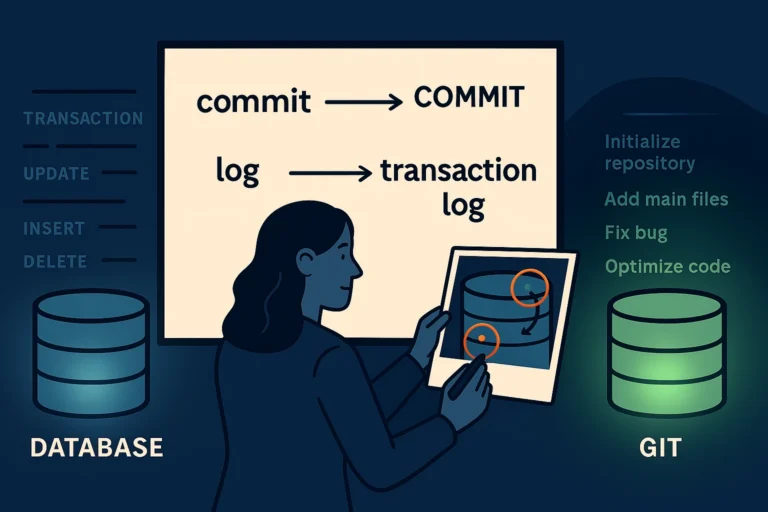
A Repository Is a Database
A git repository is a database that stores every version of every file you’ve ever committed. Think of it like temporal tables for your file system - you can query any point in history and see exactly what things looked like.
When you run git init in a folder, you’re essentially running CREATE DATABASE. That folder is now version-controlled, and git will track every change you tell it to track.
|
1 2 3 |
mkdir my-database-scripts cd my-database-scripts git init |
That’s it. You have a repository. It’s empty, but it exists - just like a fresh database with no tables yet.
The Working Directory Is Your Dev Database
The working directory is the folder where your files live. It’s your development database - the live copy you’re actively changing right now. You edit files here the same way you’d modify stored procedures in your dev environment.
The key difference from just having files in a folder: git is watching. It knows what the last committed version looked like, and it knows what you’ve changed since then.
|
1 |
git status |
This is your equivalent of checking what’s changed in your dev database since the last deployment. It shows you modified files, new files, and deleted files.
The Staging Area Is Building a Transaction
Here’s where most git tutorials lose DBAs. They talk about the “staging area” or “index” like it’s some mystical concept. It’s not. It’s an explicit transaction.
When you run git add, you’re adding statements to a transaction. You’re saying “include this change in my next commit.” You can add some files and not others - just like you’d include some ALTER statements in a deployment script and save others for later.
|
1 2 |
git add sp_GetCustomerOrders.sql git add sp_UpdateInventory.sql |
You haven’t committed anything yet. You’ve built your transaction - selected exactly which changes you want to include. Don’t want that third file? Don’t add it. It stays as an uncommitted change in your working directory, just like an unsaved modification in your dev database.
A Commit Is COMMIT TRANSACTION
|
1 |
git commit -m "Add customer order and inventory procedures" |
That’s COMMIT TRANSACTION. It’s permanent. It gets a unique identifier - a SHA hash, which serves the same purpose as a Log Sequence Number (LSN) in SQL Server. Every commit is a point in time you can always return to.
|
1 |
git log --oneline |
|
1 2 |
a1b2c3d Add customer order and inventory procedures f4e5d6c Initial commit |
That’s your transaction log. Every commit, who made it, when, and why. Sound familiar?
.gitignore Is Filtered Replication
Not everything belongs in version control. Build artifacts, .dacpac files, user-specific settings - these are noise. A .gitignore file tells git what NOT to track. It’s like filtered replication - you explicitly define what gets excluded.
Create a .gitignore file in your repository root:
|
1 2 3 4 5 6 |
bin/ obj/ *.dacpac *.dbmdl *.jfm *.user |
Now git will ignore those files completely. They exist on your disk, but git pretends they don’t - just like filtered articles in transactional replication.
Try This Yourself
Open a terminal. (If you haven’t installed git yet, grab it from git-scm.com.) Run these commands:
|
1 2 3 4 5 6 7 |
mkdir git-test cd git-test git init echo "SELECT 1;" > test-query.sql git add test-query.sql git commit -m "My first commit" git log |
You just created a database with one transaction in it. That’s all a repository is.
The One Sentence to Remember
A git repository is a database that stores every version of every file, and a commit is COMMIT TRANSACTION with a unique ID you can always roll back to.
Next up: Branches Are Just Database Copies You Can Merge Back