
DAG Failover Toolkit: Scripted Distributed AG Failovers with Validation Gates
In a previous post, we looked at how Distributed Availability Groups work, why the failover syntax says FORCE_FAILOVER_ALLOW_DATA_LOSS, and what a scripted runbook should cover. This post introduces the toolkit that puts all of that into practice.
The Problem with Manual Failovers
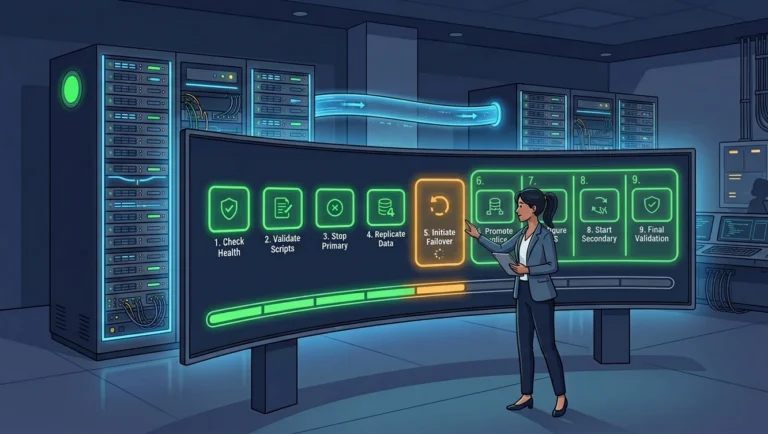
A DAG failover is a sequence of dependent steps: verify the primary, switch to synchronous commit, wait for LSN convergence, demote, promote, update DNS. Each step depends on the previous one succeeding. Typing ALTER statements by hand at 2 AM, checking DMVs between each one, is where mistakes happen.
The dag-failover toolkit automates this entire sequence with validation gates at every step. If any check fails, the script stops. No partial failovers.
How It Works
The toolkit is a set of .sql files orchestrated by a main script (distributed_ag_failover_main.sql) using sqlcmd’s :r include directive. Each step is isolated in its own file, making it easy to audit, modify, or run individually.
A PowerShell 7 wrapper (Invoke-DagFailover.ps1) provides a parameterized entry point with tab completion and a confirmation prompt.
The 9-Step Process
Step 1: Validate the primary. Queries sys.dm_hadr_availability_group_states to confirm you are connected to the actual DAG primary. If you are on the wrong server, the script stops immediately.
Step 2: Switch to synchronous commit. Sets both AG replicas to SYNCHRONOUS_COMMIT so in-flight transactions harden on both sides before the cutover.
Step 3: Confirm synchronous mode. Verifies that both replicas report synchronous commit is active. This catches cases where the ALTER succeeded but the replica has not yet acknowledged the change.
Step 4: Wait for LSN convergence. Waits a configurable number of seconds (SyncWaitSeconds), then compares last_hardened_lsn across all databases on both replicas. If any database shows a mismatch, the script aborts.
Step 5: Demote the primary. Sets the primary AG’s role to SECONDARY, which disconnects all client sessions. This is the point of no return for the original primary.
Step 6/7: Failover or failback. Depending on the -Action parameter:
Failoverpromotes the secondary to primary (production moves to the other server)Failbackre-promotes the original primary (used for DR rehearsals where you want to validate the process without actually cutting over)
Step 8: Reset to async. Optionally switches both replicas back to ASYNCHRONOUS_COMMIT for normal operation.
Step 9: Verify and update DNS. Confirms post-failover LSN state, then updates the DNS CNAME to point to the new primary. If the DnsServer PowerShell module is available, it does this automatically via xp_cmdshell. Otherwise, it prints the command for manual execution.
SQL Server 2022: An Engine-Enforced Guard
The toolkit’s protection against data loss is the LSN convergence gate at Step 4: it does not demote the primary until last_hardened_lsn matches across every database on both replicas. That manual check is the method you must rely on for SQL Server 2019 and earlier, where the distributed availability group has no built-in failover guard.
On SQL Server 2022 and later, you can add a second line of defense. The distributed availability group supports REQUIRED_SYNCHRONIZED_SECONDARIES_TO_COMMIT. Setting it to 1 before the failover makes the engine itself refuse to promote a forwarder that is behind, and you clear it again afterward.
|
1 2 3 4 5 6 |
/* SQL Server 2022+ : arm before demotion, clear after promotion */ ALTER AVAILABILITY GROUP [distributedAG] SET (REQUIRED_SYNCHRONIZED_SECONDARIES_TO_COMMIT = 1); /* ... demote the primary, promote the forwarder ... */ ALTER AVAILABILITY GROUP [distributedAG] SET (REQUIRED_SYNCHRONIZED_SECONDARIES_TO_COMMIT = 0); |
On 2022 and later this gives you defense in depth: the toolkit confirms LSN convergence before it acts, and the engine refuses to lose committed data even if something races the check. Arming this guard within the failover sequence is a recommended addition on 2022 and later; on 2019 and earlier the Step 4 LSN gate remains the sole guarantee.
Usage
The PowerShell wrapper is the recommended entry point:
|
1 2 3 4 5 6 7 8 9 10 11 |
.\Invoke-DagFailover.ps1 ` -DistributedAGName "MyDistributedAG" ` -Primary "YOURSERVER1\INSTANCE" ` -Secondary "YOURSERVER2\INSTANCE" ` -SqlInstance "sqlag.example.com\INSTANCE" ` -DNSServer "dc01.example.com" ` -CName "sqlag" ` -DNSZone "example.com" ` -Action Failover ` -EnableXPCmdShell ` -SetToAsyncCommitAfterFailover |
To reverse direction, swap -Primary and -Secondary. Add -Force to skip the confirmation prompt.
StopAtStep: Rehearse Without Risk
The StopAtStep parameter lets you execute only the first N steps. This is how you validate each stage during a DR rehearsal without running the full failover:
|
1 2 3 4 5 6 7 |
.\Invoke-DagFailover.ps1 ` -DistributedAGName "MyDistributedAG" ` -Primary "YOURSERVER1\INSTANCE" ` -Secondary "YOURSERVER2\INSTANCE" ` -SqlInstance "sqlag.example.com\INSTANCE" ` -Action Failover ` -StopAtStep 4 |
This runs validation, switches to sync, confirms it, and checks LSN parity, then stops. Nothing has been demoted or failed over.
Login Management
The toolkit includes Generate-DrLoginScripts.ps1, which queries sys.server_principals at runtime and produces DISABLE and ENABLE scripts for all application logins. No static login lists to maintain.
Logins you want to exclude (DBA accounts, AG service accounts) go in excluded-logins.txt, which is gitignored so real login names never appear in the repository. A sample file (excluded-logins.sample.txt) shows the expected format.
A Word About Failback
The -Action Failback option is for DR rehearsals, not for undoing a failed failover. It runs the full preparation sequence (steps 1 through 5), then re-promotes the original primary at step 6. Production stays on the same server, but you have validated sync, LSN parity, and DNS without actually cutting over.
If a failover fails partway through (for example, the primary is demoted but the secondary promotion fails), the DAG will be in an indeterminate state that requires manual recovery. This is why StopAtStep exists: rehearse each step individually before running the full sequence in production.
Monitoring Your DAGs
For ongoing visibility into AG and DAG health outside of failover windows, SqlServerAgMonitor is a free, open-source, cross-platform desktop application for real-time monitoring of synchronization state, LSN lag, and replica health.
Get the Toolkit
The full source is available at code.hannahvernon.com/hannah-vernon/dag-failover.
If you have questions or improvements, you can find me on Bluesky and LinkedIn.
Excited to test this out, thank you so much for this! DAGs are something we’ve been trial-testing in AWS but the manual mode of it all makes support quite frustrating and hardly foolproof. Seems like another example of MS releasing a feature without the practical tooling to manage it in a production.
Agreed. The non-existent management console in SSMS is frankly incredible, considering how great the Distributed AG solution is under the hood. I’m interested to know how things go in AWS for you.