
Kanban for DBA Work: Pulling Work Instead of Promising a Quarter
One Tuesday morning I had two things planned: an index review for one team and a migration script review for another. At ten o’clock a blocking chain on SQLPROD01 held up a busy application. Clearing it took fifteen minutes. Finding the job that caused it, and agreeing on a fix with the team that owns that job, took the rest of the morning. After lunch a vendor sent a patch notice with a two-week deadline, and the afternoon went to working out which servers needed it and booking a change window. Neither review had started.
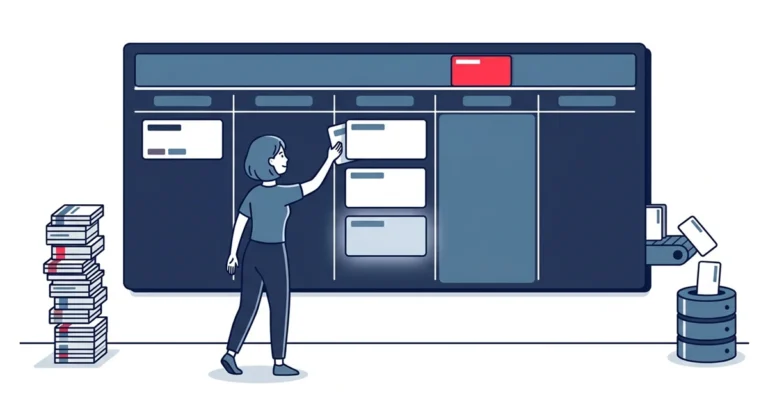
This post is part of the Work That Flows: Kanban for DBAs series. The contents page lists every part in order.
In Agility Comes From the Pipeline, Not the Ceremony I said Kanban fits interrupt-driven DBA work better than a fixed sprint does. This post covers how that works in practice.
Start With What You Already Do
Kanban University describes Kanban as a management method, not a methodology or a framework. You apply it on top of the way you already work, and its first change-management principle is “Start with what you do now.” The guide says the method comes from a 2010 book by David J. Anderson.[1] The book is Kanban: Successful Evolutionary Change for Your Technology Business.[2]
That suits a DBA, because nobody is going to stop sending incidents while the process is redesigned. Start with a card for everything on your plate, including who asked for it. Be prepared for a lot of cards.
Columns That Match the Work
The guide says a board should model the workflow as it really is, and that a real workflow is usually more than To Do, Doing and Done.[1] The board I work from has these columns:
- Requested: anything anyone has asked for. I haven’t promised anything here.
- Ready: I’ve agreed to do it, and I know enough to start.
- In progress: I’m working on it.
- In review: the change is in a pull request.
- Deploying: the pipeline is moving it through test and into production.
- Done: it’s in production.
The line between Requested and Ready is what Kanban calls the commitment point: the point where someone decides to start delivering a work item.[3] Before that line, a request is an option I can still decline or defer.
A lot of DBA work stops because someone else has to answer a question. The guide says to display blockers and remove them as soon as possible.[1] The board I work from has no Waiting column for that. A card that waits on someone else, such as a vendor, a change approval or the team that asked, stays in the column it’s in and gets a Blocked flag. The flag gives the card a different colour, so it stands out at any stage. If the column has a limit, the card still counts against it. When a card has carried the flag for a week, the board shows that, and I can send the people involved a short chat message instead of carrying it around in my head.
WIP Limits for One Person Shared by Many Teams
A WIP (work in progress) limit caps how many items can sit in a part of the system at once. The glossary says it can apply to a column, a lane, a person, or the whole system.[3] The guide’s reasoning is that fully utilized systems have no slack and poor flow, and that context switching can reduce how effective people are.[1]
I don’t have a set limit on In progress, and I should. I’ve tended to say yes to everything, and the list shows it. At the least, watch the In progress list carefully, because a growing list means you’re promising more than you can deliver. Better still, pick a limit and adjust it after a few weeks.
When several teams share one DBA, each team sees its own request and nothing else. Five teams can each reasonably think they’re asking for “just an hour,” and none of them can see the other four, but the board shows all five. When someone asks if I can take a quick look, I can point them to the board, which shows what’s in progress and where their card sits. If In progress is full, the answer comes from the guide’s mantra, “Stop starting, start finishing.”[1]
Classes of Service
Kanban University lists four common archetypes for a class of service. Expedite is for work where the impact of delay is high and immediate. Fixed date is for work where the impact of delay lands on a specific date. Standard is for work where the impact of delay is typical, and intangible is for work where it’s unknown.[3] Here’s how I map them onto DBA work:
- Expedite: a production incident, a blocking chain, a failed backup. Consider a limit of one on this lane, so only one emergency at a time can jump ahead of everything else.
- Fixed date: a change window, a vendor patch with a deadline, a certificate that expires on the 14th.
- Standard: schema reviews, index work, permission requests.
- Intangible: testing the next version upgrade, removing logins nobody uses, documentation.
Anything in production is expedite. Work in lower environments waits while a production incident is under way.
The guide’s analogy for expedite is an ambulance or fire truck on a congested highway. It can pass even when the WIP limit is full, and everyone else’s trip takes longer.[1] I find that second part the useful one. When an incident takes my afternoon, the board shows which standard cards it delayed, and the teams that own them can see why. With changes going through a CI/CD pipeline, production incidents are a lot less frequent in my experience, so the expedite lane is usually empty. If it’s in use most days, look at how changes reach production before treating it as a capacity problem.
Fixed-date cards need to move to Ready early enough to finish before the date. A patch for a change window that nobody starts preparing until the day before has a poor chance of going well.
Pull Instead of Push
The glossary defines a push system as one where work goes in without regard to whether there’s capacity. In a pull system, a team delivers work only when there’s both demand and capacity, and WIP limits are what make that happen.[3] The guide contrasts pull with traditional project management, where a deterministic plan schedules the work.[1]
Requests still arrive by push. Email, chat and hallway conversations all land in Requested. The difference is that I don’t commit to a card until I pull it into Ready, and I do that when there’s room. Kanban calls the act of choosing which requested items to pull replenishment.[3] For me there’s no meeting for it. The board shows the order to everyone with a card waiting, so they can see for themselves where their work sits. If the order doesn’t suit them, it’s up to them to make the case for changing it.
Instead of promising a quarter of work in advance, I commit to one card at a time, when I can start it, using what I know that week.
Measuring Lead Time
Kanban University defines two lead times. Customer lead time runs from receiving the request to delivering on it. System lead time runs from the commitment point to the first column with no WIP limit.[3] The two worth watching are customer lead time and the time from Ready to Done. The second matches system lead time only when every column from Ready through Deploying has a WIP limit. You don’t have to track either one by hand. An electronic board records the date each card enters each column, so it can report both for you. Part 5 of this series (available 2026-11-29) shows how Jira does that with its control chart and REST API.
The guide plots lead times on a run chart and as a distribution, and the goal is to narrow the range and shift it toward shorter lead times.[1] The glossary describes a service level expectation built from history. Its example is a stable system that has delivered 85% of items within 10 days, which supports an expectation of 10 days at 85% confidence.[3] When a team asks when I’ll get to their standard request, I’d rather answer from the board’s history than guess.
Done Means Deployed
DORA’s change lead time measures how long a change takes to go from a commit in version control to a deployment in production.[4] That’s why the In review, Deploying and Done columns follow the pipeline. I count a schema change as done when the pipeline has deployed it to production, not when I email a script to the team or the pull request merges. I wrote about building that pipeline in Putting the Contract Under CI/CD: Database Deployments You Can Trust.
When Done means deployed, the Ready-to-Done time and DORA’s change lead time end at the same point. If cards pile up in Deploying, the constraint is probably in the pipeline or the release process, and that’s where the improvement work should go.
What a Board Won’t Do
A board doesn’t add capacity. If the teams want more DBA hours than exist, WIP limits make the gap visible, and someone with the authority to choose still has to decide what waits. It also doesn’t replace sprints for teams that use them well. The guide says you add Kanban to an existing way of working instead of replacing it.[1] A development team can run sprints and still have its DBA requests flow through the board I work from.
The next parts of the series cover what happens when there are too many boards (available 2026-11-26), why one system should drive the work (available 2026-11-27), and how to set up Jira as a lean Kanban board (available 2026-11-29).
If you run a Kanban board for DBA work, I’d like to hear what your columns and limits look like. Find me on Bluesky or LinkedIn.
Previous: Agility Comes From the Pipeline, Not the Ceremony. Next: One DBA, Six Boards: When Kanban Gets Split Across Teams (available 2026-11-26).
References
- The Kanban Guide - Kanban University. Describes Kanban as a management method applied on top of an existing way of working, the principle “Start with what you do now”, modelling the real workflow on the board, displaying blockers, limiting WIP to reduce context switching and keep slack, the expedite class of service as emergency vehicles on a congested highway, pull versus deterministic push planning, “Stop starting, start finishing”, and lead time run charts and distributions. ↩
- Kanban: Successful Evolutionary Change for Your Technology Business - David J. Anderson, Blue Hole Press, 2010. The book Kanban University names as the basis of the Kanban Method. ↩
- Glossary - Kanban University. Definitions of commitment point, WIP limit, the four class of service archetypes (expedite, fixed date, standard, intangible), push and pull systems, replenishment, customer lead time, system lead time, and service level expectation. ↩
- DORA’s software delivery performance metrics - DORA. Defines change lead time as the time for a change to go from committed to version control to deployed in production. ↩