
Can You Delete That Certificate? The Store Will Not Tell You.
There is a certificate in LocalMachine\My on one of your SQL Servers. Nobody knows what it is for. The subject is unhelpful, it was issued before you started, and the person who installed it has left.
Can you delete it?
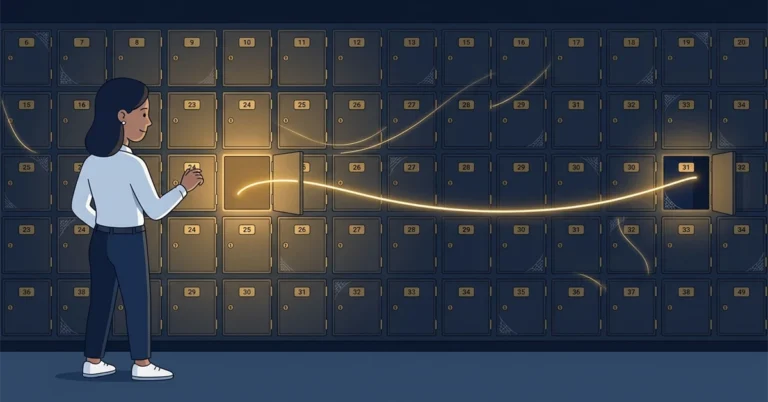
The certificate store cannot answer that. It lists what exists, not what uses it, and there is no “last accessed” column. So the certificate stays, along with the eleven others like it, and the store becomes a place where things accumulate and nothing is ever removed.
I wrote a tool to answer the question, ran it against a machine with two SQL Server instances on it, and the most useful thing it told me was how easy it would be to get the answer wrong.
Where the answer actually lives
Windows already knows which certificates are being used. Every chain build, every policy check, every revocation lookup passes through CryptoAPI, and CryptoAPI has an ETW provider called CAPI2 that reports all of it.
|
1 2 3 |
Provider: Microsoft-Windows-CAPI2 GUID: {5BBCA4A8-B209-48DC-A8C7-B23D3E5216FB} Manifest: %SystemRoot%\System32\crypt32.dll |
The events that matter most are 11 (BuildChain) and 30 (VerifyChainPolicy). If something is using a certificate for TLS, code signing, or any other cryptographic operation, a chain gets built, and event 11 fires with the thumbprint in it.
This is not logging you have to turn on in advance, which is the useful part. The provider is always there. You subscribe to it, wait, and see what turns up.
Watching a real connection
I ran a capture for forty seconds while opening encrypted connections to two local SQL Server instances, plus one ordinary HTTPS request for contrast.
|
1 |
CertAuditor.exe capture --log C:\logs\cert-audit.log --duration 40s --events 11,30,90 |
Forty-eight events, twelve distinct certificates. Here is the part that matters:
|
1 2 3 4 5 6 |
Thumbprint Subject Count Processes ---------------------------------------------------------------------------------------- 4C1FA9B30E7D62885A3F0D19C7B4E2A6188D53F0 contoso-web.example.com 8 lsass.exe, powershell.exe 9E27C4D8B1A05F3672E9C8D4A17B60F3E5C29D14 SSL_Self_Signed_Fallback 2 lsass.exe B70D3E6A2C94F81D5E0B7A36C182D9F4A05E7B28 SSL_Self_Signed_Fallback 2 lsass.exe D14B8F02A7E63C95D8B120E4F7A93C6B5D0E82A1 Internal Issuing CA 2 4 lsass.exe, svchost.exe |
Two certificates called SSL_Self_Signed_Fallback, accessed four seconds apart. That is SQL Server: it generates a self-signed certificate at startup when you have not configured one, and there is one per instance. The timestamps line up exactly with my two connections.
Now look at the process column.
|
1 2 3 4 |
2026-09-14T15:27:29.5346799 evt 90 9E27C4D8B1A05F36 lsass.exe (pid 1724) 2026-09-14T15:27:29.5348144 evt 11 9E27C4D8B1A05F36 lsass.exe (pid 1724) 2026-09-14T15:27:33.5736556 evt 90 B70D3E6A2C94F81D lsass.exe (pid 1724) 2026-09-14T15:27:33.5737489 evt 11 B70D3E6A2C94F81D lsass.exe (pid 1724) |
sqlservr.exe does not appear anywhere in the capture. Not once.
SQL Server does not do the TLS handshake itself. It hands that to SChannel, which runs inside the Local Security Authority process. The certificate belongs to SQL Server; the process touching it is lsass.exe.
If you had audited that machine looking for sqlservr.exe against a thumbprint, you would have found nothing, concluded the certificate was unused, and deleted the certificate your instance presents on every encrypted connection.
Three ways to get a false negative
That is one way to be wrong. The other failures have the same result: the command succeeds and the summary is empty, even though the certificate may still be in use.
The process is not the one you expect. As above. TLS termination, scheduled tasks and service hosts all show up as something other than the application you have in mind. Search by thumbprint, not by process.
A filter matched nothing. CertAuditor has a --store option so you can narrow a capture to one store. While I was building it, that filter dropped every event, with no error and no warning. Chain-build events usually do not populate the store name in their payload, so the filter was comparing an empty string against LocalMachine\My and rejecting everything. The log came out empty and the exit code was zero.
The check that catches this is cheap: run the capture once without the filter. If the unfiltered run returns events and the filtered one returns nothing, the filter is the problem, not the certificate.
The window was too short. This one is obvious, and I still get it wrong: a Tuesday capture will not catch a certificate used only by a Sunday-night backup job.
All three can finish with a zero exit code and an empty summary, so I do not treat an empty result as proof that the certificate is unused.
Running it, from a DBA’s point of view
You do not need to be a developer to use this, but there are a few things worth knowing before you start.
It has to run elevated. Creating an ETW trace session is a privileged operation, so it needs an administrator command prompt. Building it does not.
Pick the window to match what you are looking for.
|
1 2 3 4 |
1h is anything using it right now 1d daily agent jobs and scheduled tasks 7d weekly maintenance, backups, reindexing 30d before you clean out the store |
Seven days is the useful default on a SQL Server, because it covers a full maintenance cycle. Start the capture, leave it, come back.
Find your thumbprint first, so you know what you are looking for:
|
1 2 3 |
Get-ChildItem Cert:\LocalMachine\My | Select-Object Thumbprint, Subject, NotAfter | Sort-Object NotAfter |
Then capture, then summarize:
|
1 2 |
CertAuditor.exe capture --log C:\logs\cert-audit.log --duration 7d CertAuditor.exe summarize --log C:\logs\cert-audit.log |
The log is append-only and tab-delimited, so several captures accumulate in one file, and a subject containing a comma will not break the columns.
Two practical notes that cost me time. The log file is created by the elevated process, so a normal shell may not be able to read it afterwards; write it somewhere you control, or fix the permissions when you are done. And the certificate you are chasing may not be in the store you are searching: the two SQL Server fallback certificates above were not in LocalMachine\My at all.
What a result means. I trust a hit: it shows the certificate was used, by that process, at that time. I do not trust a miss until I have checked the capture window, the filters, and which process would actually have handled the certificate.
Getting it
CertAuditor is on my Forgejo instance at code.hannahvernon.com/hannah-vernon/cert-auditor, MIT licensed, with a mirror at GitHub. It targets .NET Framework 4.8, which is already on your Windows Servers, and the README has a build-from-source walkthrough that assumes no prior .NET experience.
If you want to look at a certificate a SQL Server is presenting rather than which ones it is using, that is a different job and I wrote about it separately in Inspecting SQL Server TLS Certificates Without Credentials.
Have you cleaned out a certificate store and broken something? I would like to hear which one. Bluesky or LinkedIn.