
Your Agent Forgets Everything. I Measured What I Forgot to Write Down.
An agent session ends and the context is gone. Everything it learned about your environment, every approach it tried and discarded, every decision you talked through together, and whatever it was about to do next.
The usual answer is “the commits will tell you.” They will not. A commit log records what changed. It does not record what was tried and rejected, why an approach was abandoned, which of your servers got touched outside version control, or what the next step was going to be. That material only exists in the conversation history, which goes away when the session does.
So I write a checkpoint file at the end of a working session. I have been doing it for about a year, across dozens of projects. Recently I packaged the convention as an agent skill, which meant I finally had to look at whether my own checkpoints were any good.
They were worse than I expected.
Teaching AI Your Environment: Custom Instructions and Context mentions session checkpoints in passing, as something to link to from your instructions. This post is the part that was missing: what goes in one, and where to put it.
Where the files go
You can store checkpoints under the session identifier or under the project name. Use the project name.
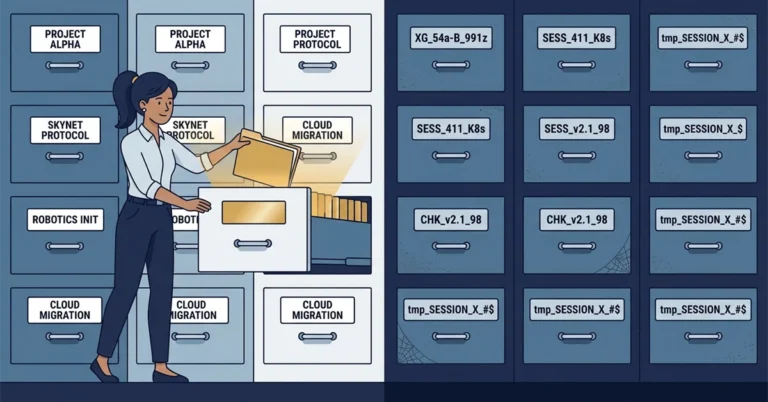
The session identifier is the tempting one, because it is right there and it looks like a key. It is not usable as one. The next session has a different identifier and no way to learn the previous one, so it cannot build the path to the folder. The checkpoints get written and stored, and nothing reads them. There is no error to notice.
Name the folder after the project instead, derived from the version control root:
|
1 2 3 4 5 6 |
~/.agent/session-state/ invoice-api/ checkpoint-2026-03-14T1610.md checkpoint-2026-03-20T0930.md customer-portal/ checkpoint-2026-02-28T1145.md |
A project name is stable, and any session working in that repository can derive it.
Keep it outside the project repository. Checkpoints reference branches that get deleted, and they are working notes rather than project history.
What goes in one
The rule that took me longest to internalise: write down the state needed to resume the work, rather than a summary of what happened.
A chronological summary of the session is usually not much use. What the next session needs is what is true right now, and what it should do next. If a section does not help with that, leave it out.
The sections I settled on:
|
1 2 3 4 5 6 7 8 9 |
Header branch, commit, whether the tree is clean What this session was about Accomplished done AND verified, distinguished from merely written Decisions and findings what was chosen, what was rejected, and why Out-of-repo changes anything git diff cannot see Files created or modified Environment connections, tool paths, the traps hit Pending next step, blocked items, what they wait on Open items the task list |
Two of those carry most of the value.
Decisions and findings is the one a commit log cannot replace. If you do not write down the approach you rejected, you will try it again in a few weeks and rediscover why it did not work. “Batching the lookups was tried and abandoned; the API caps a batch at 50 ids and the import needs 4,000, so round trips dominate either way” saves a repeat experiment.
Out-of-repo changes covers anything invisible to version control: a server setting, a database option, a scheduled task, a change made through a cloud console. Nothing else records these. Each entry needs four things - where, what (the exact before and after), why, and how to reverse it. Write them when you make the change, not at the end of the session, because the specific values are the first thing a compacted context drops.
Then I measured my own
Packaging the convention meant writing a linter for it. Pointing that linter at a year of my own checkpoints was not a comfortable exercise.
Across 262 checkpoints in 54 project folders:
|
1 2 3 4 5 6 |
All six core sections present 38.2% Task list recorded 63.4% Out-of-repo changes recorded 28.6% Filename timestamp disagreeing with the timestamp inside the file 11.6% Assumptions recorded 1.5% |
The timestamp mismatch is the one I care most about, and it was in 11.6% of them. Restore works by sorting filenames and taking the last, so when the filename disagrees with the file, you restore an older checkpoint than you meant to. The content still reads sensibly and nothing raises an error, so you carry on from state that is weeks out of date. I would rather have no checkpoint at all, because then I would know to start from scratch.
I also found 38 session identifiers that appeared in more than one file. One of them turned up in 17 files written over six weeks, and several of those files referred to “previous sessions” in the past tense, which is how I knew the identifier had been copied forward from whatever checkpoint had been restored at the time. It was no longer telling me which session did the work.
None of this was visible to me while I was writing them. Each file looked fine on its own.
The tool found bugs in the tool
I shipped the skill, then pointed its own linter at the checkpoint I had just written with it. Within five minutes it reported two problems, and both were mine rather than the checkpoint’s.
A false positive. The check for empty sections captured a section’s body up to the next heading of any level, so a section whose content began with a subheading looked empty. A perfectly well-formed file got flagged.
A rule that was wrong. The linter warned that one session had written multiple files, which my own rule forbade. Except agent sessions are long-lived and get resumed across days or weeks, so one file per day is correct and one file per session is not. The check was firing on correct usage.
The second one is a risk with any check you write. If a check cries wolf often enough, I stop reading its output, and then I miss the one that mattered. Both were fixed the same afternoon, along with the underlying rule.
Neither showed up in testing. I had written the test files myself, using the same assumptions that were built into the parser, so they did not cover the formats my real checkpoints turned out to have.
Try this yourself
You do not need any tooling to start. Open a file at the end of your next session and write down: what you finished and how you verified it, what you tried that did not work, anything you changed outside version control, and what you were about to do next.
Then start your next session by reading it, and verify it before trusting it. Check that the branch and commit are what the file claims. A checkpoint records what was true when it was written; branches move and other people push, so check it rather than assuming it is still accurate.
If you want the full convention, the linter and the helper scripts, they are on GitHub as agent-session-checkpoints, MIT licensed. It installs as a plugin. The documentation does not require the scripts, so the convention still works on machines without PowerShell.
The folder naming is the part that matters most. Name it after the project, not the session.
Have you built something similar, or decided the whole idea is overhead? I am interested in both. Bluesky or LinkedIn.