
SqlPackage, Synonyms, and the Third-Party Database Problem
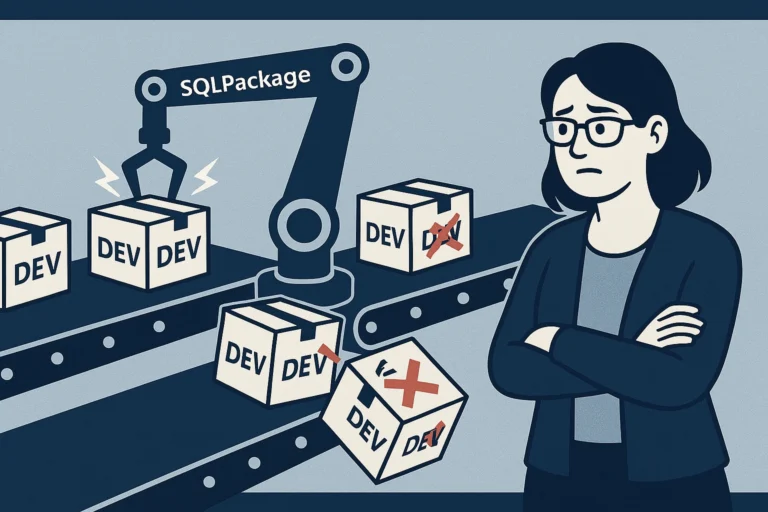
You’ve got a SQL Server database that talks to a third-party database via synonyms. The third-party vendor lets customers customize their schema. The table names differ across environments. You use SSDT and SqlPackage for deployments. What could possibly go wrong?
Everything. Everything can go wrong.
The Setup
Let’s say you have a database called OrderHub that needs to query tables in a third-party database called VendorCRM. The vendor creates tables with names like tbl_310, tbl_311, tbl_314 - and which table number contains which data depends on the installation. Your dev environment might have the data you need in tbl_311, while production has it in tbl_314.
The sensible solution is synonyms:
|
1 |
CREATE SYNONYM [crm].[customer_contacts] FOR [VendorCRM].[dbo].[tbl_311]; |
Your stored procedures reference [crm].[customer_contacts] and never need to know the actual table name. Clean abstraction. Works great - until deployment day.
The Problem
SSDT projects store synonym definitions as .sql files. When you build the project, the synonym target gets baked into the dacpac with whatever value your development environment uses. When SqlPackage deploys to QA or production, it cheerfully repoints your synonym to the dev target - which may be the wrong table entirely.
“No problem,” you think. “I’ll fix it in a post-deployment script.”
And you do. You write a clever script that discovers the correct table by looking for specific columns:
|
1 2 3 4 5 6 7 8 9 10 11 12 13 14 15 16 17 18 19 20 21 22 23 24 25 26 27 28 29 30 31 32 33 34 35 |
;WITH src AS ( SELECT [table_name] = QUOTENAME(s.[name]) + N'.' + QUOTENAME(t.[name]) , rn = ROW_NUMBER() OVER (ORDER BY t.[name]) FROM [$(VendorCRM)].[sys].[tables] AS t INNER JOIN [$(VendorCRM)].[sys].[schemas] AS s ON t.[schema_id] = s.[schema_id] WHERE t.[name] LIKE N'tbl\_3__' ESCAPE N'\' AND EXISTS ( SELECT 1 FROM [$(VendorCRM)].[sys].[columns] AS c WHERE c.[name] = N'contact_id' AND c.[object_id] = t.[object_id] ) AND EXISTS ( SELECT 1 FROM [$(VendorCRM)].[sys].[columns] AS c WHERE c.[name] = N'detail_payload_xml' AND c.[object_id] = t.[object_id] ) ) SELECT @tbl_contacts = (SELECT src.[table_name] FROM src WHERE src.[rn] = 1) , @tbl_contact_detail = (SELECT src.[table_name] FROM src WHERE src.[rn] = 2); |
You find the tables by their shape - matching on columns that you know the target tables must have - then drop and recreate the synonyms to point at the right place. Problem solved.
Except it isn’t.
The Sucker Punch: sp_refreshsqlmodule
After deploying schema changes, SqlPackage runs sp_refreshsqlmodule on every stored procedure to revalidate their definitions against the current schema. This happens before your post-deployment scripts run.
So here’s the sequence:
- SqlPackage resets synonym to dev target (
tbl_311) - SqlPackage runs
sp_refreshsqlmoduleon all procs - Proc references
[crm].[dispatch_priority]via the synonym tbl_311in this environment only has 2 columns -dispatch_prioritydoesn’t exist- Boom:
|
1 2 3 |
Refreshing Procedure [rpt].[order_fulfillment_results]... Msg 207, Level 16, State 1 Invalid column name 'dispatch_priority'. |
Your post-deployment script runs after this and fixes the synonym. But the damage is done - the module refresh failed, and depending on your pipeline configuration, the deployment may have aborted before reaching the fix.
The Recovery
The good news: the actual schema changes (table alterations, stored procedure updates, index changes) deploy successfully before the module refresh step. Only the revalidation fails. So the fix is straightforward:
- Let the deployment complete (or re-run just the post-deployment script to fix the synonyms)
- Manually re-run the module refresh for the affected procedures:
|
1 |
EXEC sys.sp_refreshsqlmodule N'[rpt].[order_fulfillment_results]'; |
If you need to re-run the full deployment script, you’ll need to comment out statements that already executed. Use -- line comments for this - not /* */ block comments. T-SQL block comments don’t nest reliably, so if the deployment script already contains block comments (and it will), wrapping sections in /* */ will produce syntax errors at the first unmatched */.
Yes, this means manually adding -- to potentially hundreds of lines. I never said it was fun.
Can You Just Exclude Synonyms?
You’d think SqlPackage would have an option to skip synonyms during deployment. It doesn’t. There’s no /p:ExcludeObjectTypes=Synonyms that actually works for this scenario. SqlPackage treats synonyms as first-class schema objects and insists on making them match the dacpac definition.
The closest workaround is to use a .dacpac publish profile with DoNotAlterReplicatedObjects or to script specific excludes, but none of these cleanly solve the “synonym points to an environment-specific target” problem.
Strategies That Help
1. Column-signature discovery
The post-deployment script searches the target database for tables matching a known column pattern. This is resilient to table renumbering - if the vendor adds or removes tables, the discovery script finds the right ones based on structure, not name.
2. SQLCMD variables for synonym targets
Define environment-specific SQLCMD variables for each synonym target:
|
1 |
CREATE SYNONYM [crm].[customer_contacts] FOR [$(VendorCRM)].$(CRM_CONTACTS_TABLE); |
Then set $(CRM_CONTACTS_TABLE) differently in each publish profile. This avoids the post-deployment race condition because the synonym definition itself is correct at deployment time. Downside: you need to maintain the variable values per environment and update them whenever the vendor changes their schema.
3. Accept the failure and automate recovery
Add a post-deployment step that re-runs sp_refreshsqlmodule on known affected procedures after the synonym fix. This doesn’t prevent the error, but it ensures the final state is correct:
|
1 2 3 4 5 6 7 8 |
/* Fix synonyms first */ EXEC sp_executesql N'DROP SYNONYM [crm].[customer_contacts]'; EXEC sp_executesql N'CREATE SYNONYM [crm].[customer_contacts] FOR [VendorCRM_4].' + @discovered_table; /* Now re-validate the affected procs */ EXEC sys.sp_refreshsqlmodule N'[rpt].[order_fulfillment_results]'; EXEC sys.sp_refreshsqlmodule N'[crm].[list_stalled_workflows]'; EXEC sys.sp_refreshsqlmodule N'[rpt].[workflow_debug_stalled_process]'; |
The Real Lesson
SqlPackage assumes your database is self-contained. When it isn’t - when you have cross-database dependencies on systems you don’t control - you’re working against the tool’s assumptions. The synonym mechanism is a clean abstraction at runtime, but SSDT’s deployment model doesn’t understand that the synonym target is intentionally different from what’s in source control.
Until SqlPackage adds proper support for environment-variable-driven synonyms or a reliable exclusion mechanism, you’re stuck managing the gap with post-deployment scripts and a healthy tolerance for non-fatal deployment errors.
At least sp_refreshsqlmodule failures don’t corrupt anything. Small mercies.
Have you found a cleaner way to handle cross-database synonyms with SqlPackage? I’d love to hear about it on Bluesky or LinkedIn.]]>