
One DBA, Six Boards: When Kanban Gets Split Across Teams
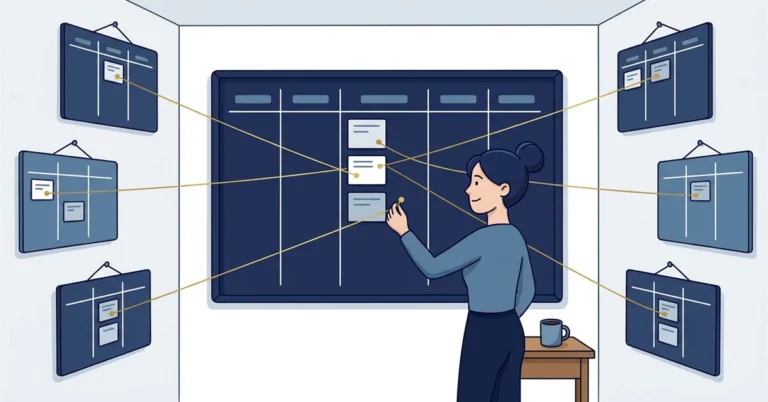
Say I support six development teams. Each one runs a Kanban board, and each board has a card or two with my name on it. On Monday morning the App team’s board shows me with one item in progress, and so do the Billing board, the Reporting board and the three others. Each board shows a reasonable load. Added together, I’m carrying six things at once, and no board shows all six.
This post is part of the Work That Flows: Kanban for DBAs series. The contents page lists every part in order.
The series opener, Agility Comes From the Pipeline, Not the Ceremony, argued that agility comes from the deployment pipeline, and the previous part made the case for Kanban in DBA work. This part covers what happens when every team’s board holds a piece of one person’s work.
How the Cards End Up Everywhere
Each team wants its dependencies on its own board. If the App team’s release needs a schema change and a new index, the team lead wants a card for that work next to the stories it blocks, so anyone looking at the board can see why the release is waiting. From one team, that’s a fair request. When six teams make it, the DBA ends up with cards on six boards.
Nobody usually sets out to design it this way. Each team adds the DBA to its project when it needs something, and a year later the database work sits on six boards.
What It Does to the Flow
The split works against two of the six general practices in the Kanban Guide. The first is visualizing the work. The Guide points out that work in an organization is often hidden, and that making the work and its flow visible improves transparency because “everyone involved literally has the same picture.”[1] With six boards, each team has its own picture of my work, and each one is missing most of it.
The second is limiting work in progress (WIP). A WIP limit caps the number of items in progress at one time, and the Guide says a team can set it per work state, per person, per lane, per type of work, or for a whole system.[1] A limit of three on the App board’s “In Progress” column says nothing about my cards on the other five boards. Every board can be under its limit while the person doing the work is well over any sensible limit for one person.
The usual symptoms:
- No single view of WIP. Answering “what are you working on?” means opening six browser tabs.
- No agreed order across boards. Each team orders its own board. When two teams’ top cards both need the DBA this week, nothing on either board says which comes first, so the order depends on follow-ups, not an agreed rule.
- Hidden queues. A card in the Reporting team’s “To Do” column is waiting for me, but the Reporting team can’t see that it’s fourth in a line that runs across five other boards. A lead time forecast from their own board leaves out that queue.
- Work with no board at all. Patching, restore tests and incident follow-up don’t belong to any team, so they often have no card anywhere. They don’t count against anyone’s WIP, and they don’t appear as the reason the team cards are late.
- Context switching. Six boards can mean six standups, six sets of column names and six definitions of done. The Guide names context switching as one of the costs that limiting WIP is meant to reduce.[1]
One Board as the System of Record
What I’d recommend is one DBA board that holds every piece of database work, whichever team asked for it. That board is the system of record. If a piece of work isn’t on the DBA board, nobody is working on it.
Each team board keeps a card for the dependency, linked to the DBA card or mirrored from it, so it still sits next to the stories it blocks. The team card shows status. On the DBA board, the work has one order, one place to pull from, and one limit to count against. The Guide’s larger example is a whole internal services department managed by “a set of Kanban boards relating to each other, placed at different levels of granularity,” with WIP limited at different levels.[1] A DBA board with linked team cards is a small version of that.
Update the status in one place only. If someone has to move a mirrored card by hand on two boards, one of the two copies tends to fall behind. Use a link, or automation that copies the status in one direction, from the DBA card to the team card.
One WIP Limit, Set for the Person
The WIP limit goes on the DBA board, and it applies to the DBA across every team. I don’t have a set limit myself, and I should. Consider starting with two or three items in progress and adjusting from what the board shows after a few weeks. At the limit, a new request waits in the queue, and the team that asked can see where it sits. The Guide’s phrase for this is “Stop starting, start finishing.”[1]
Six boards with a limit of one DBA card each still let one DBA have six things in progress.
An Intake Lane and Classes of Service
New requests go into an intake column on the DBA board before anyone starts them. That gives the DBA one queue to order, and it gives each team a place to see that its request arrived and where it is in line.
The order needs a written policy. Two of the policies the Guide says to make explicit are how the board gets replenished (“when, how much, by whom”) and how each class of service is handled. It also says the customers, stakeholders and people doing the work should agree on them.[1] A class of service is an agreed rule for treating some items differently. The Guide’s example is an “expedite” class, like an ambulance on a motorway, that may pass through even when the WIP limit is full.[1]
For DBA work, consider starting with these classes:
- Expedite: anything in production. Work in lower environments waits while a production incident is under way. Consider allowing one expedite card at a time over the limit.
- Fixed date: work tied to a release date, a certificate expiry or the end of a vendor’s support period.
- Standard: most requests, pulled in the agreed order.
- Maintenance: patching, restore tests, index and statistics work. Consider reserving a slot for it, so it isn’t always behind the team requests.
Teams can still challenge the order, but now there’s a written rule to point to, and changing it is a decision everyone can see.
Doing It in Jira
Part 5 of this series (available 2026-11-29) covers Jira in detail, so this is the short version. In Jira Cloud, Atlassian is renaming “issues” to “work items” and “projects” to “spaces,” and its documentation says existing JQL queries don’t change.[2] The same page says some JQL using the new terms may not work yet, so I’ll stick with the older ones.
The first option is a board built on a filter. Jira can create a company-managed board that shows work items from multiple spaces, based on a saved filter.[3] A filter along these lines pulls every database card into one Kanban board without moving anything (the project keys and label are examples):
|
1 |
project in (APP, BILL, RPT) AND labels = dba |
The cards stay in the team projects, so they still appear on the team boards. It depends on everyone applying the label, and expect the fiddly part to be mapping each team’s statuses onto the DBA board’s columns.
The second option is a dedicated DBA project. The database work lives in its own project and board, and each team keeps a card in its own project, linked to the DBA card with a link type such as “blocks” or “relates to.” Jira can show linked work items on the cards of a board, though that view setting applies per user.[4]
A dedicated project suits a longer-term setup. The intake column, the classes of service and the WIP limit then belong to the DBA board, not to a team’s board. The filter board is the easier first step.
Where I Land
In my opinion, Kanban works for a DBA who serves many teams only when there’s one board for the person doing the work. The teams still get a card on their own board that shows where their dependency stands.
If you’re a DBA with cards on more boards than you can list from memory, I’d start with the filter board and count what’s on it. That count gives you and the teams something concrete to talk about.
If you’ve made split boards work, or you think the team boards should win, tell me about it on Bluesky or LinkedIn.
Previous: Kanban for DBA Work: Pulling Work Instead of Promising a Quarter. Next: One System Should Drive the Work, Not Several Driving You (available 2026-11-27).
References
- The Kanban Guide - Kanban University. Says work is often hidden and that visualizing it gives everyone “the same picture.” WIP limits can be set per work state, per person, per lane, per type of work or for a whole system, and limiting WIP reduces delay and context switching (“Stop starting, start finishing”). A whole internal services department may be managed by “a set of Kanban boards relating to each other” with WIP limited at different levels. Replenishment and class-of-service policies should be explicit and agreed. Gives the expedite class as an example of a class of service. ↩
- JQL fields - Atlassian Support. Notes that Jira terminology is moving from “issue” to “work item” and from “project” to “space”, that there are no changes to existing JQL queries, and that some JQL using the new terms may not work yet. ↩
- Create a board based on filters - Atlassian Support. Describes creating a company-managed Scrum or Kanban board from a saved filter, so the board displays work items from multiple spaces. ↩
- Link work items - Atlassian Support. Describes linking work items across spaces to manage dependencies, lists link types including “blocks” and “relates to”, and explains how to show linked work items on board cards through a per-user view setting. ↩