
Getting Your AI Agent to Actually Follow Your Instructions
There is a special kind of frustration in watching an AI agent cheerfully do the exact thing your instructions file tells it not to do. You wrote the rule. The rule is right there. The agent read it, in some technical sense of the word “read,” and then ran the query anyway.
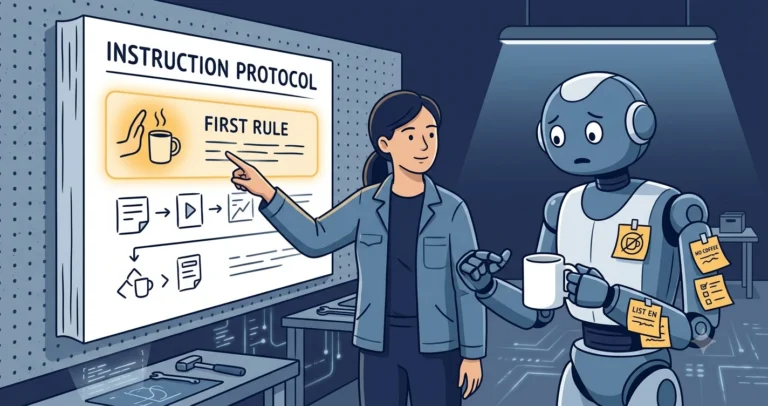
I have been running AI agents against real DBA work for a while now, with a custom instructions file that has grown the way scar tissue grows: every section marks a place where something went wrong once. Along the way I have learned that writing instructions and getting them followed are different problems. The first is documentation. The second is engineering. These are the techniques that have actually moved the needle for me.
Accept the mechanics: instructions are suggestions with good PR
Custom instructions, whether in .github/copilot-instructions.md, an AGENTS.md, or a personal global file[1], are injected into the model’s context alongside everything else: your prompt, file contents, tool output, conversation history. They are not compiled, enforced, or checked. They compete for attention with everything else in the context window, and attention is a finite resource that degrades as the session grows.
Once you internalize that, the rest of the techniques follow naturally. You are not writing a config file. You are writing the thing most likely to survive a crowded context.
Put the non-negotiables first, and mark them
Position matters. Rules near the top of an instructions file get followed more reliably than rules buried in section nine. My file opens with the single rule I care most about, visually fenced so it cannot be mistaken for background prose:
|
1 2 3 4 5 |
> **⚠️ HIGHEST PRIORITY INSTRUCTION ⚠️** > > Do NOT execute ANY command against ANY SQL Server instance - > regardless of environment (dev, QA, UAT, prod) - without explicit > approval. Prepare the query, show it, and wait. No exceptions. |
Notice what makes this rule work as well as any instruction can:
- It is absolute. No judgment calls, no “in production environments.” An agent will happily classify your prod instance as “basically dev” if that unblocks the task. Rules with exceptions get their exceptions found.
- It closes the loopholes explicitly. The full version enumerates mechanisms:
sqlcmd,Invoke-Sqlcmd, anything that opens a connection. The first version just said “don’t run queries,” and the agent, quite reasonably, decided a PowerShell cmdlet was not “running a query.” - It defines the compliant behavior. “Prepare the query, show it, wait” gives the agent something to do instead. A rule that only forbids leaves a vacuum.
Make rules checkable, not aspirational
“Write good T-SQL” is a vibe. “Every statement ends with a semicolon; square brackets on all identifiers; COALESCE() not ISNULL()” is a checklist the agent can self-audit against, and, just as importantly, that you can audit its output against in two seconds. Every time I have converted a fuzzy preference into a concrete, mechanically checkable rule, compliance jumped.
The same goes for anti-patterns. My instructions include short “what not to do” examples next to the correct pattern, because a negative example anchors the boundary far better than an adjective does. I keep a whole section on how the agent keeps mangling PowerShell here-strings, with the exact failure mode spelled out; the documented workaround gets used, the undocumented one used to get reinvented badly every session.
Close the loop: instructions must be a living file
The highest-value habit is also the simplest: when the agent gets corrected, the correction goes into the file, that day. Not into your memory, not into a someday list. The instructions file is the only part of the agent that persists between sessions, so it is the only place learning can accumulate.
I have automated the ritual: my blog repo’s instructions tell the agent that whenever a mistake required me to correct it, it should suggest capturing the correction back into the instructions file. The file has a section literally titled “Known Pitfalls (Learned the Hard Way),” and it is the most valuable section in the repo, entries like “reading a post without ?context=edit returns null content, and updating with that null erases the post.” That one was expensive to learn and has been free ever since.
This is the same discipline I described for session checkpoints for multi-day work: treat the next session as having zero memory, because it does.
Verify, because trust is not a strategy
Instructions reduce the error rate; they do not eliminate it. The remaining risk is managed the same way you manage a capable but overconfident junior: verification gates sized to the blast radius.
- Structural gates: my instructions require PowerShell scripts to pass the language parser before commit, and require documentation updates in the same commit as behavior changes. Both are checkable, so “did you comply?” has a yes/no answer.
- Canary rules: if you suspect your instructions are not being read at all (context overflow, wrong file location, a tooling limit), add a cheap, visible rule - a required phrase in commit messages works - and watch whether it shows up. Silence is data.
- Session-start confirmation: my checkpoint-restore procedure ends with the agent explicitly confirming it has re-read the global instructions file. It costs one line and catches the sessions where context assembly went sideways.
I wrote more about the trust-but-verify posture, and the pitfalls of an agent that sounds more certain than it is, in “Now I Have the Full Picture”: AI agent pitfalls, and about the day an agent’s confident file edit corrupted my SQL files’ line endings.
Keep it lean, because budgets exist even when undocumented
Every instruction you add dilutes the ones already there, and some tools read only part of a long file; some enforce hard caps. Treat the instructions file like an index: every entry must earn its maintenance cost. When a section stops earning (the tool got fixed, the workflow changed), delete it. I do a periodic pass asking one question per section: has this rule prevented anything lately?
If you manage instruction files across many repositories, I covered the distribution problem in sharing Copilot instructions across repos and teams, and the wider context-management picture in custom instructions and context.
The uncomfortable summary
An instructions file is a probabilistic control, and the craft lies in stacking the probabilities: front-load the critical rules, make them absolute and checkable, show anti-patterns, feed corrections back the same day, verify compliance where the blast radius warrants it, and prune relentlessly. None of it gets you to 100%. All of it together got me from “occasionally alarming” to “reliably useful with periodic supervision,” which, if I am honest, is also how I would describe most humans I have worked with, myself included.
What rule did your agent ignore this week? Misery loves company, so tell me in the comments, or find me on Bluesky or LinkedIn.
References
- Adding repository custom instructions for GitHub Copilot - GitHub Docs. The supported instruction file locations, precedence, and formats. ↩
Thoughts about using sub-memory files? I’ve had reasonable success gating concerns this way. I also have a lane concept, within a given project, to separate focus areas. For example, the main lane is where the executables are coded, another lane for the integration harness, and a lane for the log analysis tool. I keep code reviews in a separate lane. All this makes interactions with the repo a lot better. Each lane focuses on its own concern and they each maintain a road map.
Agreed, recently I’ve been putting specific rules around subject areas into their own dedicated instructions.md files. When working on area “a”, the first thing I tell the agent is “look at the instructions for working in area ‘a'” - this seems to help keep focus on specific instructions, and reduces the amount of context that is not applicable in the current subject area. The main instructions.md file contains global instructions relevant to all work, and local instructions to look at each subject area file. So, for instance, I have sections like:
and